24. CONNING DISPLAYS
24-3
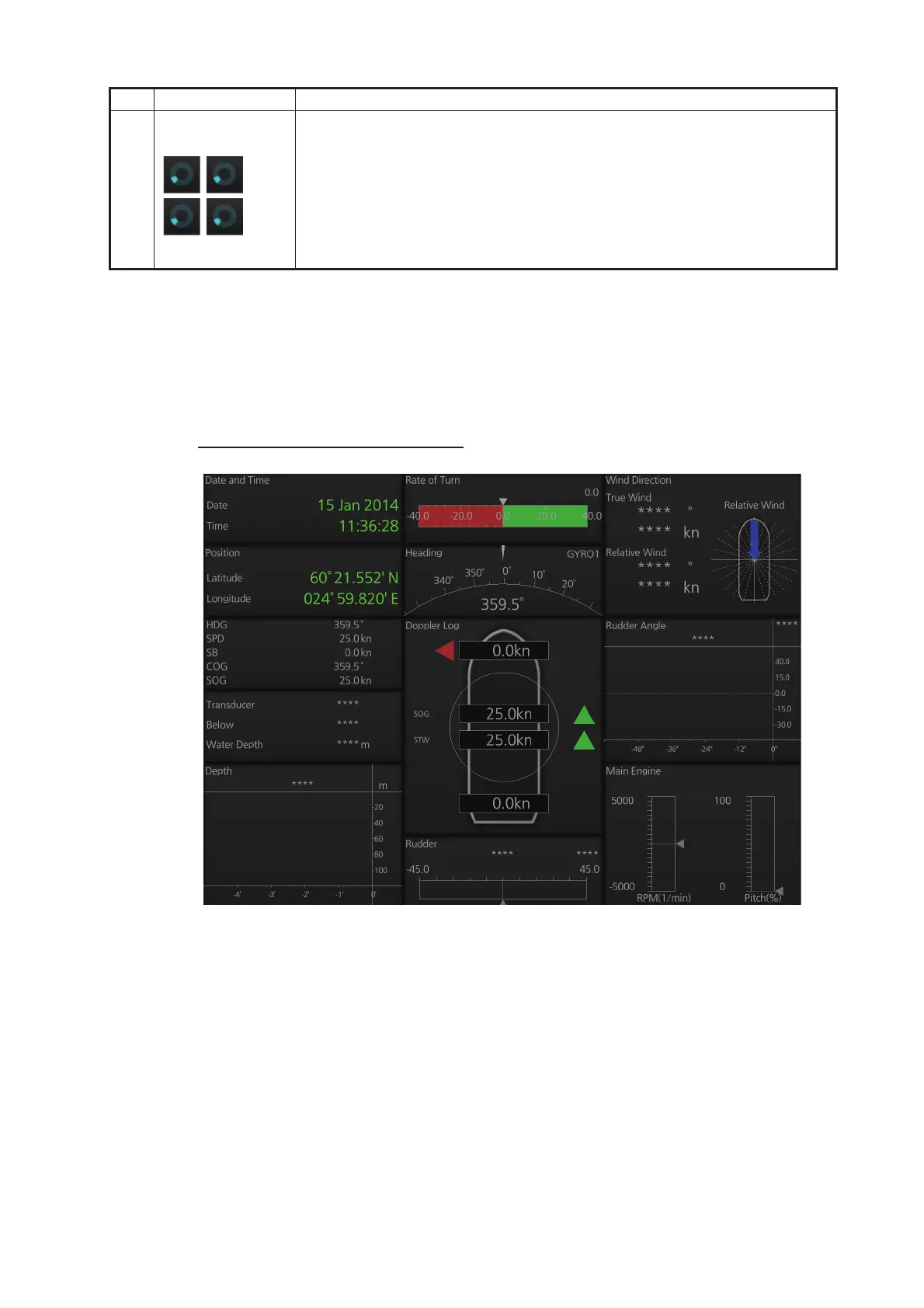
24.2 Conning Display Examples
Six conning display sheets are available, and the content, layout and name of each
sheet can be customized, by a qualified technician. Below are some examples con-
ning display sheets.
Example 1 (General navigation)
11 Status
Indicator
• Rotates clockwise if the system is working properly. If it is not spinning
the system is not working. Shortly after the working indicator stops spin-
ning the buzzer sounds and the status LED turns red. Reset the power
to restore normal operation.
• If the primary display mode is specified during installation, the first letter
of the primary mode name appears at the center of the working indicator
as follows: C: Conning, E: ECDIS, R: Radar. The letter can be clicked
to return to the primary display mode.
No. Button Description



 To Next Page