2. RADAR, CHART RADAR OPERATION
2-56
2.37 Echo Area
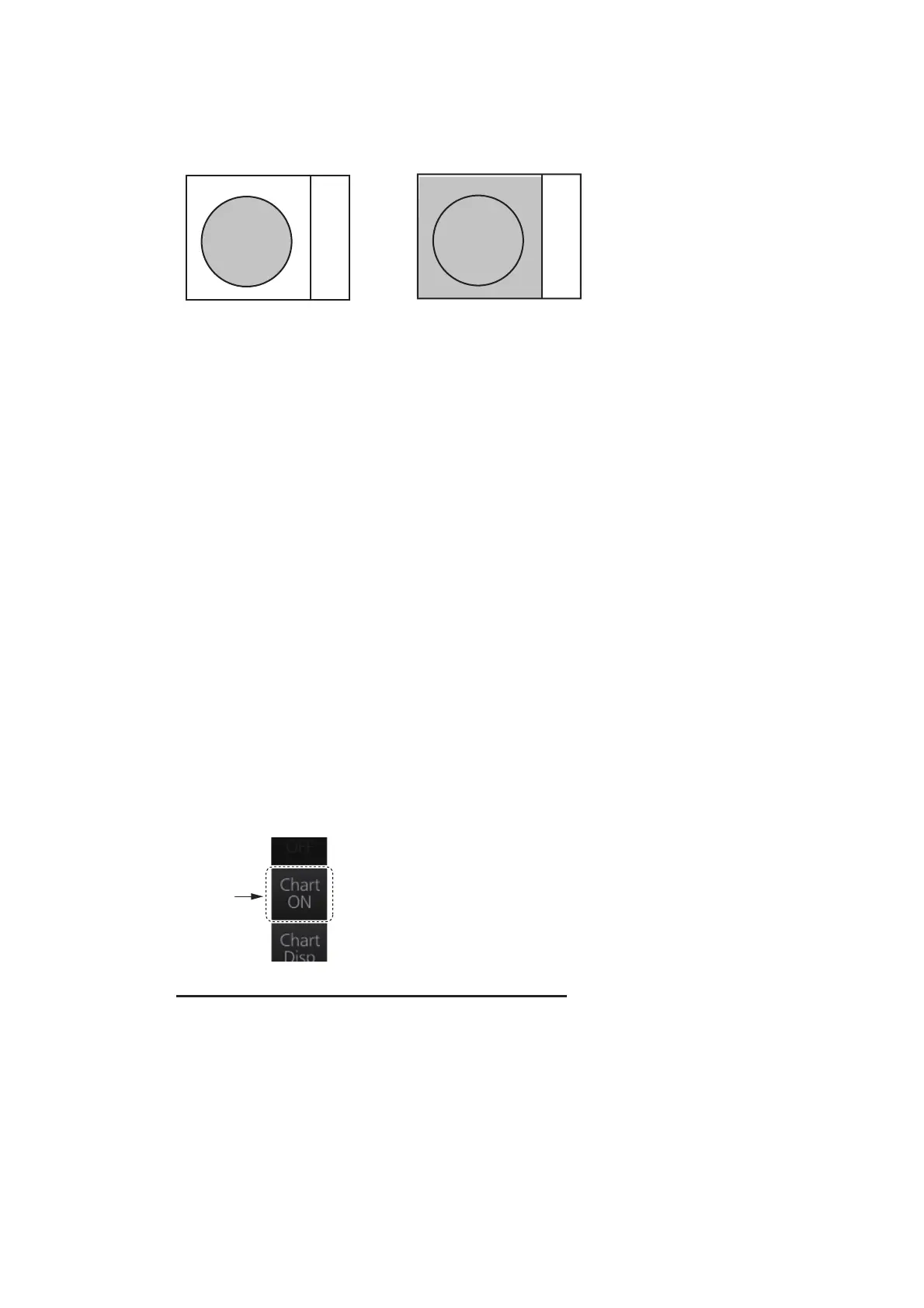
The echo display area for the B-type radar can be selected for [CIRCLE] or [WIDE].
To select the echo display area type to use, open the menu, select the [1 ECHO] menu
then set [2 ECHO AREA] to [CIRCLE] or [WIDE] as appropriate.
2.38 Echo Color
The default echo color is green. Echo color is also available in the following colors:
B type: Yellow, green, white, amber, and “color”. “Color” displays echoes in red, yel-
low or green corresponding to the signal levels of strong, medium and weak.
IMO and A types: Yellow, green and white.
To select the echo color, open the [1 ECHO] menu then select desired color from [3
ECHO COLOR].
2.39 Chart Radar Functions
2.39.1 How to switch between radar and chart radar modes
Click the [CHART ON/OFF] button on the InstantAccess bar™ to show or hide the
chart.
Indication on button and corresponding mode
Chart ON: Chart radar mode active. (Chart and radar picture are displayed.)
Chart OFF: Radar mode active. (Only the radar picture is displayed.)
When the GPS position is lost, the chart radar mode cannot be used. When this oc-
curs, the label on the button shows [Chart OFF] and the button is greyed out.



 To Next Page