12. ROUTES
12-16
12.8.2 How to optimize a route
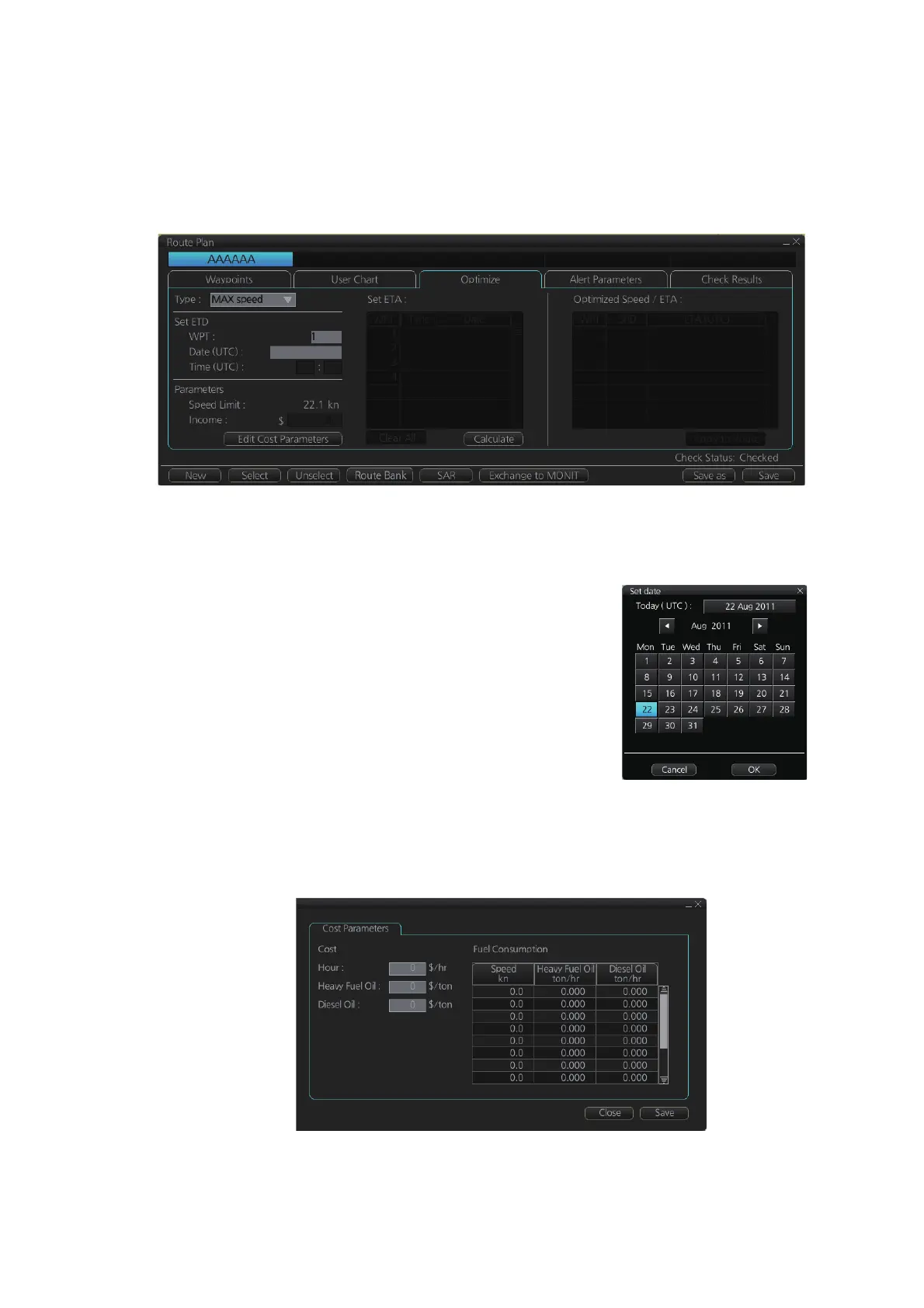
You can define Estimated Time of Departure (ETD), desired number of waypoints and
Estimated Time of Arrival (ETA) on the [Optimize] page in the [Route Plan] dialog box
to optimize your route.
1. Click the [Optimize] tab to open the [Optimize] page.
2. At [Type], click the drop-down list to select desired optimization strategy, referring
to paragraph 12.8.1 "Available route optimization strategies".
3. Do the following:
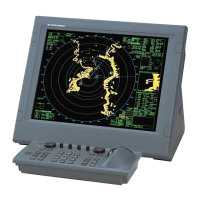
1) At the [Set ETD] window, enter starting WPT and
date and time of departure. To enter the date, click
the gray box to the right of the [Date (UTC):] indi-
cation. The [Set date] window, shown right, ap-
pears. Click the applicable date in the calendar if
you are going to depart during the current month,
or click the applicable arrow on the month/year
button to select a different date. Click the [OK] but-
ton to save the ETA and close the window.
2) At the [Waypoints] window in the [Route Plan] di-
alog box, enter the maximum speed to use. For the Type [MAX profit], enter
[Income] value.
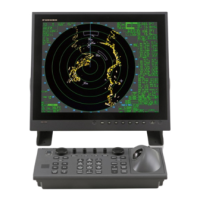
If necessary, click the [Edit Cost Parameters] button to enter fuel consumption
values.



 To Next Page