2. RADAR, CHART RADAR OPERATION
2-48
2. Select [9 MAGNETRON RESET].
3. Select [1 TX TIME] then set the transmit time to
000000.0H.
4. Select [2 PM GAIN ADJ].
5. Select [AUTO] or [MANUAL].
[AUTO]: PM gain is automatically adjusted. Go to
step 7.
[MANUAL]: Set PM gain manually. Go to step 6.
6. Adjust the PM gain manually as follows:
Note: If the blind sector and the direction of the PM antenna overlap one another,
turn off the blind sector before adjusting the PM gain.
1) Set the radar settings as follows:
2) Adjust the gain so that a slight amount of white noise appears on the screen.
Arcs for the performance monitor appear on the screen.
3) Set [PM GAIN ADJ] so that the outer arc faintly appears. The setting range is
0 to 255. Wait at least eight scans then adjust.
7. Close the menu.
2.32 CCRP (Common Consistent Reference Point)
The reference position for measurements (range, bearing, etc.) and markers (heading
line, stern mark, etc.) can be antenna position or CCRP, which is a location on own
ship to which all horizontal measurements, for example range, bearing, relative
course, relative speed, closest point of approach (CPA) or time to closest point of ap-
proach (TCPA), are normally referenced.
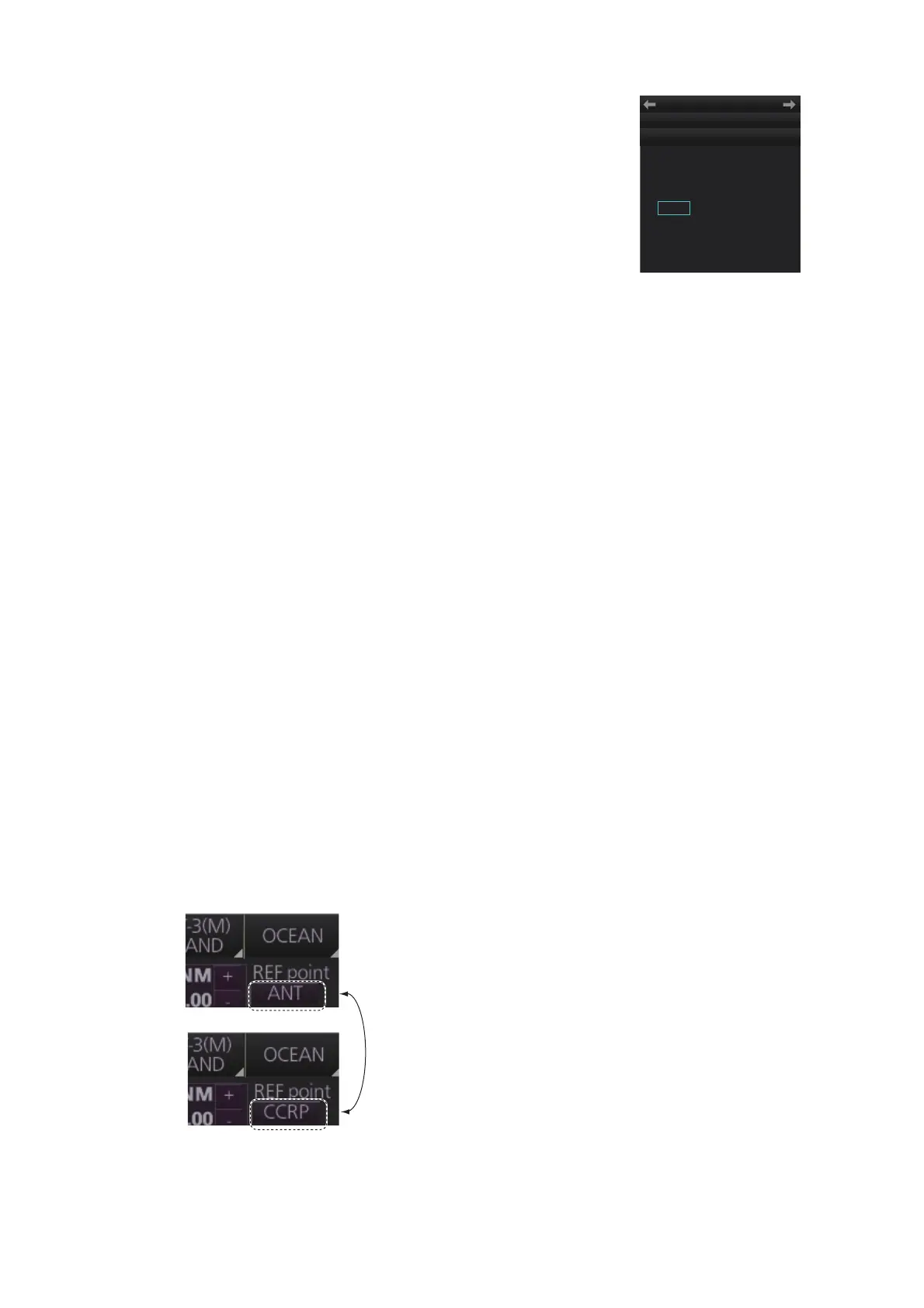
To select the reference position, click the button below [REF point] at the top-left po-
sition to select [ANT] or [CCRP] as applicable.
• Range: 24 NM • A/C RAIN: OFF (turn off manually)
• Pulse Length: Long • Echo Averaging (EAV): OFF
• A/C SEA: OFF (turn off manually) • Video Contrast: 2-B
1 TX TIME
4000H
2 PM GAIN ADJ
AUTO/ 0
INITIAL SETTING
← MAGNETRON RESET
MENU



 To Next Page