2. RADAR, CHART RADAR OPERATION
2-18
2.15 How to Select the Range Scale
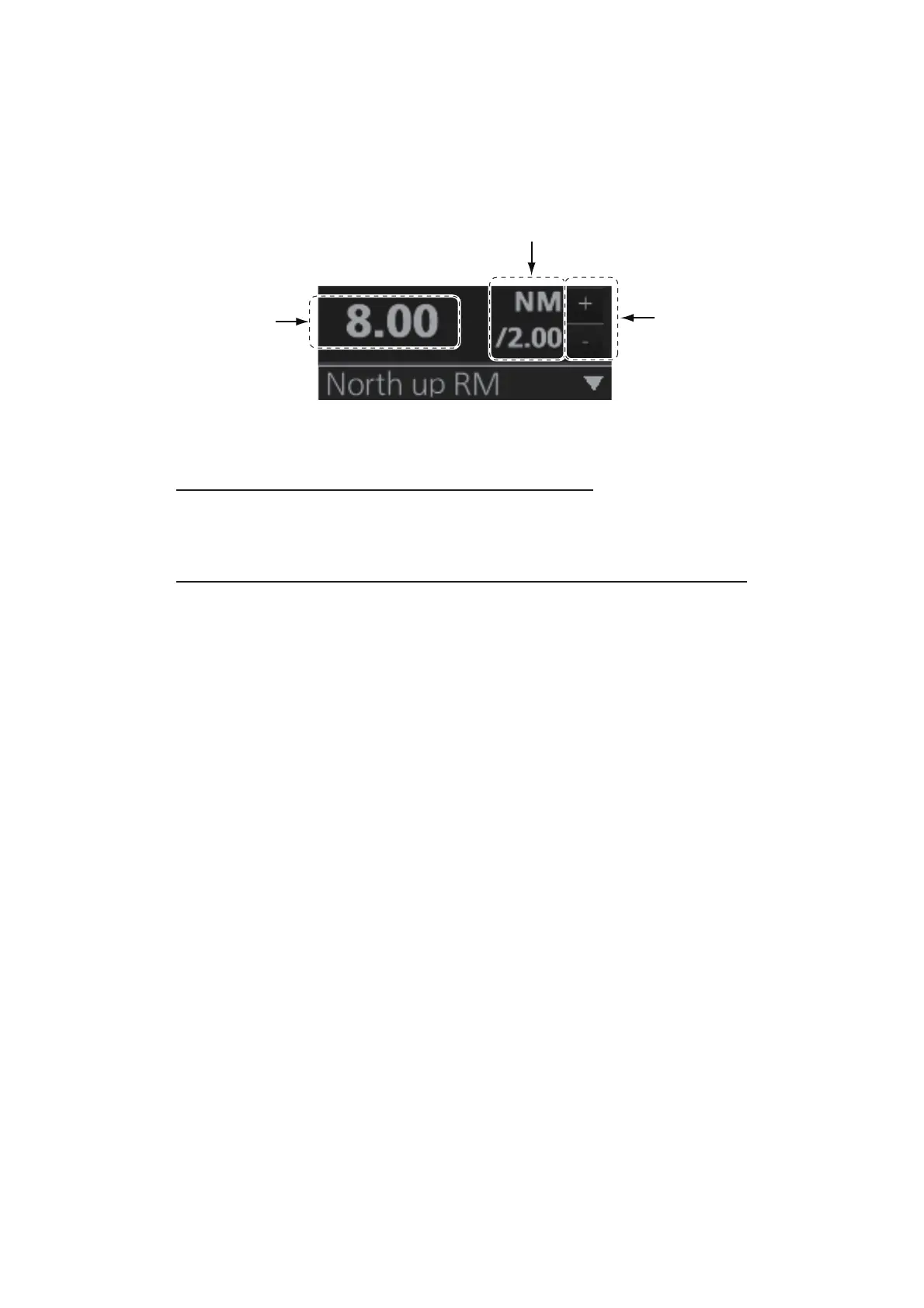
The selected range scale and range ring interval are shown at the top-left position on
the screen. When a target of interest comes closer, reduce the range scale so that it
appears in 50-90% of the display radius.
Note: The IMO- and A-type radars do not have the 1 NM, 2 NM, 4 NM, 8 NM, 16 NM,
and 32 NM ranges.
How to select a range scale from the Control Unit
Use the RANGE key to select range desired. Hit the "+" part of the key to raise the
range; the "-" part to lower the range.
How to select a range scale from the Range/Presentation mode box
Method 1: Click the range scale indication.
Method 2: Click the appropriate range selection button. Click the "+" button to raise
the range; the "-" button to lower the range.
Method 3: Right-click the range scale indication to show a drop-down list of available
ranges then click a range.
Range scale
Range ring interval
Range selection
buttons



 To Next Page