2. RADAR, CHART RADAR OPERATION
2-17
10601,9) "Heading Sensor Not Available" or "Gyro COM1 Error" (a number between
255-259 (ALF format: between 10400,1 and 10400,5) according to gyro no.) appears
in the [Alert] box.
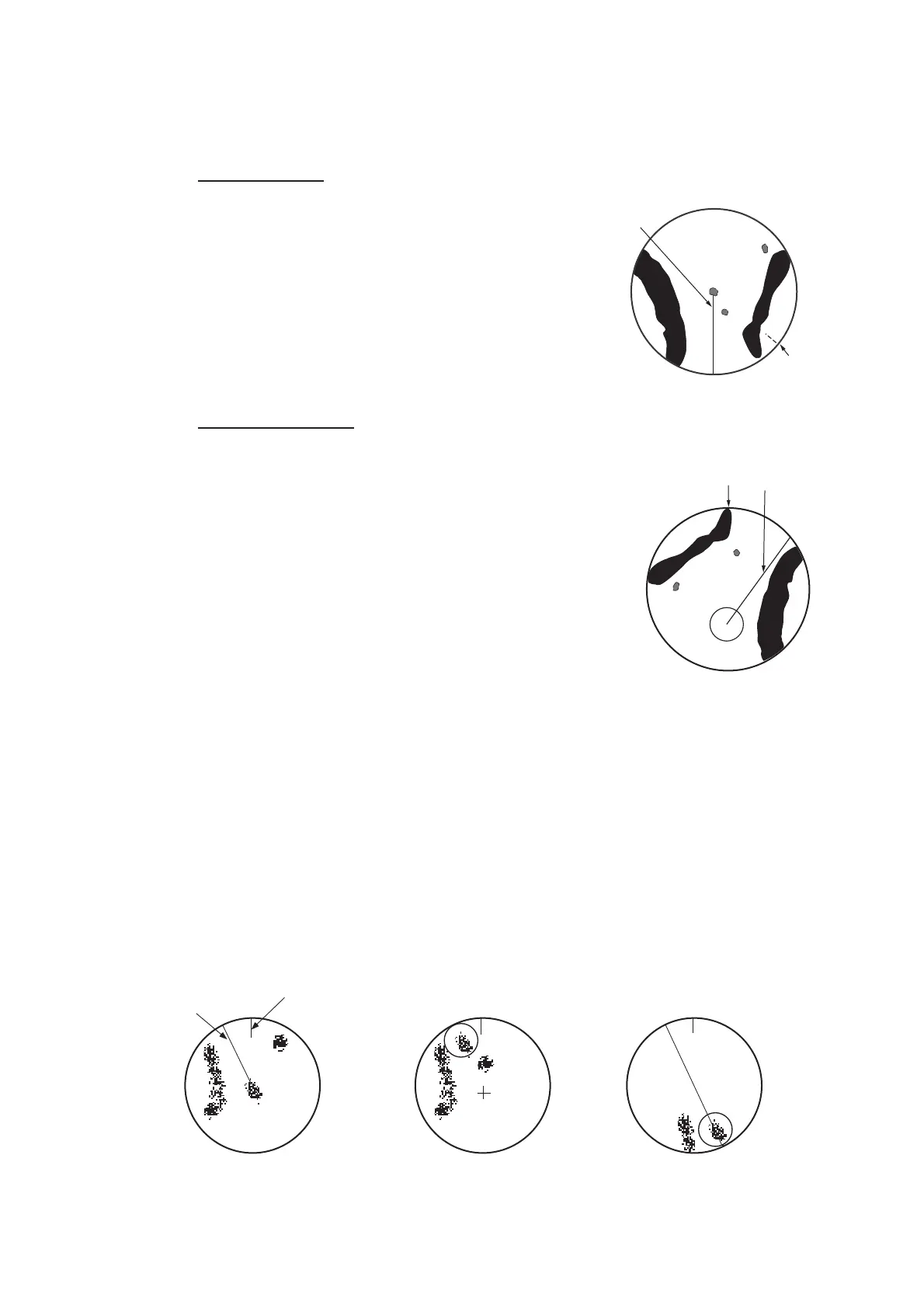
Stern-up mode
The stern-up mode is a display in which the line
connecting own ship and the top of the display in-
dicates own ship's stern.
The target pips are painted at their measured dis-
tances and in their directions relative to own ship's
stern.
The short line on the bearing scale is the north
marker, which indicates stern sensor north.
True motion mode
Own ship and other moving objects move in accordance
with their true courses and speed. In ground stabilized
TM, all fixed targets, such as landmasses, appear as sta-
tionary echoes. In the sea stabilized TM without set and
drift inputs, the landmass can move on the screen. Note
that true motion is not available on the 96 NM or higher
range scale range scale. If COG and SOG (both over the
ground) are not available on the TM mode, enter the set
(tide direction) and drift (tide speed) manually referring to
a Tide Table.
If the position of the CCRP results in a part of the bearing
scale not being distinguishable, that part of the bearing scale is indicated with appro-
priate reduced detail.
A failure of the heading sensor input will cause the heading readout to disappear, and
the Alert 450 (ALF format: 10601,9) "Heading Sensor Not Available" or "Gyro COM1
Error" (a number between 255-259 (ALF format: between 10400,1 and 10400,5) ac-
cording to gyro no.) appears in the [Alert] box.
When own ship reaches a point corresponding to 50% of the radius of the display, own
ship position is automatically reset to a point of 75% radius opposite to the extension
of the heading line passing through the display center. You can also reset the own ship
symbol manually by pushing the CU/TM RESET key, or click the [CU/TM reset] button
on the InstantAccess bar™.
North
marker
Heading
line
North marker
Heading
line
North marker
Heading
line
(a) True motion
is selected
(b) Own ship has reached a
point 50% of display radius
(c) Own ship is automatically
reset to 75% of display radius



 To Next Page