2. RADAR, CHART RADAR OPERATION
2-37
2.26 Watch Alert
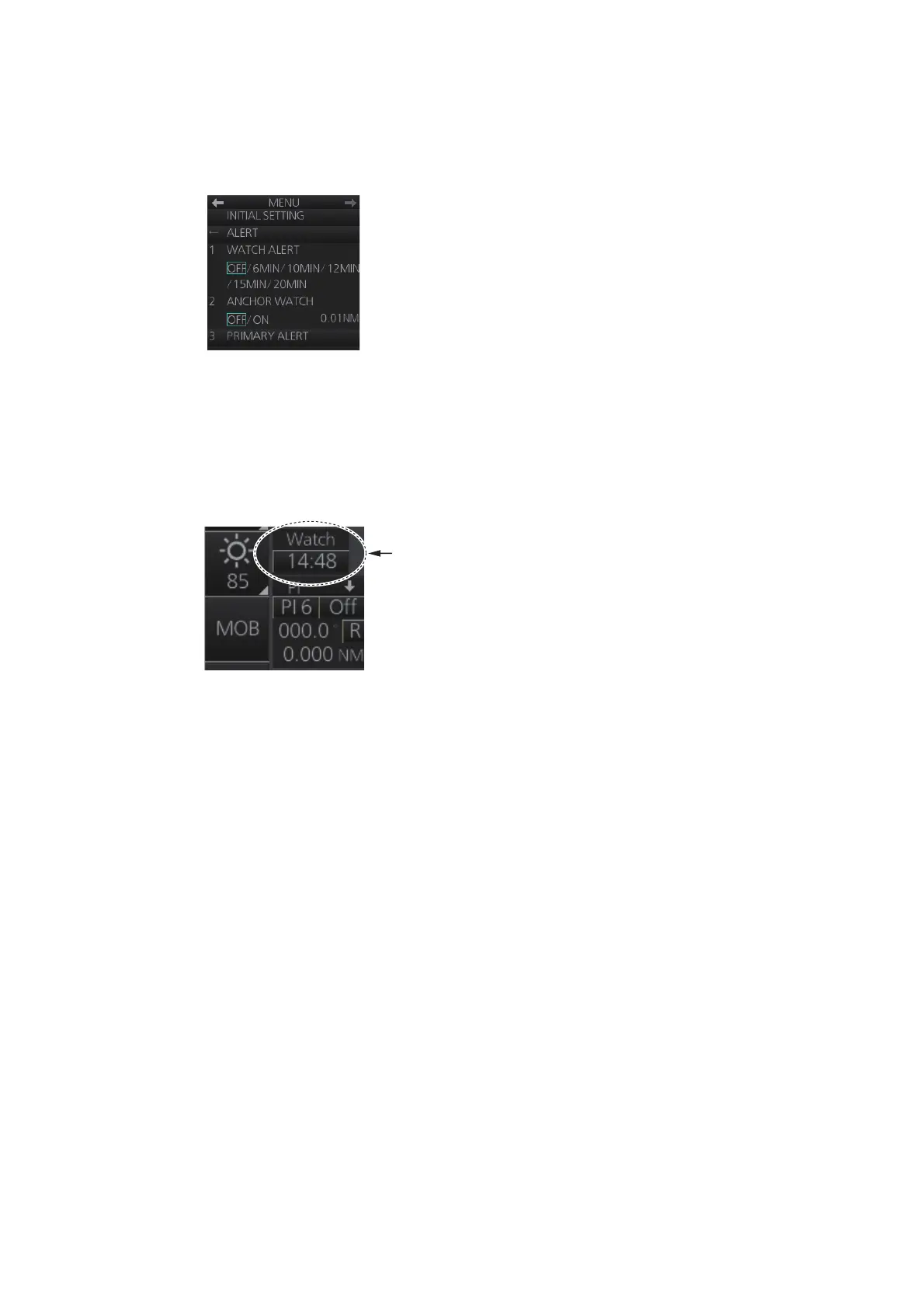
The watch alert provides a flashing visual alert at regular intervals to remind you to
monitor the radar picture for safety or other purposes.
To enable the watch alert, open the [8 INITIAL SETTING] menu followed by the [4
ALERT] menu. Select [WATCH ALERT] and set desired watch interval. The [Watch]
box appears at the bottom-left position. (The watch interval can also be selected from
the [Watch] box when the watch alert feature is active. Right-click the time indication
in the [Watch] box to show a drop-down list of watch intervals. Select a watch interval
from the list.)
The timer counts down from the interval set (for example, "12:00") and when the time
interval elapses;
• the buzzer sounds
• the visual Alert 500 (ALF format: 10499) “Watch Alert” flashes in orange in the [Alert]
box
• the watch alert timer freezes at "0:00".
Stop the flashing visual alert with the ALARM ACK key on the Control Unit or click the
[Alert] box.
After the alert is acknowledged the count-down sequence is repeated.
Note: The countdown can be restarted, before the count reaches 0:00, by clicking the
countdown indication in the watch box.
Watch box



 To Next Page