6. CHART OVERVIEW
6-36
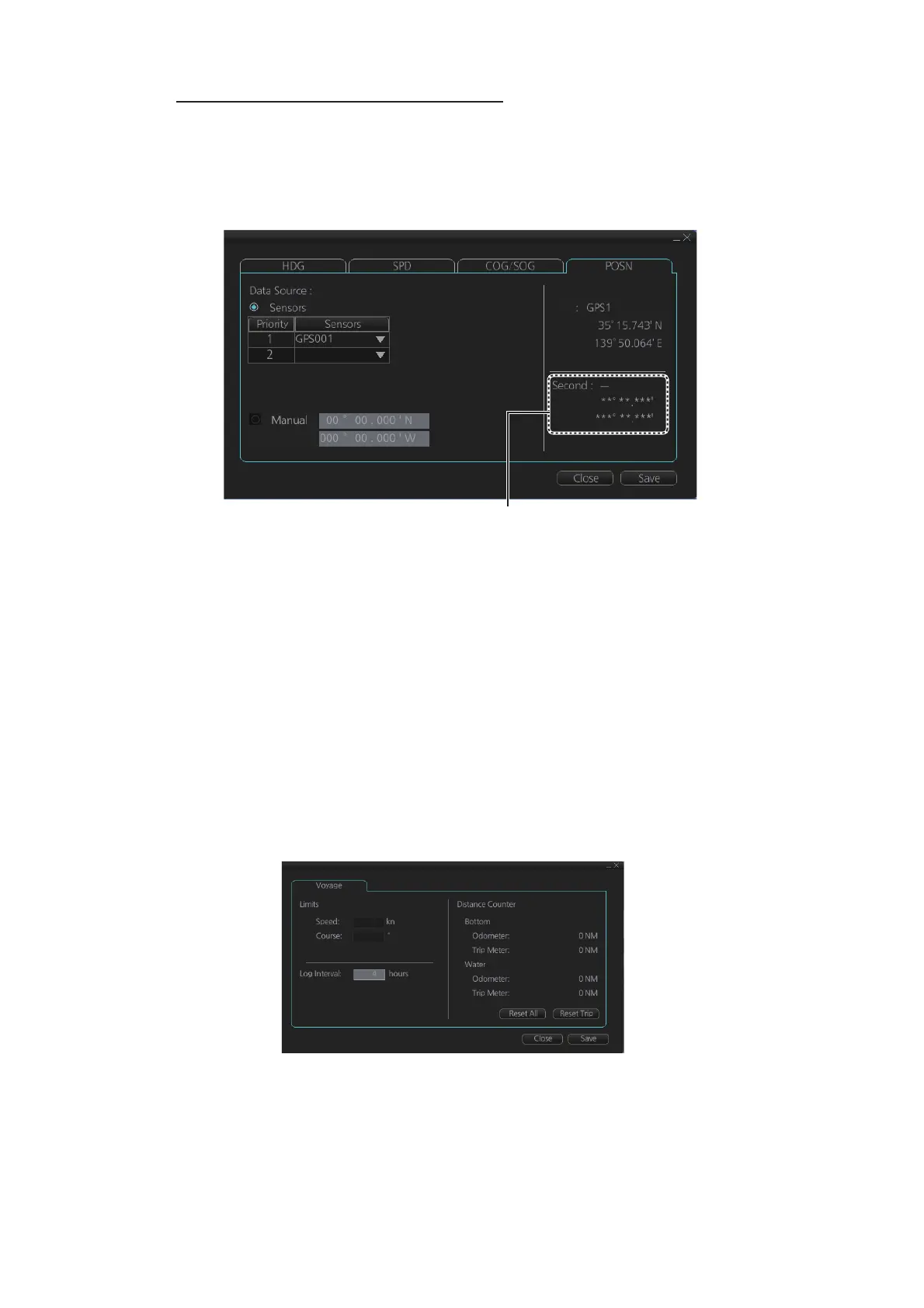
Check position sensors ([POSN] page)
Open the menu and click the [POSN] tab in the [System Sensor Settings] page or [Lo-
cal Sensor Settings] page of the [Sensor] menu. The [PRIM] and [Second] labels indi-
cate the type of the position sensor. (In the figure below the [PRIM] label shows
GPS1.) [PRIM] and [Second] indicate sensor status and priority.
Only one sensor can be primary while the others can be secondary or off position. Af-
ter a sensor is turned off, its status is changed to [Second] (Secondary) state. When
a position sensor state is changed to [PRIM] (Primary) and another sensor was [PRIM]
(Primary), the sensor formerly [PRIM] (Primary) becomes [Second] (Secondary).
Select the "Primary" navigation sensor as the sensor that is considered to be most ac-
curate and reliable. Set all other navigation sensors as "Secondary".
6.16.5 How to reset odometer and trip meter
To reset the odometer and/or trip meter do as follows:
1. Open the menu and select the [Voyage] menu from the [NAV Log] menu in the
[Log] menu.
2. Click one of the following buttons.
[Reset All]: Reset both the odometer and the trip meter for both "Water" and "Bot-
tom".
[Reset Trip]: Reset the trip distance for both "Water" and "Bottom".
3. Click the [Close] button to finish.
LAT:
LON:
LAT:
LON:
PRIM
“Second” appears even when only one
position-fixing equipment is connected.



 To Next Page