8. HOW TO CONTROL CHART OBJECTS
8-11
Right-click the mark to show the context-sensitive menu,
then click [NAVTEX MSG] to show the [NAVTEX] page of the
Message dialog box (see section 17.2.1).
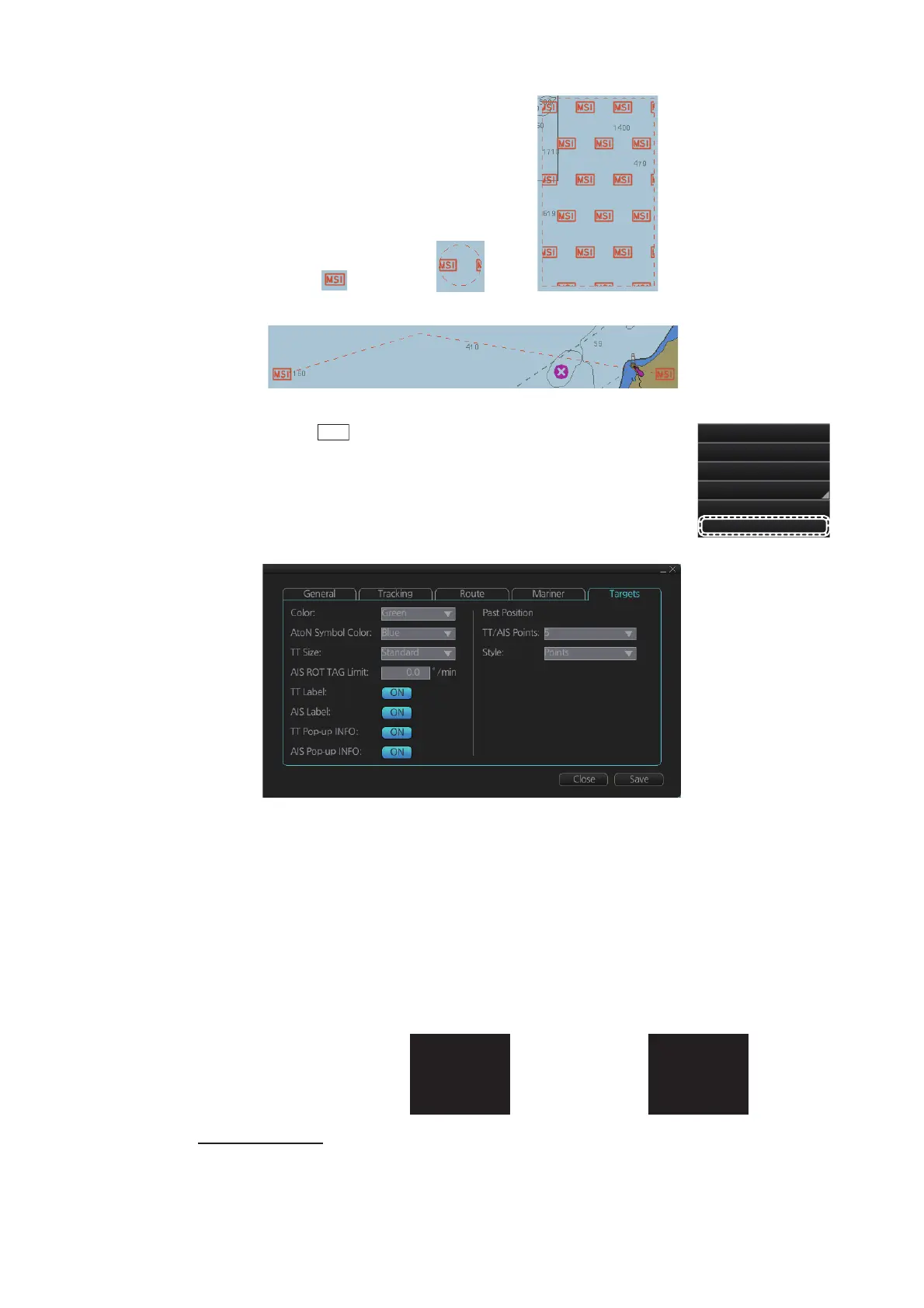
8.3.5 Targets page
[Past Position]
[TT/AIS Points]: Select the number of TT/AIS past position points to display.
[Style]: Select style of presentation of target's past position.
[Color]: Select color of target (TT and AIS, common) from the list box.[AtoN Symbol Col-
or]: Select the color for AtoN symbols.
[TT Size]: Select symbol size for tracked targets, [Standard] or [Small].
[AIS ROT TAG Limit]: ROT (°/min.), limit to display AIS target with curved speed vector.
(Source of ROT must be ROT gyro on target vessel.)
[TT Label]: Show or hide the TT label (target no.).
[AIS Label]: Show or hide the AIS label (ship’s name).
[TT Pop-up INFO]: Show or hide the TT pop-up, which is shown by placing the cursor
on a TT.
[AIS Pop-up INFO]: Show or hide the AIS pop-up, which is shown by placing the cursor
on an AIS target.
Point(s) Circle(s) Area(s)
Line(s)
Ship off center
Pick Report
Chart Legend
Manual Update
New Divider
NAVTEX MSG
MSI
AIS_CLASS...
COG: 324.0°T
SOG: 8.1kn
CPA: 0.12NM
TCPA: -19:18
TT(04)
COG: 235.0°T
SOG: 6.1kn
CPA: 0.23NM
TCPA: -10:18
TT pop-up info AIS pop-up info



 To Next Page