3. TARGET TRACKING (TT)
3-4
Note: When processing two acquisition zones, create the zones in numerical order
and turn them off in reverse numerical order.
When a target enters an acquisition zone, the following occurs:
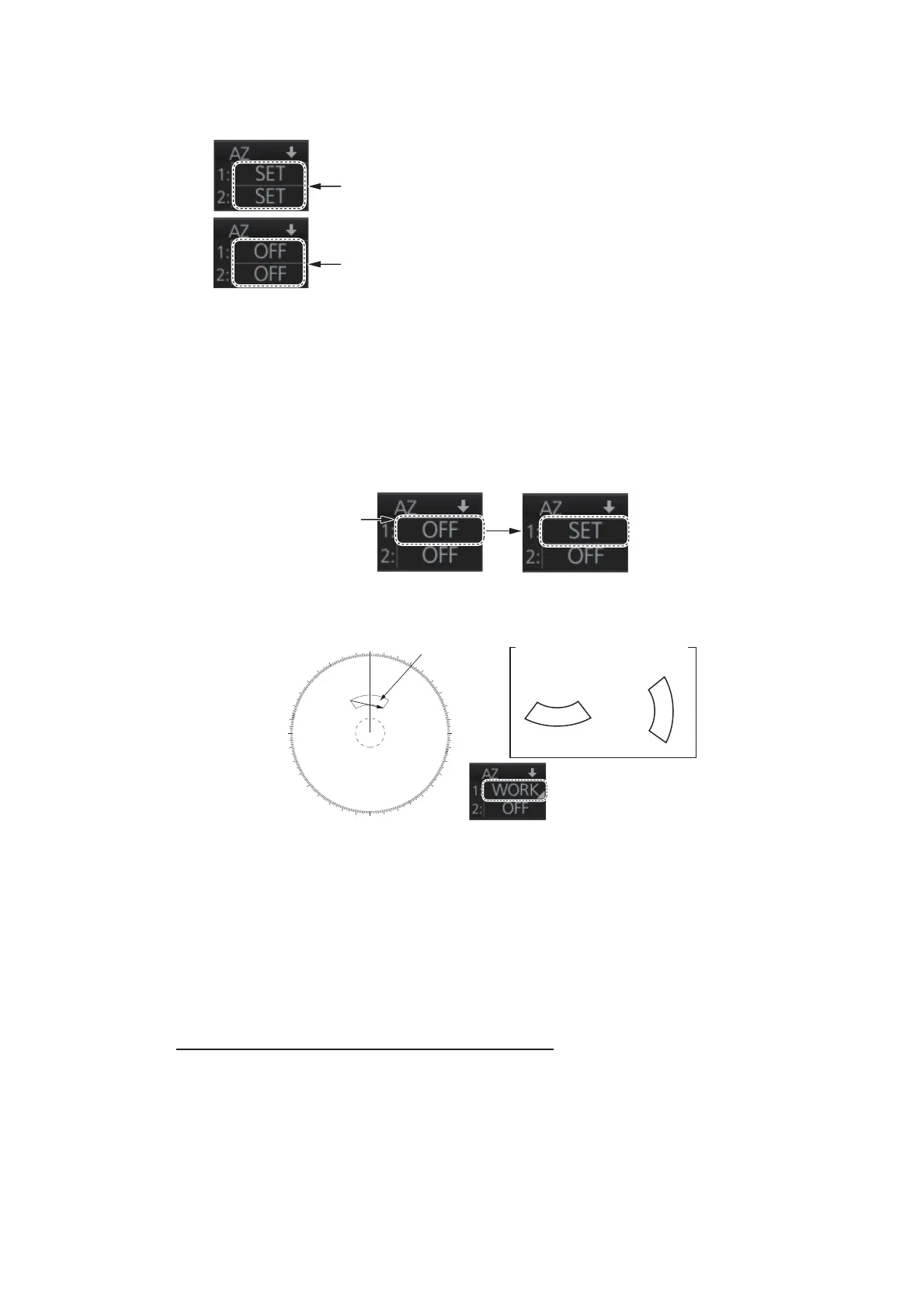
1. Click one of the boxes AZ1 or AZ2 at the right side of the screen. The indication
in the AZ box changes from [OFF] to [SET].
2. Click point A.
3. Click point B. The indication in the AZ box changes from [SET] to [WORK].
Note 1: You are alerted when the capacity for automatic acquisition is 95% and 100%.
These alerts are 522 (ALF format: 10190,4) "TT Auto ACQ 95%" and 523 (ALF format:
190,4) "TT Auto ACQ 100%".
Note 2: If the range scale is changed to less than half of the acquisition zone, the AZ
box shows [OUT]. If the left button is pushed in this state, the acquisition alarm zone
goes into [SLEEP] state (inactive).
How to sleep, deactivate an acquisition zone
Use the trackball to select the appropriate AZ box. Sleep or deactivate the acquisition
zone as appropriate:
Sleep acquisition zone: Push the left button momentarily to remove the acquisition
zone from the screen. The indication in the AZ box changes from [WORK] to [SLEEP].
To reactivate and display the acquisition zone, repeat this procedure to display
[WORK].
Deactivate acquisition zone: Click applicable AZ box and select [OFF].
• the buzzer sounds
• the Alert 521 (ALF format: 192,1) "TT New Target" appears in the [Alert] box
• the symbol of the target is red and flashes
• the AIS function is automatically turned on if it is off
To set the zone for AZ2, first set the zone for AZ1.
To turn off the zone for AZ1, first turn off the zone for AZ2.
For example,
click here for
AZ1.
000
010
020
030
040
050
060
070
080
090
100
110
120
130
140
150
160
170
180
190
200
210
220
230
240
250
260
270
280
290
300
310
320
330
340
350
A
B
X
X
X
X
Acquisition zone
Point A
Point A
Point B
Other acquisition zone examples
Point B



 To Next Page