6. CHART OVERVIEW
6-34
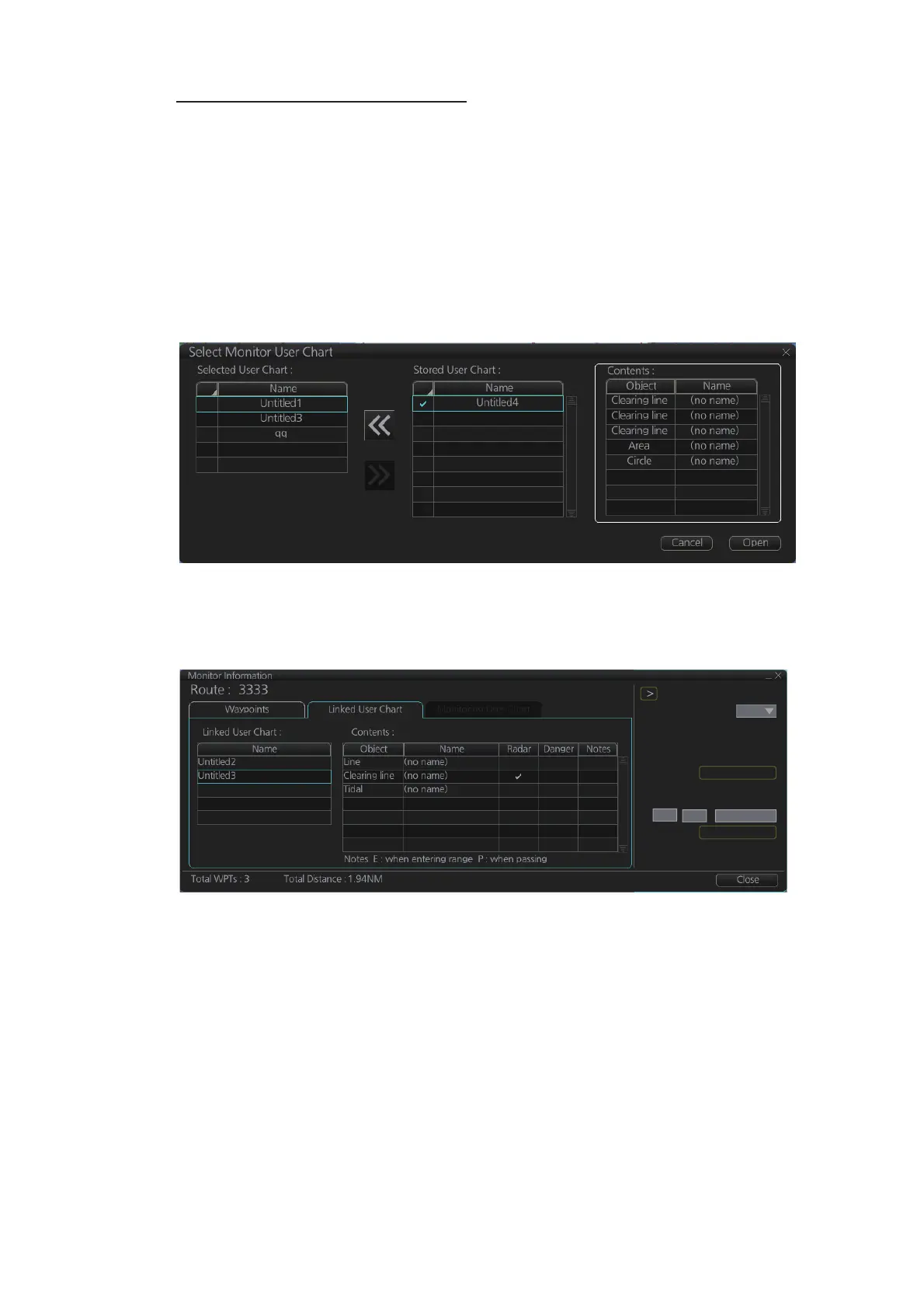
Select the user chart(s) to monitor
A user chart can be monitored without linking it to a route. You can select a user chart
two ways.
• Click the [Voyage], [User Chart] and [Select/Unselect] buttons on the InstantAccess
bar™ to open the [Select Monitor User Chart] dialog box.
• In the Voyage navigation mode, right click anywhere in the Route information box
(right side of screen) to show the [Select Monitor User Chart] dialog box.
Check the chart(s) to use in the [Stored User Chart] window, then click the [<<] and
[Open] buttons.
The [Monitor Information] dialog box automatically appears and the user chart(s) se-
lected are displayed in the [Monitoring User Chart] tab. Click a user chart to view its
contents.
Check ETA
WPT:
Distance: 0.00NM
10:42 05 Jun 2016
10:25 05 Jun 2016
3
0.0kn
Plan:
Actual:
To Localtime
Start Calculate
Off Plan:
SPD Calculation:
Suggested SPD:
10
25 05 Jun 2016



 To Next Page