9. VECTOR (S57) CHARTS
9-10
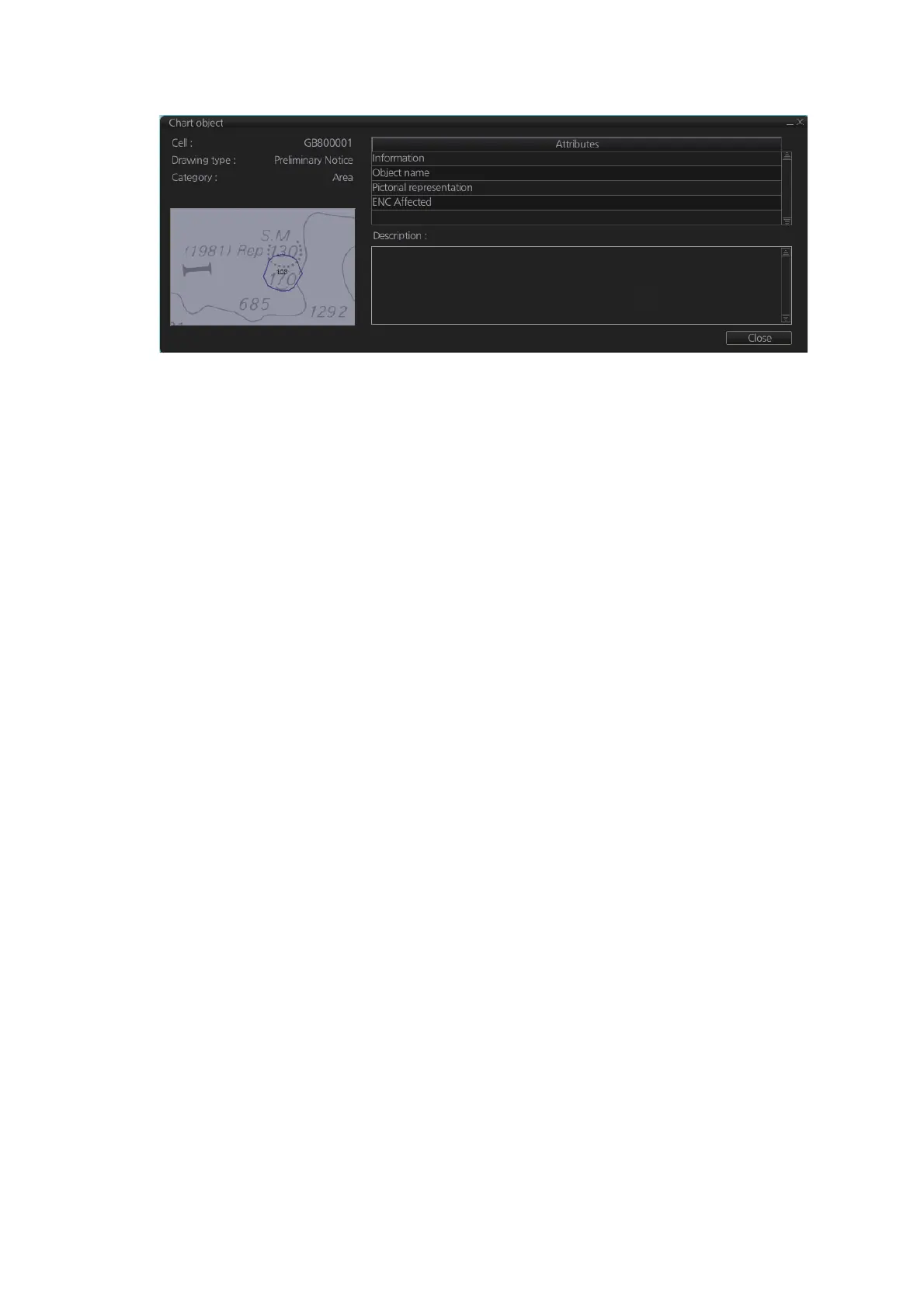
2. Click [Preliminary Notice] in the dialog box to show the [Chart object] dialog box.
The [Chart object] dialog box shows the following information:
• Cell (name)
• Drawing type (Preliminary Notice, Temporary Notice)
• Category (AIO)
• Positional accuracy
• Quality of position
• The preview box provides a scaled-down image of the area selected. Click the im-
age to enlarge it.
• The [Attribute] window shows the attributes for the AIO area selected. To find infor-
mation about an attribute, click it to show its information in the [Description] box.
Information: Description of area (for example, danger area).
Object name: Object name (number)
Textual description: Full text of the Notice to Mariners (NtoM)
ENC affected: ENC affected by the NtoM
Included in updates: Date this item was updated ([Preliminary Notice] items only)
• [All INFO] checkbox: Check the box to show [Source indication] at the bottom of the
[Attribute] window. (The [All INFO] box becomes unselectable when checked.)
Note: The [Attributes] window of the [Chart Object] dialog box changes according to
the settings for [Attributes Display] in the [Basic Settings] menu (see section 8.2.2).



 To Next Page