19. RECORDING FUNCTIONS
19-4
Time transfer: If the observations are not simultaneous, they should be transferred to
a common time. Transferring is based on dead reckoning of ship movement. If a po-
sition line (or ring) is transferred, the letters TPL are shown beside its timestamp on
the chart. The method of transfer may be selected in the bottom of the dialog. [Trans-
fer to latest] transfers the measurements as if they were all made at the time of the
newest measurement. [Continuous transfer] transfers all measurements to real time.
[Transfer off] can be used to check where the measurement origins are. The position
estimate and the record function follow the same logic, which means that Transfer off
shows a position that has no relevance and Transfer to latest sends an old position to
the [Voyage] log (timestamp in the log does not match the position).
If you are satisfied with the position shown in the latitude and longitude fields, then
click the [Log] button to save the position observation to the Voyage log. If you wish
you can also enter latitude and longitude values manually.
Timeouts: The observations cannot be used long after they were made because dead
reckoning is inaccurate.
Click the [Log] button to put a position event at the LOP-calculated position. The po-
sition is recorded to the [Voyage] log.
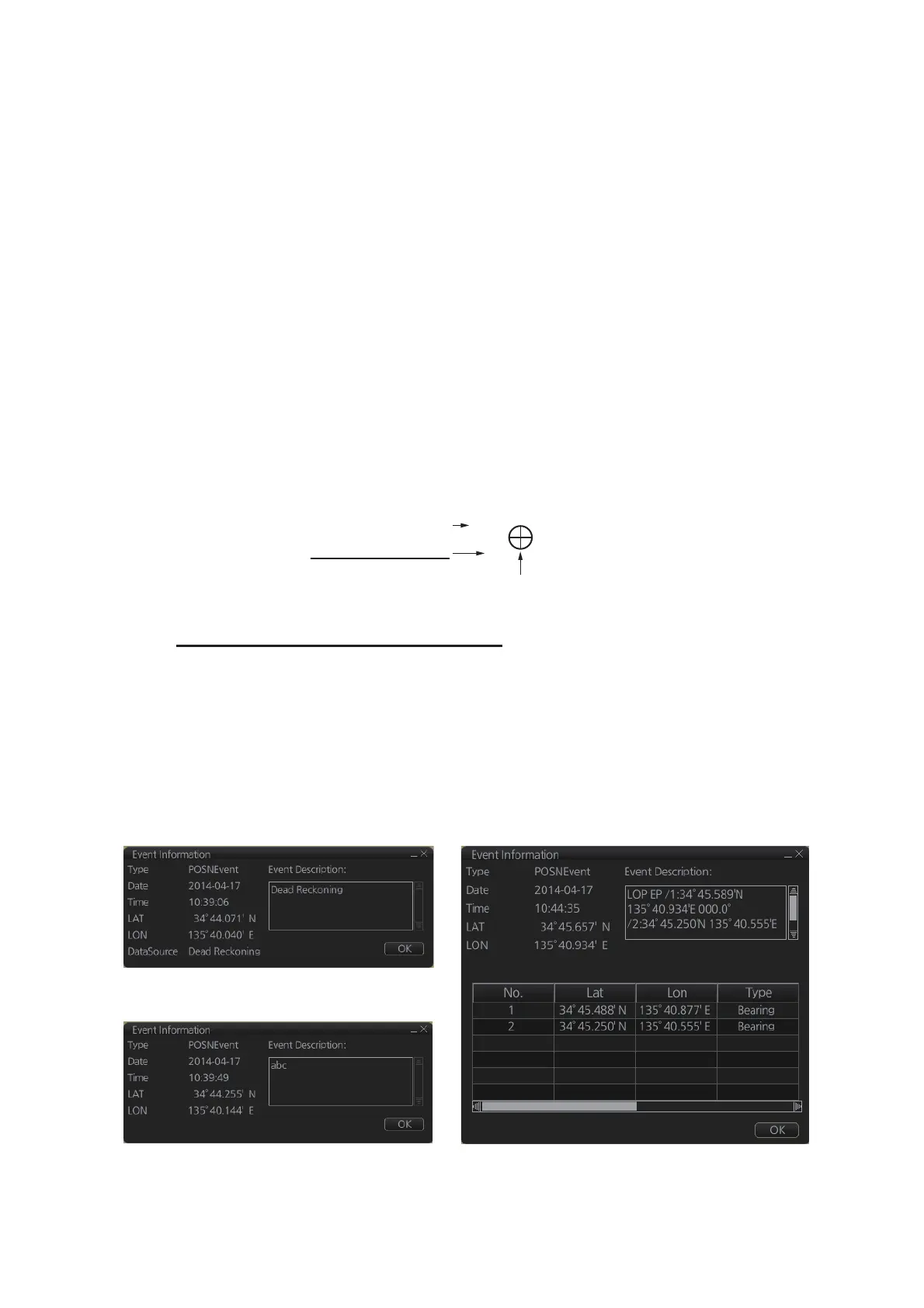
How to find position event information
You can find information about a position event by putting the cursor on the event
mark then left click. The [Event Position] window shows event type (position event),
time of entry, event position, name of sensor ([Position] only), comment (automatic for
[LOP] and [Position]; user-entered comment* for [Manual]), and position line data
([LOP] only).
*Comment cannot be changed from this window.
Note: The [Event Information] window is shown with the [CHART for RADAR] mode.
Time of entry
1044
EP LOP
Position event
mark
Accuracy of position
EP: Low accuracy
DR: High accuracy
Position event: Position
Position event: Manual Position event: LOP



 To Next Page