20. ALERTS
20-4
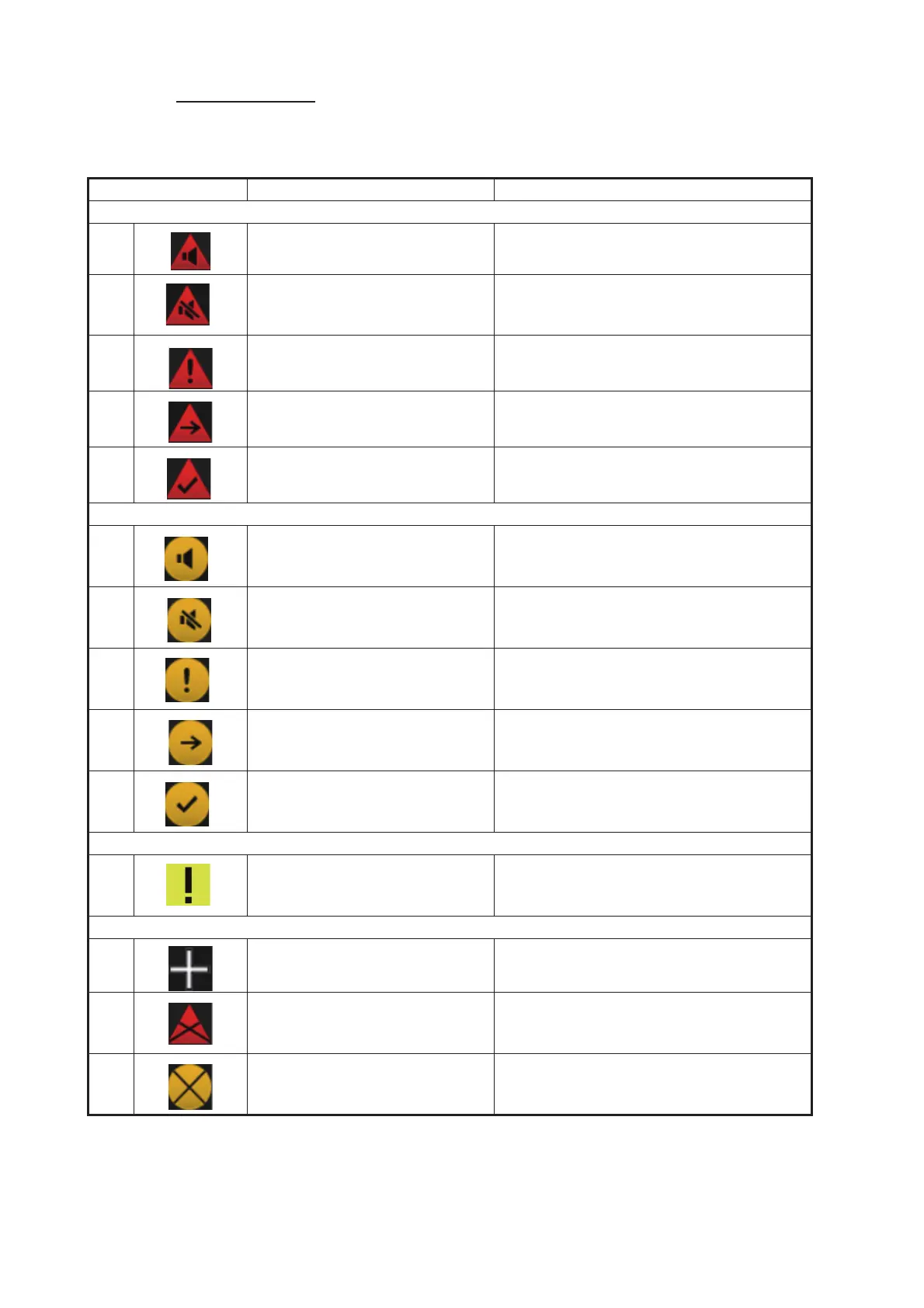
Alert state icons
The table shows the icons used to indicate the various alert states for the alarm, warn-
ing and caution alerts.
Icon Alert state Icon description
Alert priority: Alarm
1 Not acknowledged/Not rectified Red triangle with black loudspeaker in
center of triangle. Flashing (on, 1s, off 1 s).
2 Not acknowledged/Not rectified,
Buzzer temporarily silenced
Red triangle with crossed out black loud-
speaker in center of triangle. Flashing (on,
1s, off 1 s).
3 Acknowledged/Not rectified Red triangle with black exclamation point
in center of triangle.
4 Active - responsibility trans-
ferred alarm
Steadily displayed triangle. Right arrow at
center. Presented together with alert text.
5 Not acknowledged/Rectified Red triangle with black check mark in cen-
ter of triangle. Flashing (on, 1s, off 1 s).
Alert priority: Warning
6 Not acknowledged/Not rectified Yellow-orange circle with black loud-
speaker in center of circle. Flashing (on,
1s, off 1 s).
7 Not acknowledged/Not rectified,
Buzzer temporarily silenced
Yellow-orange circle with crossed out
black loudspeaker in center of circle.
Flashing (on, 1s, off 1 s).
8 Acknowledged/Not rectified Steadily displayed yellow-orange circle
with black exclamation point in center of
circle.
9 Active - responsibility trans-
ferred warning
Steadily displayed yellow-orange circle.
Right arrow at center. Presented together
with alert text.
10 Not acknowledged/Rectified Yellow-orange circle with black check
mark in center of circle. Flashing (on, 1s,
off 1 s).
Alert priority: Caution
11 Caution Steadily displayed yellow square with
black exclamation point in center of
square.
Other icons
12 Aggregation Plus sign. Presented together with the icon
numbers 1 - 11.
13 Acknowledge not allowed for
alarm
Red triangle. Cross in center of triangle.
Presented together with icon numbers 1, 2
and 5.
14 Acknowledge not allowed for
warning
Yellow-orange circle. Cross in center of
circle. Presented together with icon num-
bers 6, 7 and 10.



 To Next Page