22. SETTINGS MENU
22-6
* These buttons appear when the settings of Escalation Mode or Escalation Time is
changed.
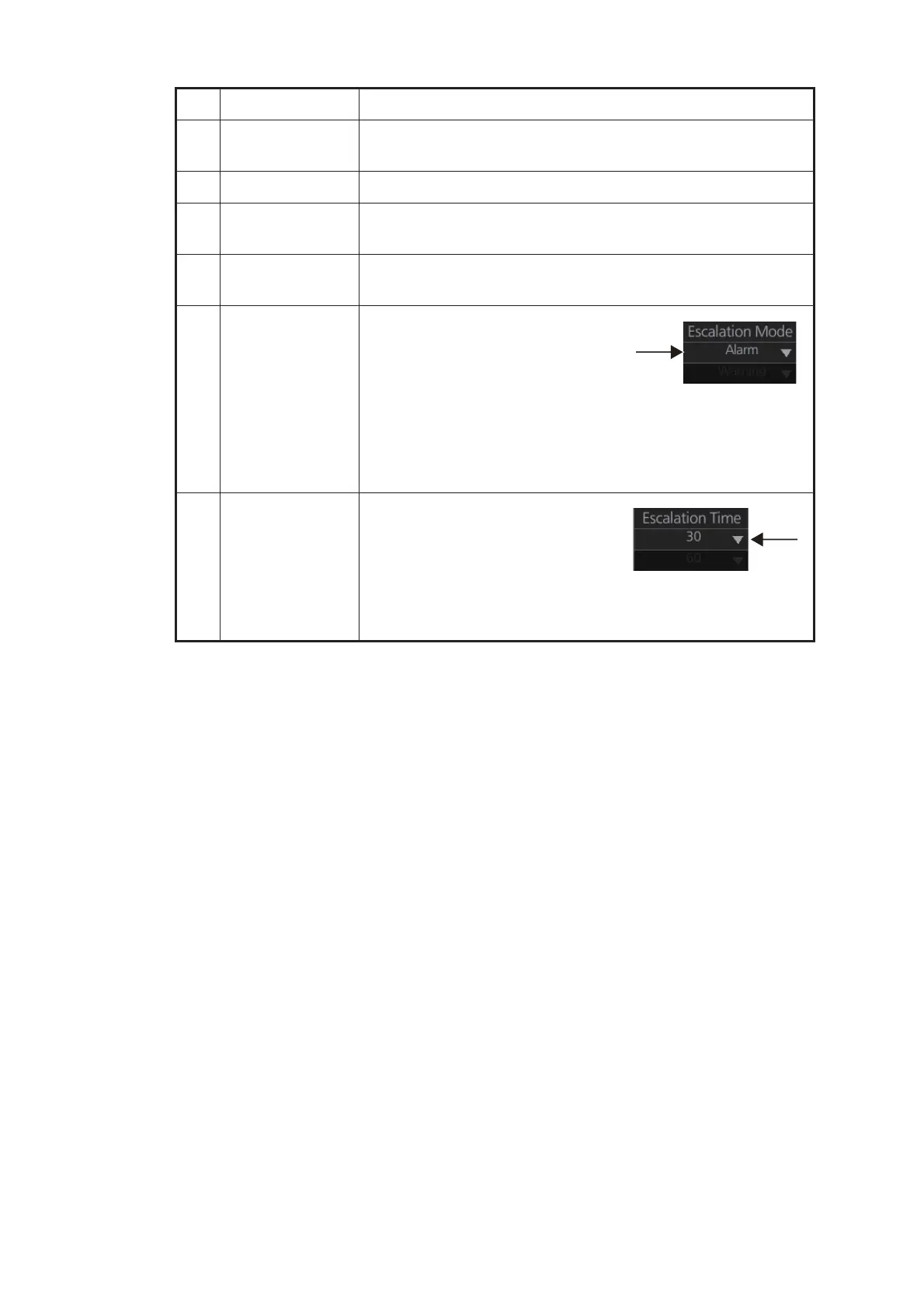
No. Name Description
1 Page selection
buttons
Select alert page. W: Go to first page; W: Go to previous page
X: Go to last page; X: Go to next page
2 [Save] button * Save settings.
3 [CANCEL]
button *
Cancel settings and restore all previous settings.
4 [DEFAULT] but-
ton
Restore factory settings.
5 Escalation Mode Set the escalation mode.
Warning: Warning is repeated
when the [Escalation Time] elaps-
es.
Alarm: The alert priority is changed
if the alert is not acknowledged before the [Escalation Time]
elapses.
To globally assign escalation mode on the displayed page;
change the setting below the item.
6 Escalation Time Set the escalation time, the time to
wait before escalation occurs. The
settings are (in seconds) 30, 670,
90 120, 150, 180, 210, 240, 270
and 300.
To globally assign escalation time on the displayed page;
change the setting below the item.



 To Next Page