CHAPTER 5: ENERVISTA SOFTWARE SECURE AND LOCK FLEXLOGIC EQUATIONS
D90
PLUS
LINE DISTANCE PROTECTION SYSTEM – INSTRUCTION MANUAL 85
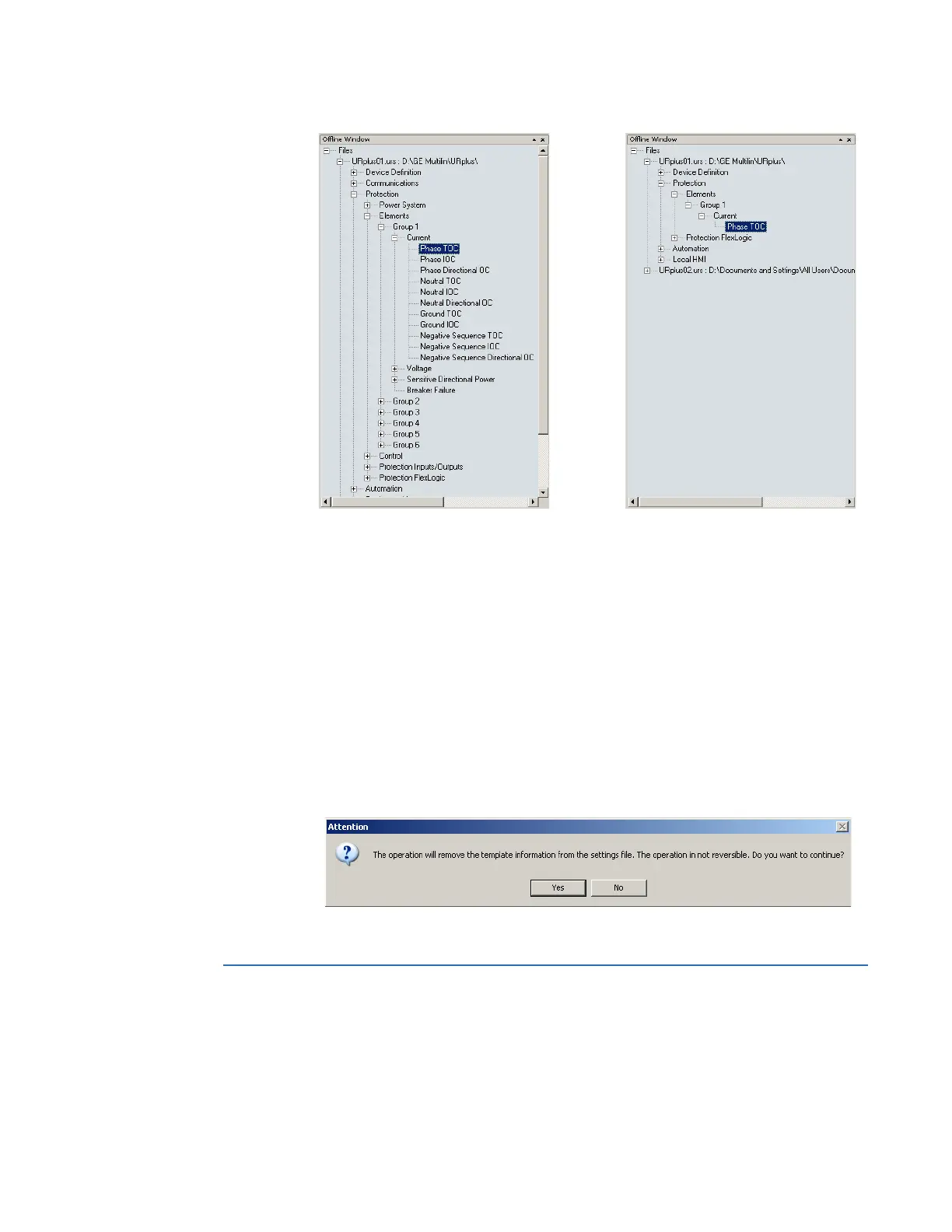
Figure 64: Applying templates using the View in Template Mode settings command
Remove the settings template
It can be necessary at some point to remove a settings template. Once a template is
removed, it cannot be reapplied and a new settings template needs to be defined before
use.
1. Select an installed device or settings file from the left side of the EnerVista UR
Plus
Setup window.
2. Select the Template Mode > Remove Settings Template option (online) or the
Settings File Template > Remove Settings Template option (offline).
3. Enter the template password and click OK to continue.
4. Confirm that you want to remove the template by clicking Yes.
The EnerVista software removes all template information and all settings are available.
Secure and lock FlexLogic equations
The D90
Plus
allows users to secure parts or all of a FlexLogic equation, preventing
unauthorized viewing or modification of critical FlexLogic applications. This is
accomplished using the settings template feature to lock individual entries within
FlexLogic equations.
7\SLFDOVHWWLQJVWUHHYLHZZLWKRXWWHPSODWHDSSOLHG 7\SLFDOVHWWLQJVWUHHYLHZ
WKH FRPPDQG9LHZ,Q7HPSODWH0RGH
ZLWKWHPSODWHDSSOLHGYLD
$&'5



 To Next Page