102 D90
PLUS
LINE DISTANCE PROTECTION SYSTEM – INSTRUCTION MANUAL
NETWORK SETTINGS CHAPTER 6: COMMUNICATIONS
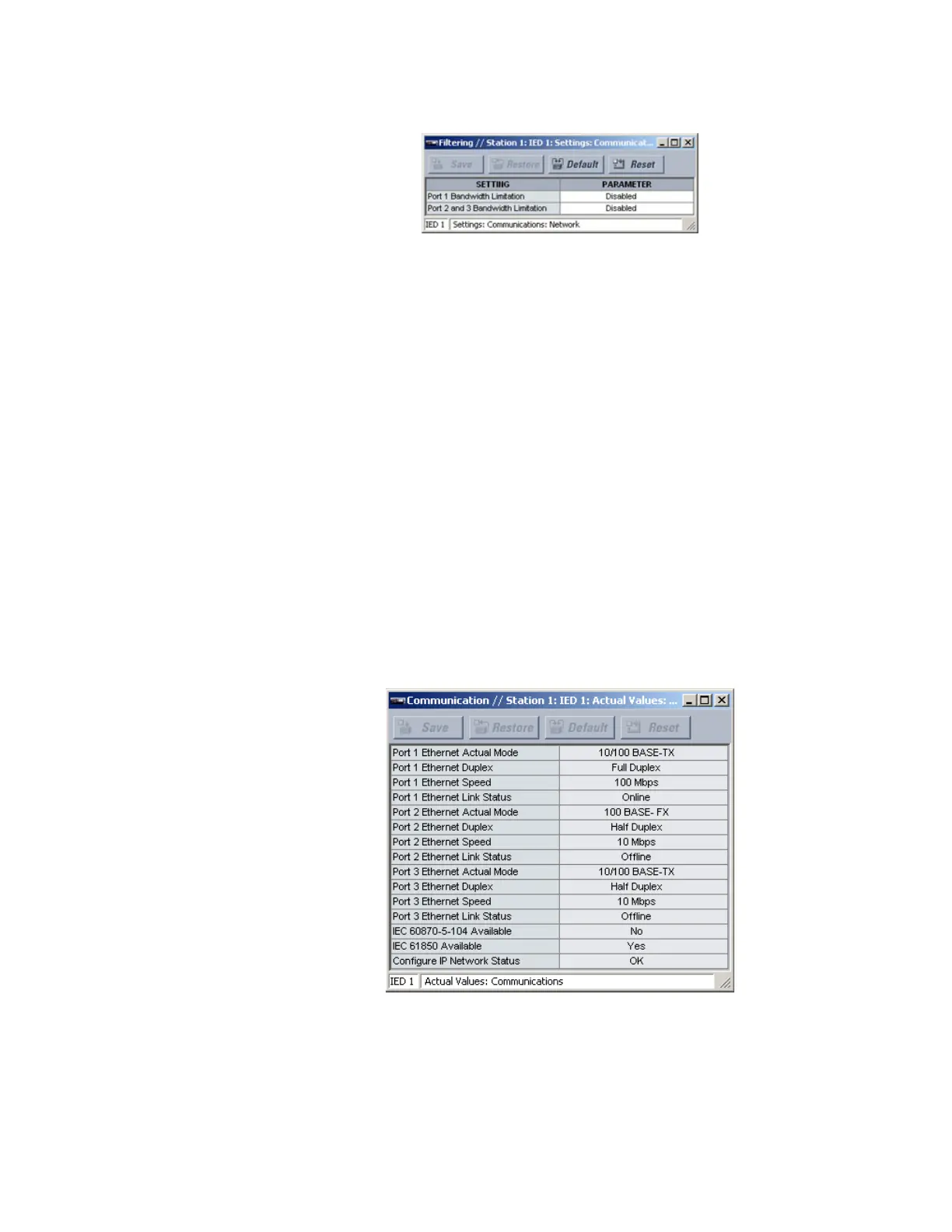
Figure 81: Network filtering configuration settings
The following settings are available.
Port 1 Bandwidth Limitation
Range: Disabled, Enabled
Default: Disabled
This setting is used to enable IP protocol bandwidth limiting on Ethernet port 1. The
COMM HIGH TRAFFIC self-test message is issued when the D90
Plus
is actively limiting IP
bandwidth usage. This is a minor self-test error that does not interfere with protection
functionality.
Port 2 and 3 Bandwidth Limitation
Range: Disabled, Enabled
Default: Disabled
This setting is used to enable IP protocol bandwidth limiting on Ethernet ports 2 and 3.
The COMM HIGH TRAFFIC self-test message is issued when the D90
Plus
is actively limiting
IP bandwidth usage. This is a minor self-test error that does not interfere with protection
functionality. IP bandwidth limiting of Ethernet ports 2 and 3 does not affect GOOSE
messaging.
Ethernet actual values
Select the Actual Values > Communications > Communication menu to open the
communications actual values window.
Figure 82: Ethernet actual values
The following actual values relate to the Ethernet communications feature.
Port 1 Ethernet Actual Mode, Port 2 Ethernet Actual Mode, Port 3 Ethernet Actual Mode
Range: 10/100 BASE-TX, 10/100 BASE-FX
This actual value indicates the Ethernet hardware type on each of the three ports.



 To Next Page