CHAPTER 11: METERING PHASOR MEASUREMENT UNIT
D90
PLUS
LINE DISTANCE PROTECTION SYSTEM – INSTRUCTION MANUAL 553
PDC Control
Range: Enabled, Disabled
Default: Disabled
The synchrophasor standard allows for user-defined controls originating at the PDC, to
be executed on the PMU. The control is accomplished via an extended command frame.
The relay decodes the first word of the extended field, EXTFRAME, to drive 16 dedicated
FlexLogic operands: PDC NETWORK CNTRL 1 (from the least significant bit) to PDC NETWORK
CNTRL 16 (from the most significant bit). Other words, if any, in the EXTFRAME are ignored.
The operands are asserted for five seconds following reception of the command frame.
If the new command frame arrives within the five-second period, the FlexLogic operands
are updated, and the five-second timer restarts.
This setting enables or disables the control. When enabled, all 16 operands are active;
when disabled, all 16 operands remain reset.
TCP Port Number
Range: 1 to 65535 in steps of 1
Default: 4712
This setting selects the TCP port number to use for network reporting.
UDP Port Number
Range: 1 to 65535 in steps of 1
Default: 4713
This setting selects the UDP port number to use for network reporting.
Phasor Measurement Unit one-shot
The one-shot feature allows pre-scheduling of a PMU measurement. This functionality can
be used to test for accuracy of the PMU and for manual collection of synchronized
measurements through the system.
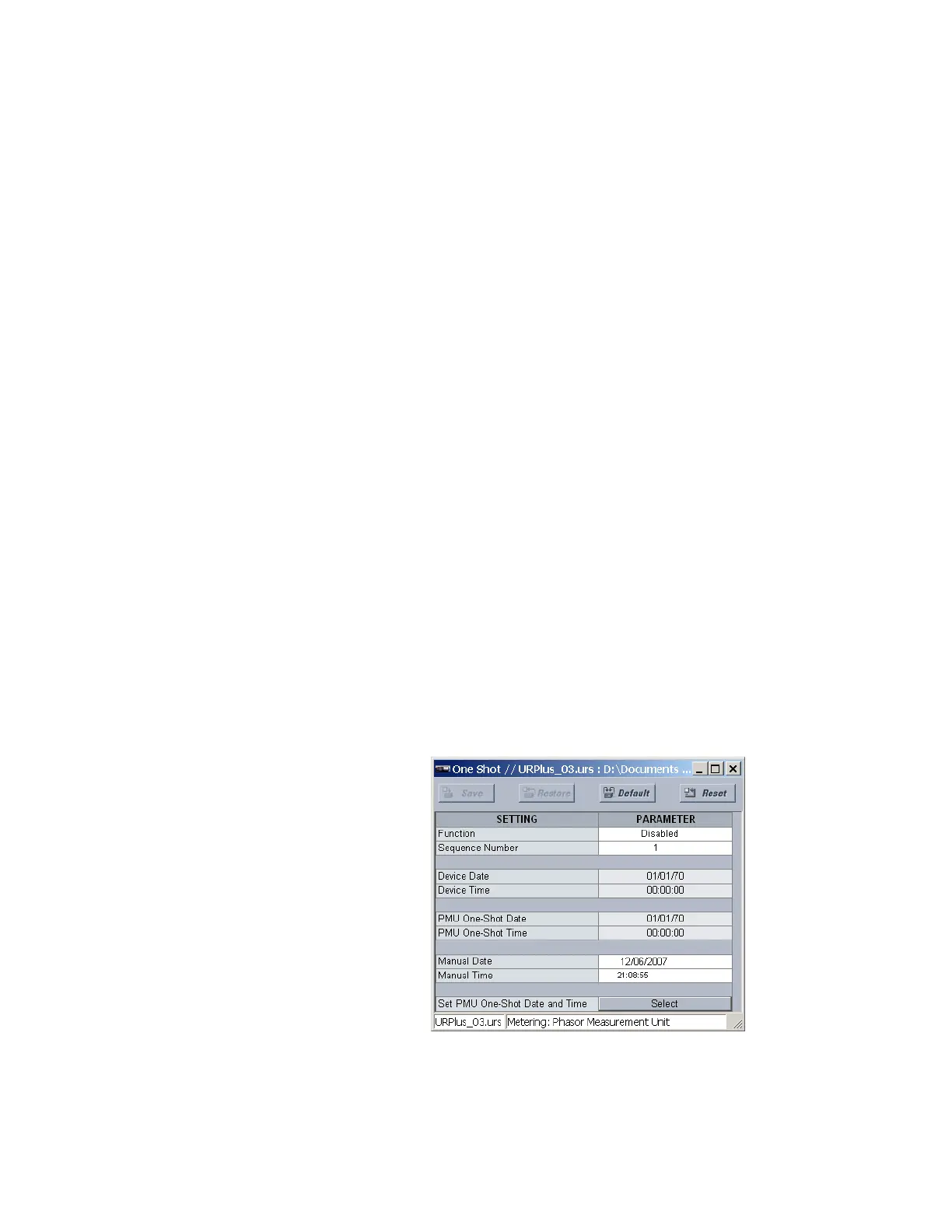
Phasor Measurement Unit one-shot settings
Select the Settings > Metering > Phasor Measurement Unit > One-Shot menu to open
the PMU one-shot window.
Figure 485: Phasor Measurement Unit one-shot configuration settings
The following settings are available for each PMU.



 To Next Page