84 D90
PLUS
LINE DISTANCE PROTECTION SYSTEM – INSTRUCTION MANUAL
SETTINGS TEMPLATES CHAPTER 5: ENERVISTA SOFTWARE
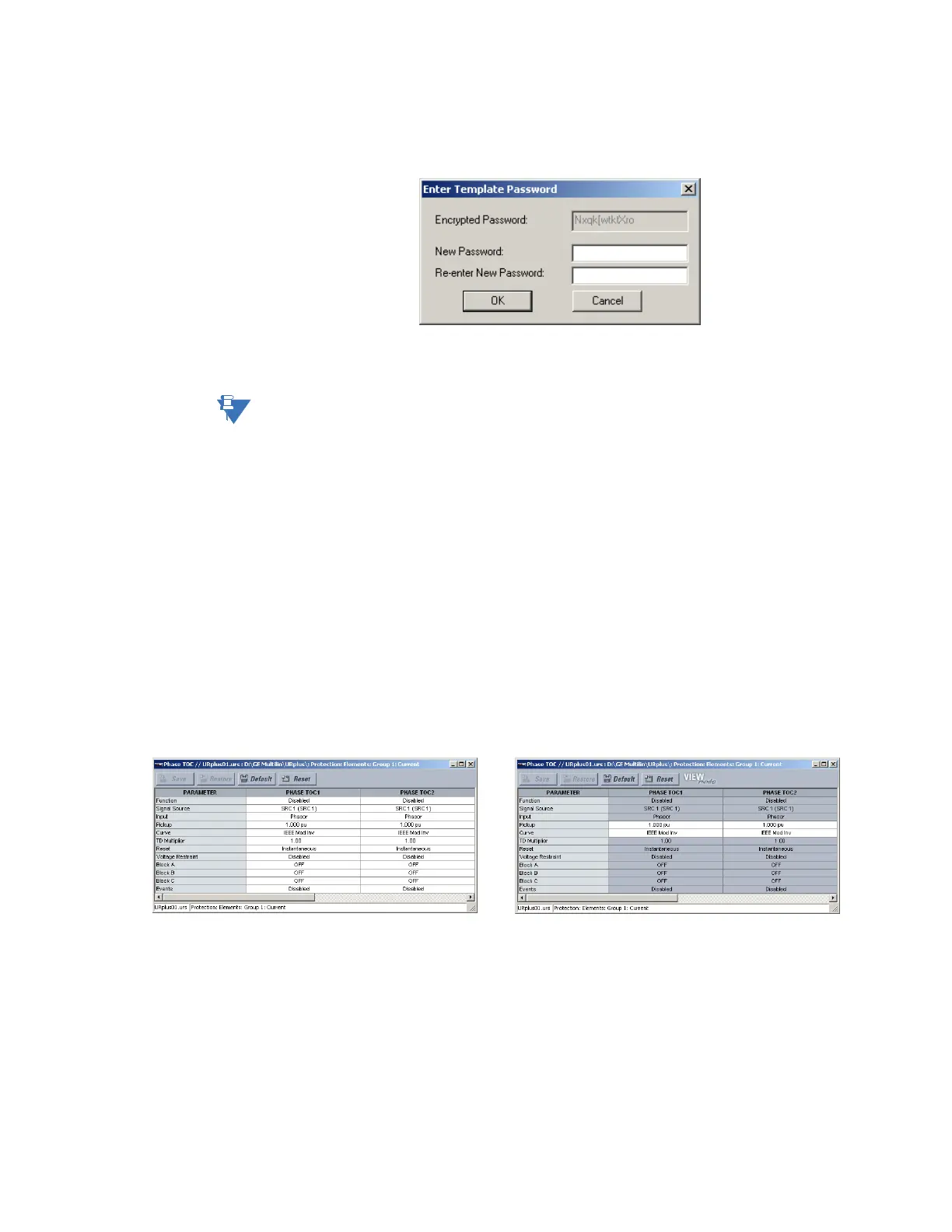
The software prompts for a template password. This password must be at least four
characters in length.
Figure 62: Template password entry window
3. Enter and re-enter the new password, then click OK to continue.
The settings file template is now secured with password protection.
NOTE:
When templates are created for online settings, the password is added during the initial
template creation step. It does not need to be added after the template is created.
View the settings template
Once all necessary settings are specified for viewing, users are able to view the settings
template on the online device or settings file.
To display only the settings available for editing:
1. Select an installed device or a settings file from the menu on the left of the EnerVista
UR
Plus
Setup window.
2. Select the Template Mode > View in Template Mode option (online) or the Settings
File Template > View in Template Mode option (offline).
3. Enter the template password then click OK to apply the template.
Once the template has been applied, users are limited to view and edit the settings
specified by the template. The effect of applying the template to the phase time
overcurrent settings is shown.
Figure 63: Applying templates using the View in Template Mode command
Viewing the settings in template mode also modifies the settings menu, showing only the
settings categories that contain editable settings. The effect of applying the template to a
typical settings menu is shown as follows.
3KDVHWLPHRYHUFXUUHQWVHWWLQJVZLQGRZZLWKRXWWHPSODWHDSSOLHG 3KDVHWLPHRYHUFXUUHQWZLQGRZZLWKWHPSODWHDSSOLHGYLDWKH
FRPPDQG7KHWHPSODWHVSHFLILHVWKDWRQO\
WKH DQG VHWWLQJVEHDYDLODEOH
9LHZ,Q7HPSODWH0RGH
3LFNXS &XUYH
$&'5



 To Next Page