66 D90
PLUS
LINE DISTANCE PROTECTION SYSTEM – INSTRUCTION MANUAL
INSTALL SOFTWARE CHAPTER 3: INSTALLATION
11. Click OK button when the relay order code has been received. The new device is
added to the Site List window (or Online window) located in the top left corner of the
main EnerVista UR
Plus
Setup window.
The device has now been configured for serial communications. Proceed to the Connect to
the D90
Plus
section to begin communication.
Activate the D90
Plus
The relay is in the default “Not Programmed” state when it leaves the factory. When
powered up in this state, a
UNIT NOT PROGRAMMED self-test message displays. Activate
the relay as follows.
1. In the EnerVista software, navigate to Settings > Protection > Power System >
Installation.
2. Set the Relay Settings field to “Programmed.”
3. Save the change.
Connect to the D90
Plus
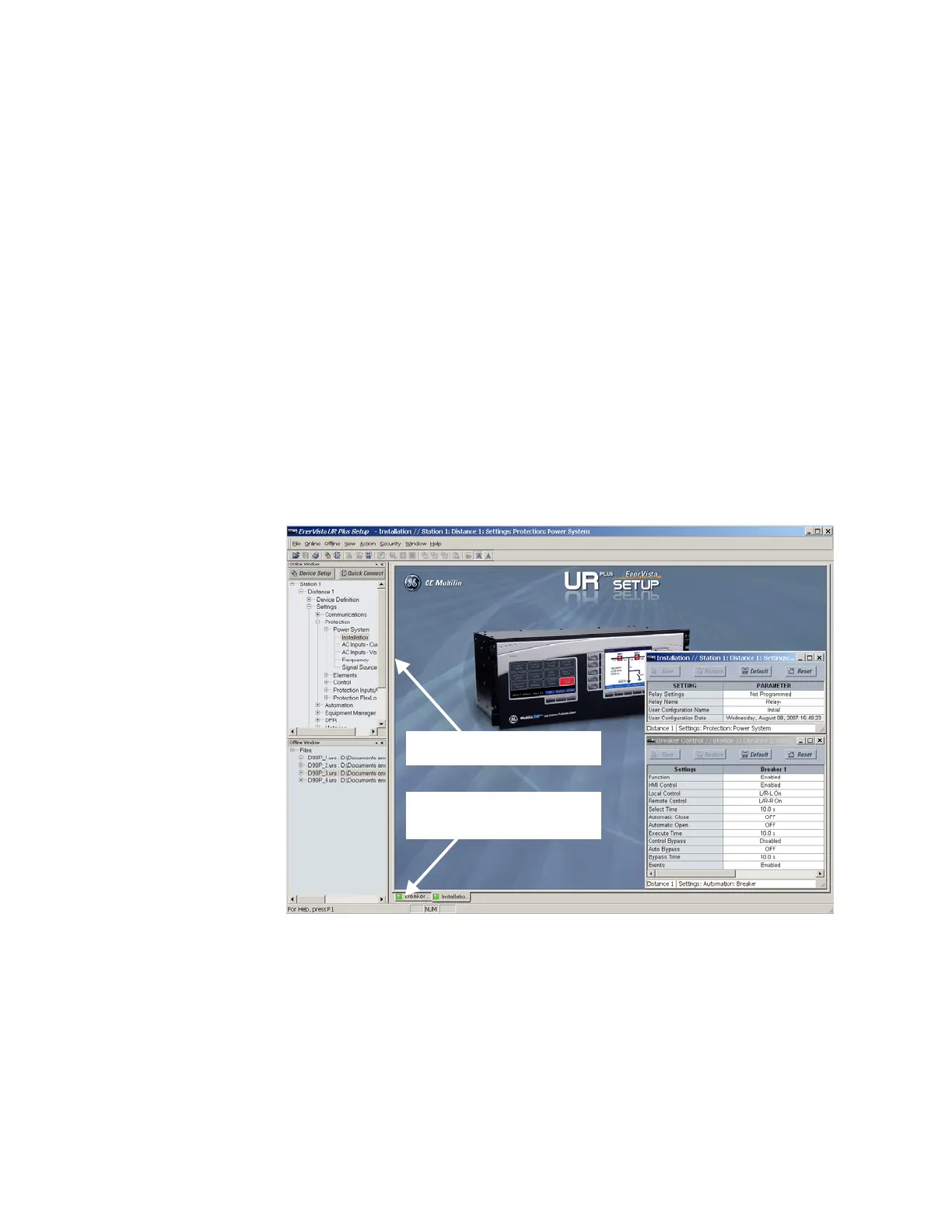
This example shows how to connect to the D90
Plus
and configure the breaker settings.
1. Open the Breakers window through the site list tree.
The breaker configuration window opens and a status indicator displays on the lower
left of the EnerVista UR
Plus
Setup window.
2. If the status indicator is red, verify that the Ethernet network cable is properly
connected to the Ethernet port on the back of the device and that the D90
Plus
has
been properly setup for communications.
If a relay icon appears in place of the status indicator, than a report (such as an
oscillography or event record) is open. Close the report to re-display the green status
indicator.
3. The breaker settings can now be edited, printed, or changed according to user
specifications.
([SDQGWKHVLWHOLVWE\GRXEOHFOLFNLQJ
WKHLWHPRUVHOHFWLQJWKH>@ER[
&RPPXQLFDWLRQVVWDWXVLQGLFDWRU
*UHHQ 2.5HG QRFRPPXQLFDWLRQV
853OXVLFRQ UHSRUWRSHQ



 To Next Page