CHAPTER 6: COMMUNICATIONS IEC 61850 COMMUNICATIONS
D90
PLUS
LINE DISTANCE PROTECTION SYSTEM – INSTRUCTION MANUAL 141
Buffered Reports OptFlds
Range: 0 to 65535 in steps of 1
Default: 0
This setting specifies a bitmask that selects the option fields. The following bits are
supported by the D90
Plus
:
– Bit 1 — Sequence-number
– Bit 2 — Report-time-stamp
– Bit 3 — Reason-for-inclusion
– Bit 4 — Data-set-name
– Bit 5 — Data-reference
– Bit 6 — Buffer-overflow
–Bit 7 — EntryID
– Bit 8 — Conf-revision
Buffered Reports TrgOps
Range: 0 to 65535 in steps of 1
Default: 0
This setting specifies a bitmask that selects the trigger options. The following bits are
supported by the D90
Plus
:
– Bit 1 — Data-change
– Bit 4 — Integrity
– Bit 5 — General interrogation
Buffered Reports IntgPd
Range: 0, or 250 to 4294967295 in steps of 1
Default: 0
This setting specifies the integrity period for buffered reports.
IEC 61850 actual values
Actual values for IEC 61850 are available in two locations. A general IEC 61850
communications actual value is available through the Actual Values > Communications >
Communication menu. The IEC 61850 GOOSE input and output actual values are available
through the Actual Values > Communications > Inputs/Outputs menu.
Remote device status
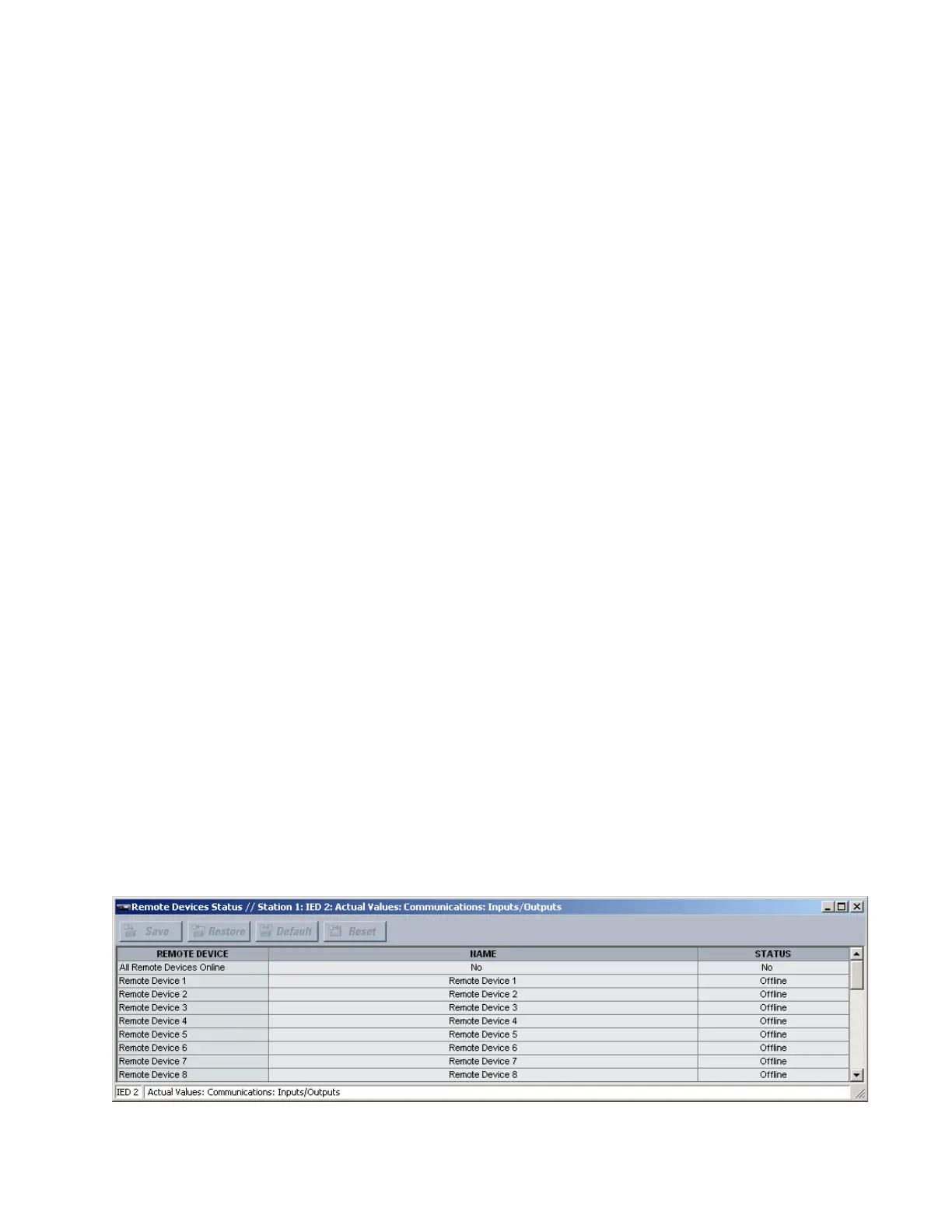
Select the Actual Values > Communications > Inputs/Outputs > Remote Devices Status
menu to open the remote device status values window.
Figure 113: Remote device status values



 To Next Page