610 D90
PLUS
LINE DISTANCE PROTECTION SYSTEM – INSTRUCTION MANUAL
PASSWORD SECURITY CHAPTER 13: SECURITY
When entering a settings or command password via Ethernet or the serial USB interface,
you must enter the corresponding password level shown in the following table.
Table 42: Required password levels for various connection types
Password security operation
By default, when an incorrect command or setting password is entered three times within
a three-minute time span, the ACCESS DENIED operand asserts and the D90
Plus
does not
allow setting or command access for the next five minutes. The operand de-asserts after
expiry of the five minute timeout.
The D90
Plus
provides a means to raise an alarm upon failed password entry. When
password verification fails while accessing a password-protected level of the relay (either
settings or commands), the UNAUTHORIZED ACCESS operand asserts. The operand can be
programmed to raise an alarm via contact outputs or communications. This feature can be
used to protect against both unauthorized and accidental access attempts. Therefore, to
apply this feature with security, password-protect the command level. The operand does
not generate events.
Password security settings
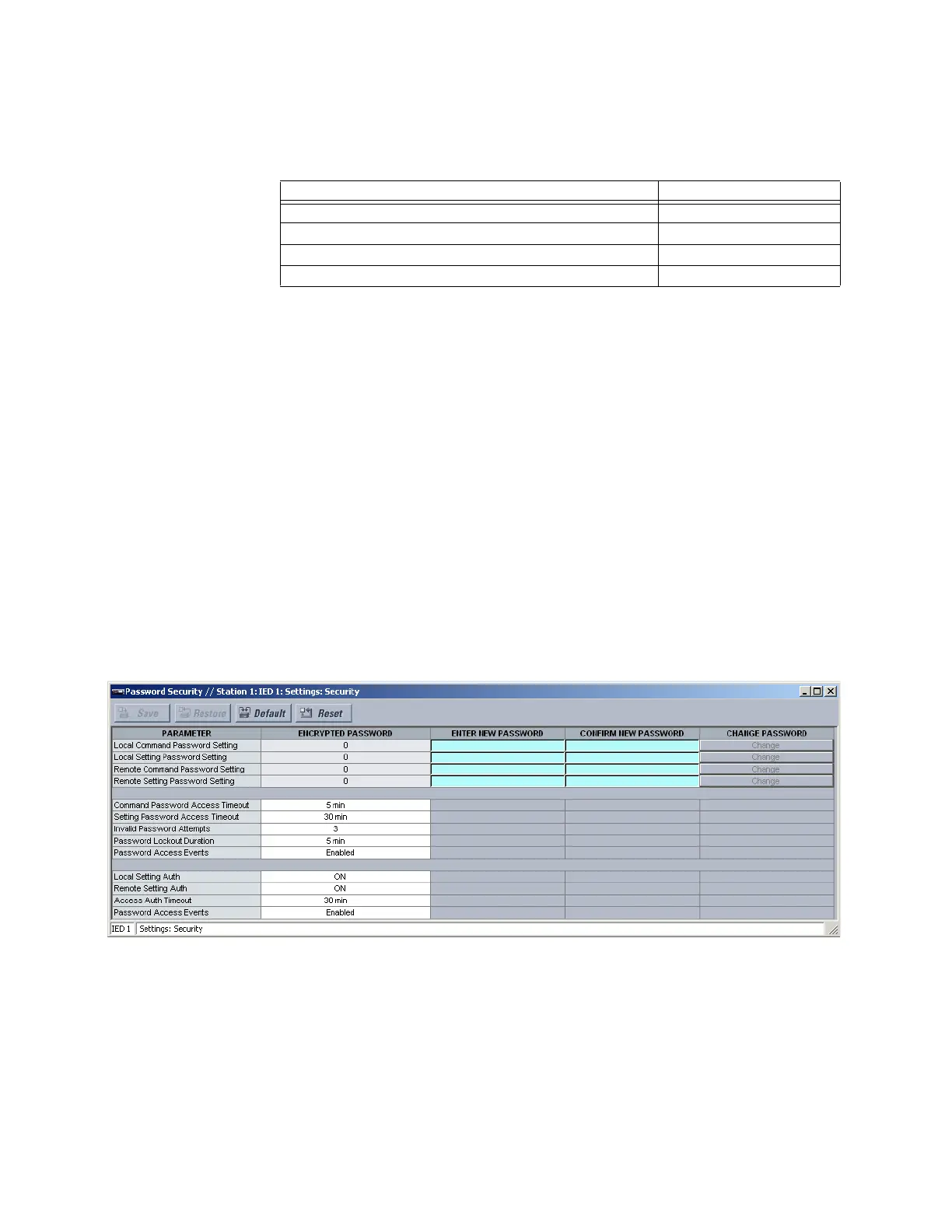
Select the Settings > Security > Password Security menu to open the password security
settings window.
Figure 543: Password security configuration settings
Passwords can consist of up to 12 alphanumeric characters, excluding all non-printing
characters as well as the “space” character (ASCII code 32), “ ` ” (ASCII code 60), “ \ ” (ASCII
code 92), “ / ” (ASCII code 47), and “ | ” (ASCII code 124). Also, the password cannot be
programmed as “0.”
The settings are arranged into three groups: password settings, access supervision, and
dual-permission security access.
The following password settings are available.
Connection type Password required
Front panel USB Local
Rear Ethernet port Remote
Rear RS485 port, with
Connection setting as “Local” Local
Rear RS485 port, with
Connection setting as “Remote” Remote



 To Next Page