CHAPTER 12: LOCAL INTERFACE MIMIC DIAGRAM EDITOR
D90
PLUS
LINE DISTANCE PROTECTION SYSTEM – INSTRUCTION MANUAL 593
Scale Factor
Range: G (Giga), M (Mega), k (kilo), None
Default: None
This setting allows the user to select a scaling factor for the metering units value. The
range is restricted to correspond to the selected analog value parameter.
Multiplier
Range: dependent on the selected analog value
Default: None
This setting allows the user to specify the multiplier for the metering units value if the
scaling factor is set to “None.”
Number of Integers
Range: 1 to 12 in steps of 1
Default: 1
This setting selects the number of integer places displayed for the metering block.
Number of Decimals
Range: 0 to 10 in steps of 1
Default: 3
This setting selects the number of decimal places displayed for the metering block.
Text Color
Range: available system colors
Default: Black
This setting specifies the displayed text color for the metering block.
Font Size
Range: 8, 10, 12
Default: 8
This setting specifies the displayed font size for the metering block.
Text blocks
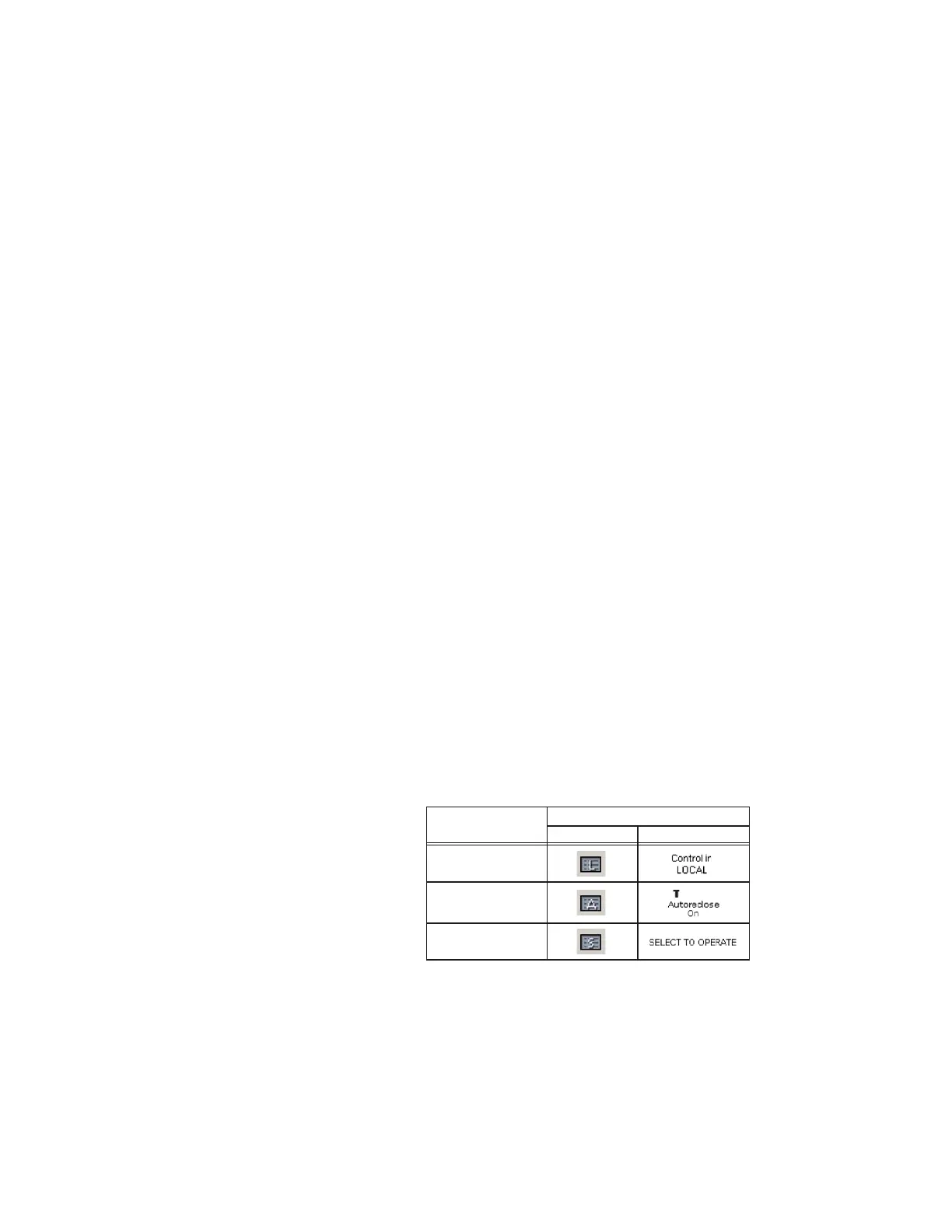
Text blocks display various control quantities. They allow the user to display specified
control states in the mimic diagram. The table outlines the three types of text blocks
available. A maximum of three text blocks can be used per mimic diagram.
Figure 522: Mimic diagram text block symbols
View modes
The mimic diagram editor has three viewing modes: edit mode, overview mode, and
control mode. These modes are toggled via the three mode buttons on menu bar.
• Edit mode — Used when creating and modifying mimic diagrams with the editor
,QWHUIDFH V\PEROV7H[W EORFN W\SH
%XWWRQ ([DPSOH GLVSOD\
/RFDOUHPRWH WH[W
EORFN
$XWRUHFORVH WH[W
EORFN
6HOHFWWRRSHUDWH
WH[W EORFN
$&'5



 To Next Page