CHAPTER 6: COMMUNICATIONS TELEPROTECTION INPUTS AND OUTPUTS
D90
PLUS
LINE DISTANCE PROTECTION SYSTEM – INSTRUCTION MANUAL 163
Teleprotection settings
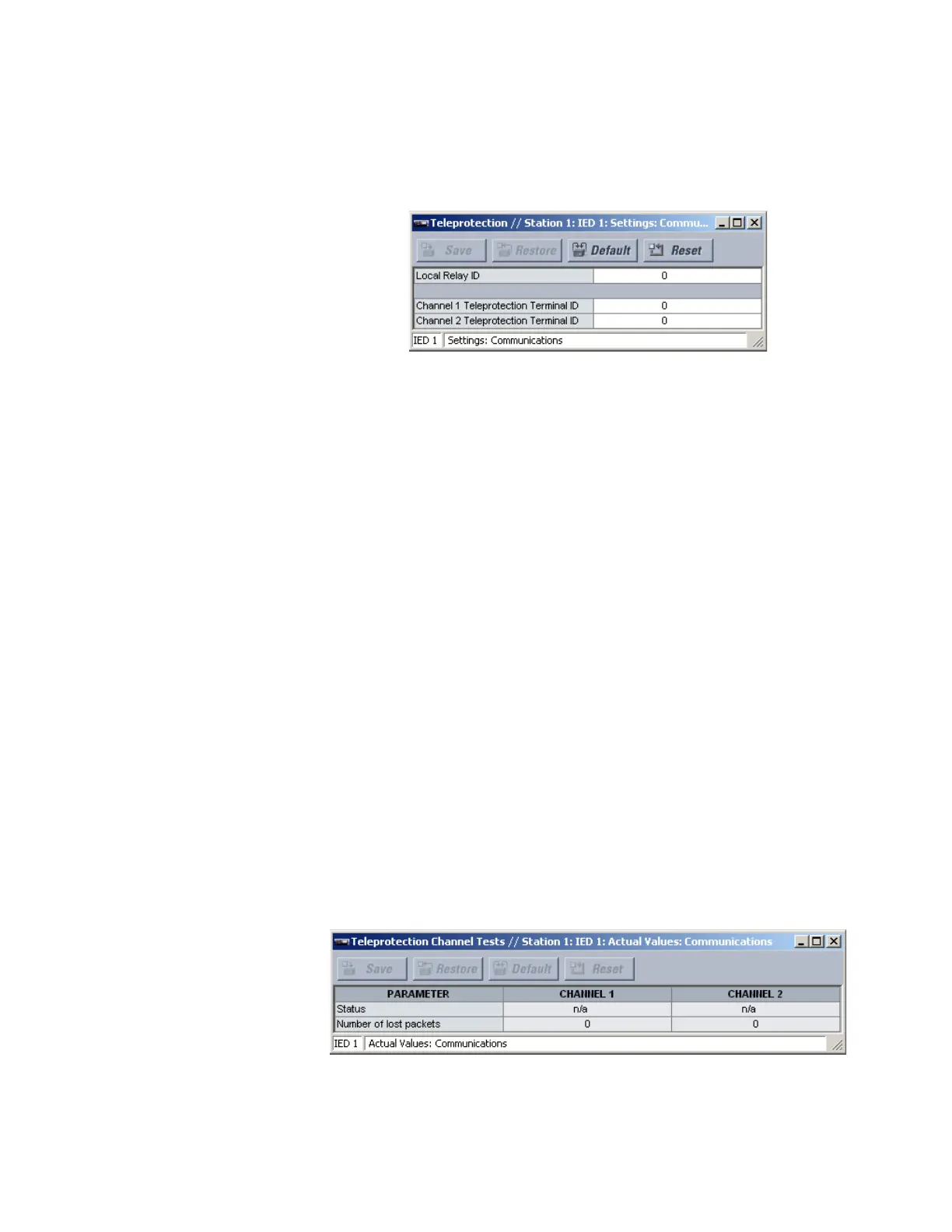
Select the Settings > Communications > Teleprotection menu item to open the main
teleprotection configuration window.
Figure 146: Teleprotection configuration settings
The following teleprotection settings are available.
Local Relay ID
Range: 0 to 255 in steps of 1
Default: 0
In installations that use multiplexers or modems, a good practice is to ensure that the
data used by the devices protecting a given line is from the correct device. The
teleprotection function performs this check by reading the message ID sent by
transmitting UR
Plus
-series devices and comparing it to the programmed terminal IDs in
the receiving device. Where redundancy is necessary the terminal IDs of both channels
must be identical. Three-terminal applications can be achieved by programming distinct
terminal IDs for each channel. The default value of “0” indicates that the relay ID is not to
be checked. The same local relay ID is transmitted over both channels.
Channel 1 Teleprotection Terminal ID
Range: 0 to 255 in steps of 1
Default: 0
This setting specifies the ID of the transmitting device for channel 1. See the description
for the
Local Relay ID for details.
Channel 2 Teleprotection Terminal ID
Range: 0 to 255 in steps of 1
Default: 0
This setting specifies the ID of the transmitting device for channel 2. See the description
for the
Local Relay ID for details.
Teleprotection channel test actual values
Select the Actual Values > Communications > Teleprotection Channel Tests menu to
open the teleprotection actual values window.
Figure 147: Teleprotection actual values
The following actual values are available for each channel.



 To Next Page