552 D90
PLUS
LINE DISTANCE PROTECTION SYSTEM – INSTRUCTION MANUAL
PHASOR MEASUREMENT UNIT CHAPTER 11: METERING
Phasor Measurement Unit reporting over network
The Phasor Measurement Unit Ethernet connection works simultaneously with other
communication means over Ethernet. The network reporting feature is programmed via
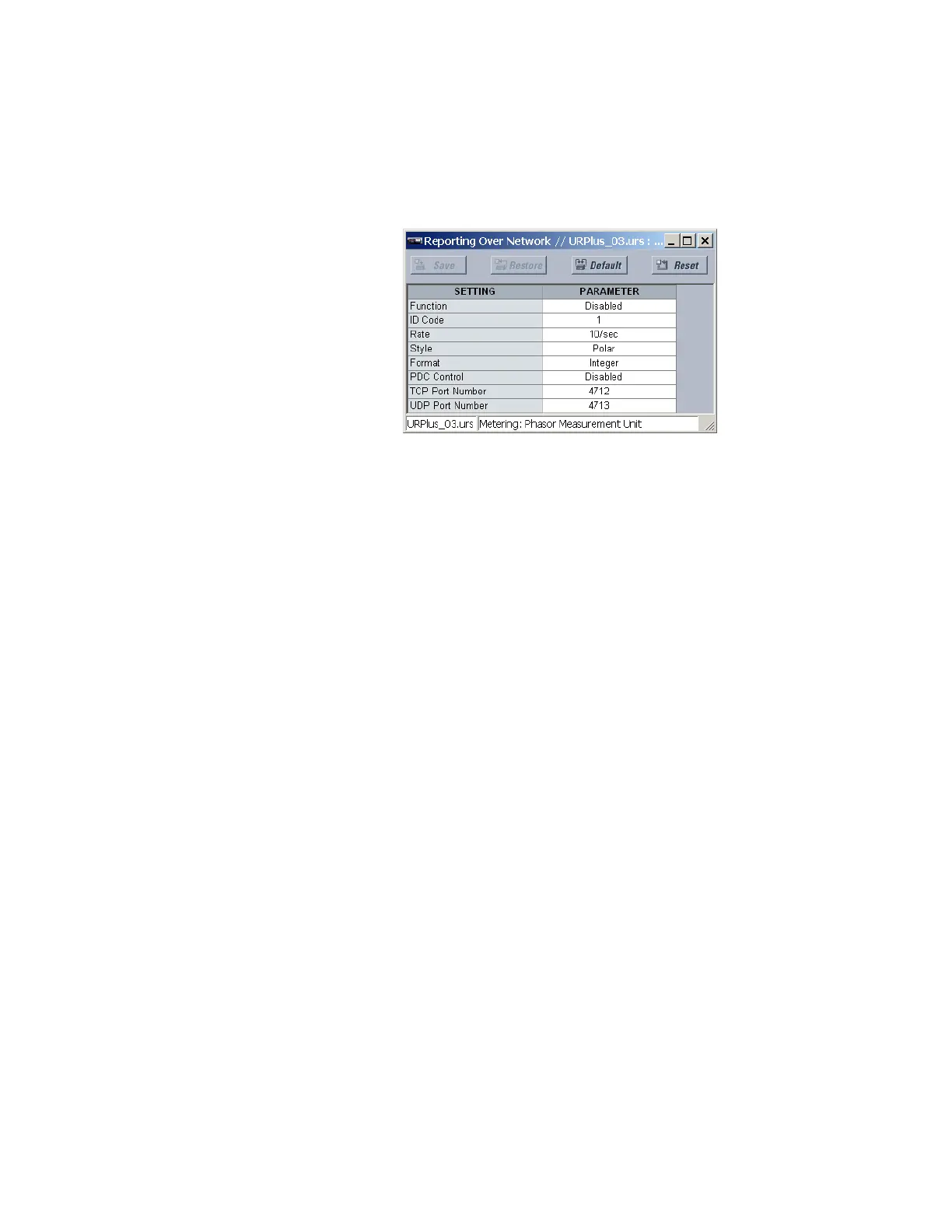
the Settings > Metering > Phasor Measurement Unit > Reporting Over Network menu.
Figure 484: Phasor Measurement Unit reporting over network configuration settings
The following settings are available for each PMU.
Function
Range: Enabled, Disabled
Default: Disabled
This setting enables and disables the PMU reporting over network feature.
ID Code
Range: 1 to 65534 in steps of 1
Default: 1
This setting specifies an IDCODE for the entire port. Individual PMU streams transmitted
over this port are identified via their own IDCODEs as per the PMU IDCODE settings. This
IDCODE is to be used by the command frame to start and stop transmission, and request
configuration or header frames.
Rate
Range: 1, 2, 5, 10, 12, 15, 20, 25, 30, 50, or 60 times per second
Default: 10 times per second
This setting specifies the reporting rate for the network (Ethernet) port. This value applies
to all PMU streams of the device that are assigned to transmit over this port.
Style
Range: Polar, Rectangular
Default: Polar
This setting selects between reporting synchrophasors in rectangular (real and
imaginary) or in polar (magnitude and angle) coordinates. This setting complies with bit-
0 of the format field of the C37.118 configuration frame.
Format
Range: Integer, Floating
Default: Integer
This setting selects between reporting synchrophasors as 16-bit integer or 32-bit IEEE
floating point numbers. This setting complies with bit 1 of the format field of the C37.118
configuration frame. Note that this setting applies to synchrophasors only—the user-
selectable FlexAnalog channels are always transmitted as 32-bit floating point numbers.



 To Next Page