CHAPTER 7: PROTECTION CONTROL ELEMENTS
D90
PLUS
LINE DISTANCE PROTECTION SYSTEM – INSTRUCTION MANUAL 323
The DCUB TRIP A, DCUB TRIP B, DCUB TRIP C, and DCUB TRIP 3P output operands are hard-wired
to the trip output scheme. As such, if the trip output or breaker control operands (if the
breaker control function is used) are used for tripping, the scheme fully operational. The
permissive key carrier signals DCUB TX1 through DCUB TX4 must still be assigned to the
tripping or operating logic, and to output contacts as per the usual D90
Plus
logic and
output assignments.
Setting group control
The setting groups control function activates and deactivates up to six setting groups.
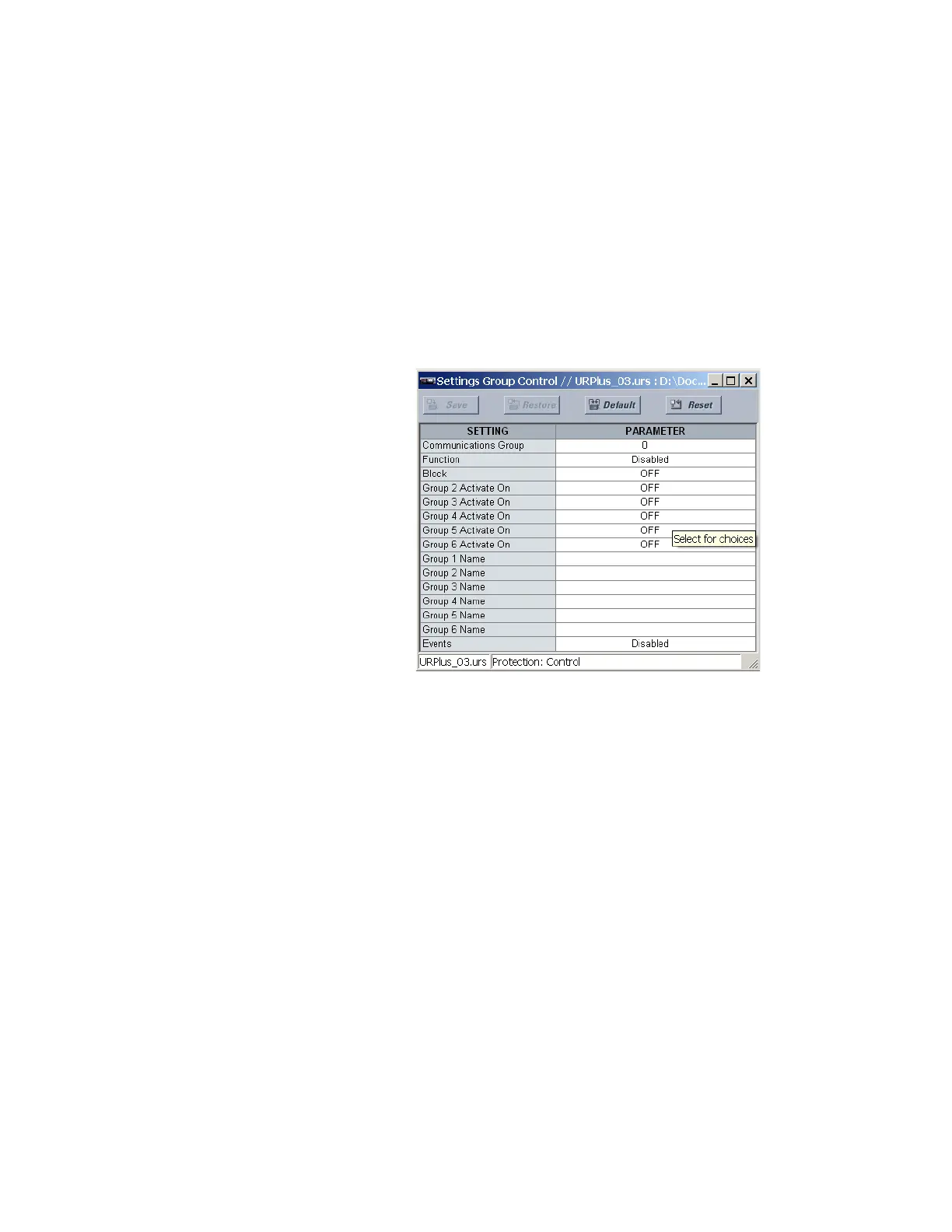
Select the Settings > Protection > Control > Setting Group Control menu to access the
setting group control settings.
Figure 265: Setting group control configuration
The following settings are available for setting groups control. The Current Setting Group
actual value also displays in this menu.
Function
Range: Enabled, Disabled
Default: Disabled
This setting is used to enable and disable the setting groups control functionality.
Block
Range: any FlexLogic operand or shared operand
Default: OFF
This setting prevents the active setting group from changing when the assigned operand
is asserted. This can be useful in applications where it is undesirable to change the
settings under certain conditions, such as the breaker being open.
Group 2 Activate On, Group 3 Activate On, Group 4 Activate On, Group 5 Activate On,
Group 6 Activate On
Range: any FlexLogic operand or shared operand
Default: OFF
Each of these settings selects an operand which, when set, activates the corresponding
setting group for use by any grouped element. A priority scheme ensures that only one
group is active at a given time. The highest-numbered group activated by these settings



 To Next Page