86 D90
PLUS
LINE DISTANCE PROTECTION SYSTEM – INSTRUCTION MANUAL
SECURE AND LOCK FLEXLOGIC EQUATIONS CHAPTER 5: ENERVISTA SOFTWARE
Secured FlexLogic equations remain secure when files are sent to and retrieved from any
UR
Plus
-series device.
Locking can be tied to the serial number too.
Lock FlexLogic equations
To lock individual entries of a FlexLogic equation:
1. Right-click the settings file or online device and select the Template Mode > Create
Template item to enable the settings template feature.
2. Select the Protection > Protection FlexLogic > FlexLogic Equation Editor settings
menu item.
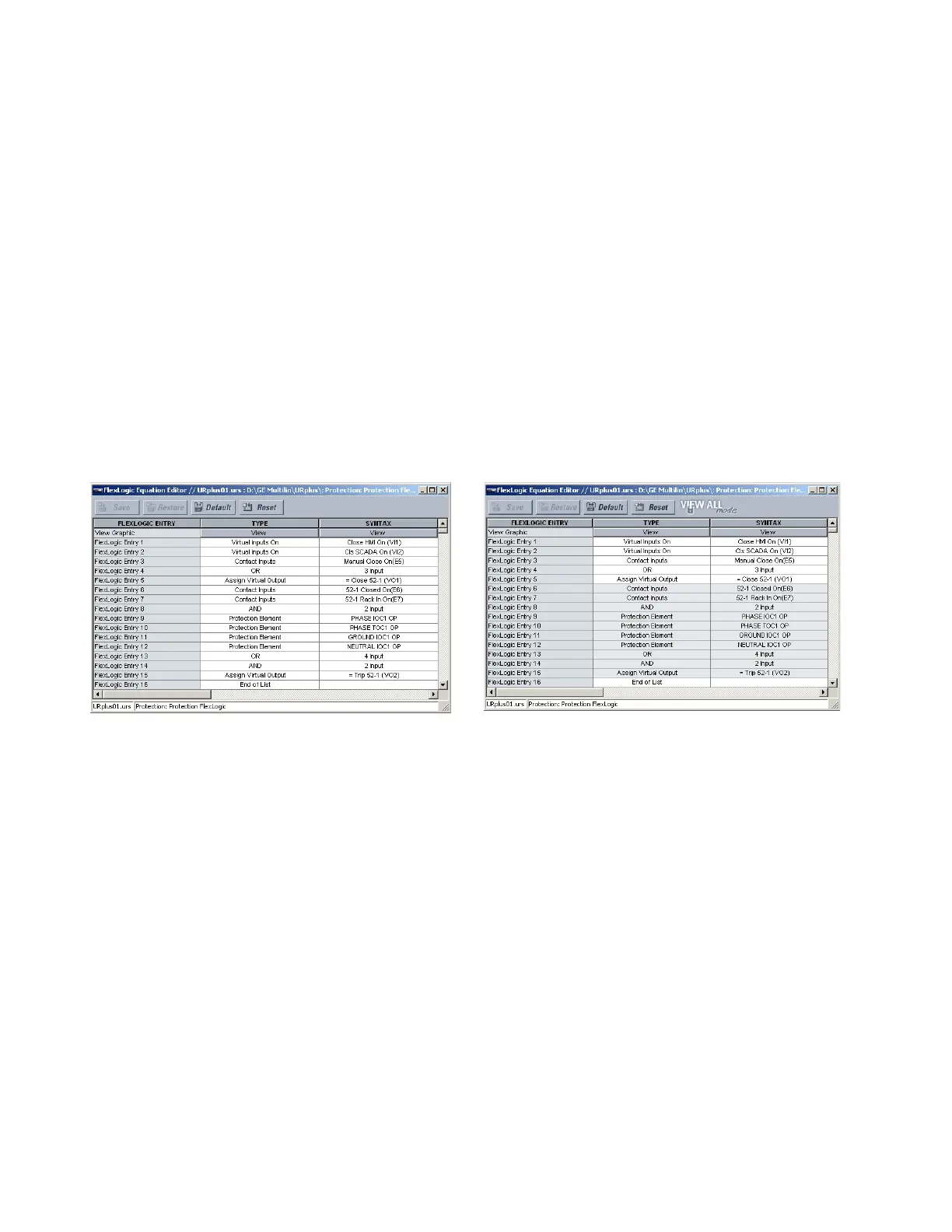
By default, all FlexLogic entries are specified as viewable and displayed against a
yellow background. The icon on the upper right of the window also indicates that
EnerVista UR
Plus
Setup is in EDIT mode.
3. Specify which entries to lock by clicking them.
The locked entries display against a grey background as shown in the example.
Figure 65: Locking FlexLogic entries through setting templates
Lock FlexLogic equations to a serial number
A settings file and associated FlexLogic equations also can be locked to a D90
Plus
serial
number. Once FlexLogic entries in a settings file have been secured, use the following
procedure to lock the settings file to a serial number.
1. Right-click the settings file in the offline window area and select the Manage Settings
File > Edit Properties item. The window opens.
7\SLFDO)OH[/RJLFHQWULHVZLWKRXWWHPSODWHDSSOLHG 7\SLFDO)OH[/RJLFHQWULHV
FRPPDQG9LHZ,Q7HPSODWH0RGH
ORFNHGZLWKWHPSODWHYLDWKH
$&'5



 To Next Page