CHAPTER 10: DIGITAL FAULT RECORDER DISTURBANCE RECORDER
D90
PLUS
LINE DISTANCE PROTECTION SYSTEM – INSTRUCTION MANUAL 523
The recorder has two storage modes: protected and automatic overwrite. When the
memory is filled, either no new records are written to memory (protected mode) or the
oldest record is overwritten (automatic overwrite mode).
Front panel indications
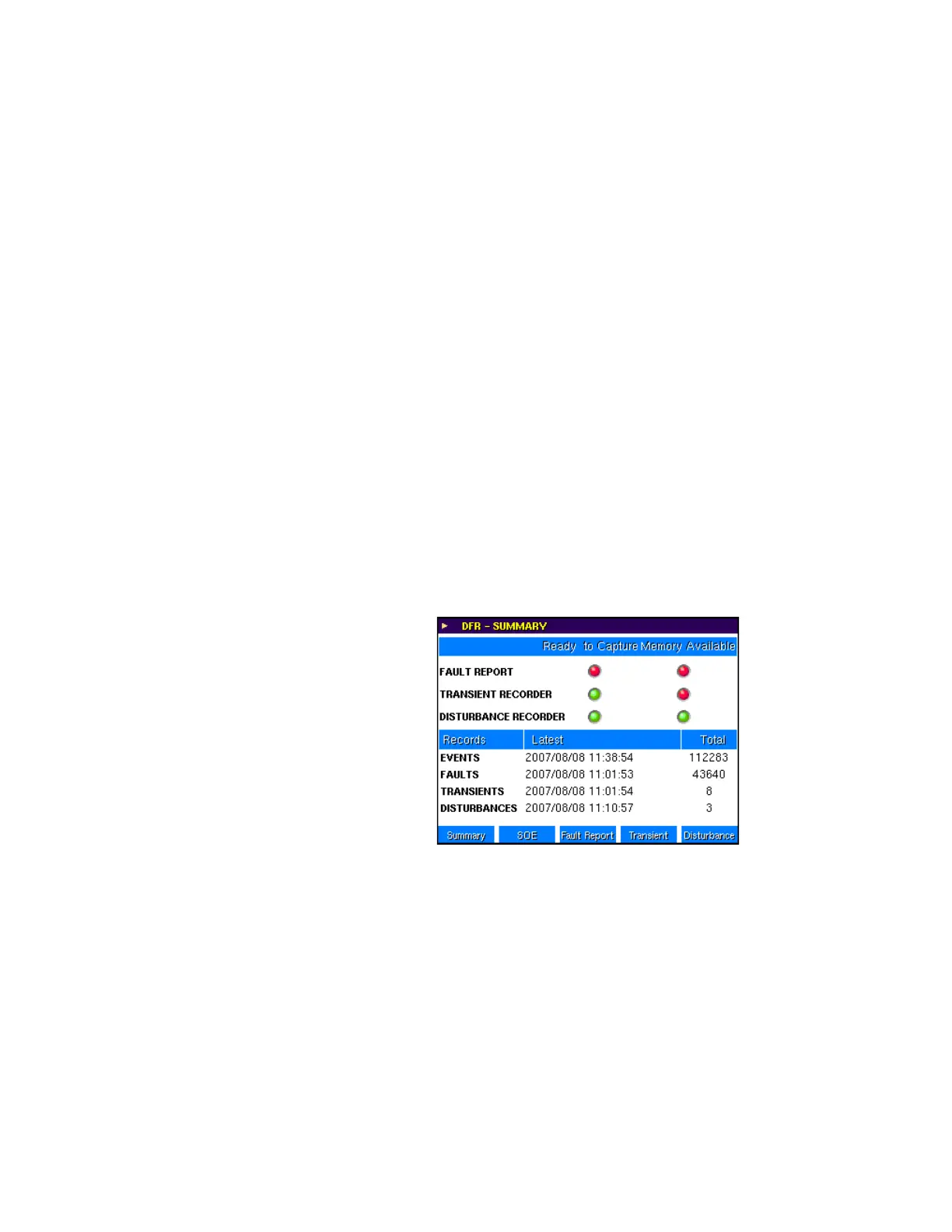
The digital fault reporter summary screen indicates when the disturbance recorder is
ready to capture data and has memory available.
In protected mode, the Ready to Capture indication is green when all of the following
conditions hold:
• The disturbance recorder is enabled
• The block trigger input is not asserted
• Memory is available
• A record capture is not currently in progress
Otherwise the indication is red.
In automatic overwrite mode, the Ready to Capture indication is green when all of the
following conditions hold:
• The disturbance recorder is enabled
• The block trigger input is not asserted
• A record capture is not currently in progress
The Memory Available indication is green when less than 80% of the memory has been
filled. It is yellow when the amount of memory filled is between 80% and 99%, and it is red
if 100% of the memory is filled.
Figure 454: Digital fault reporter summary screen
The disturbance recorder screen shows the individual records stored on the device. This
screen also indicates any active triggers (red indication) for the disturbance recorders. If a
continuous trigger is active permanently, it does not fill the memory of the recorder. In this
case, after the first record is generated, it is effectively disabled by the trigger logic, but its
status displays on this screen. The user also can force triggering of the recorder from this
screen.



 To Next Page