164 D90
PLUS
LINE DISTANCE PROTECTION SYSTEM – INSTRUCTION MANUAL
INTER-RELAY COMMUNICATIONS CHAPTER 6: COMMUNICATIONS
Status
Range: n/a, Fail, OK
This actual value is the receiver status for each channel. If the value is “OK,”
teleprotection is enabled and data is being received from the remote terminal. If the
value is “Fail,” teleprotection is enabled and data is not being received from the remote
terminal. If the value is “n/a,” then teleprotection is disabled.
Number of Lost Packets
Range: 0 to 65535 in steps of 1
This actual value represents data packets lost in transmission. This number can be reset
to zero using the Clear Teleprotection Counters command.
Teleprotection commands
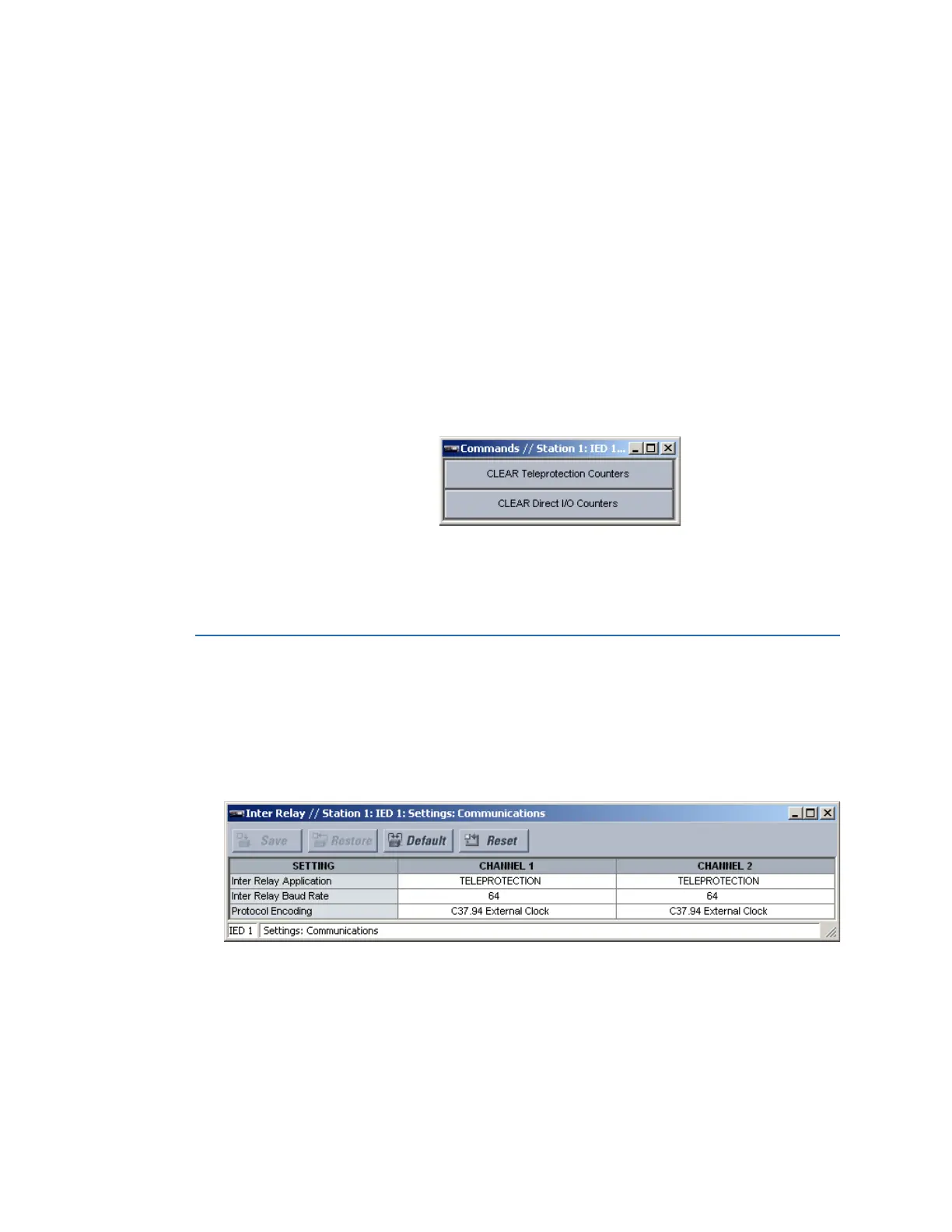
Select the Actual Values > Communications > Commands > Commands menu to open
the inter-relay communications commands window.
Figure 148: Inter-relay communications commands
The following teleprotection command is available.
Clear Teleprotection Counters
This command clears the number of teleprotection lost packets count.
Inter-relay communications
The inter-relay communications settings configure inter-relay communication for direct
inputs and outputs and teleprotection inputs and outputs.
Select the Settings > Communications > Inter-Relay menu to open the inter-relay
communications configuration window.
Figure 149: Inter-relay communications settings
The following settings are available for each inter-relay communications channel.
Inter-Relay Application
Range: None, Direct I/O, Teleprotection, Direct I/O Redundant
Default: None
This setting selects the inter-relay communications application for each channel.
This setting can be selected as “Direct I/O,” “Direct I/O Redundant,” or “Teleprotection” to
enable direct inputs and outputs. If a channel is set to “None,” then that transmitter’s
output is disabled.



 To Next Page