CHAPTER 6: COMMUNICATIONS DNP COMMUNICATIONS
D90
PLUS
LINE DISTANCE PROTECTION SYSTEM – INSTRUCTION MANUAL 107
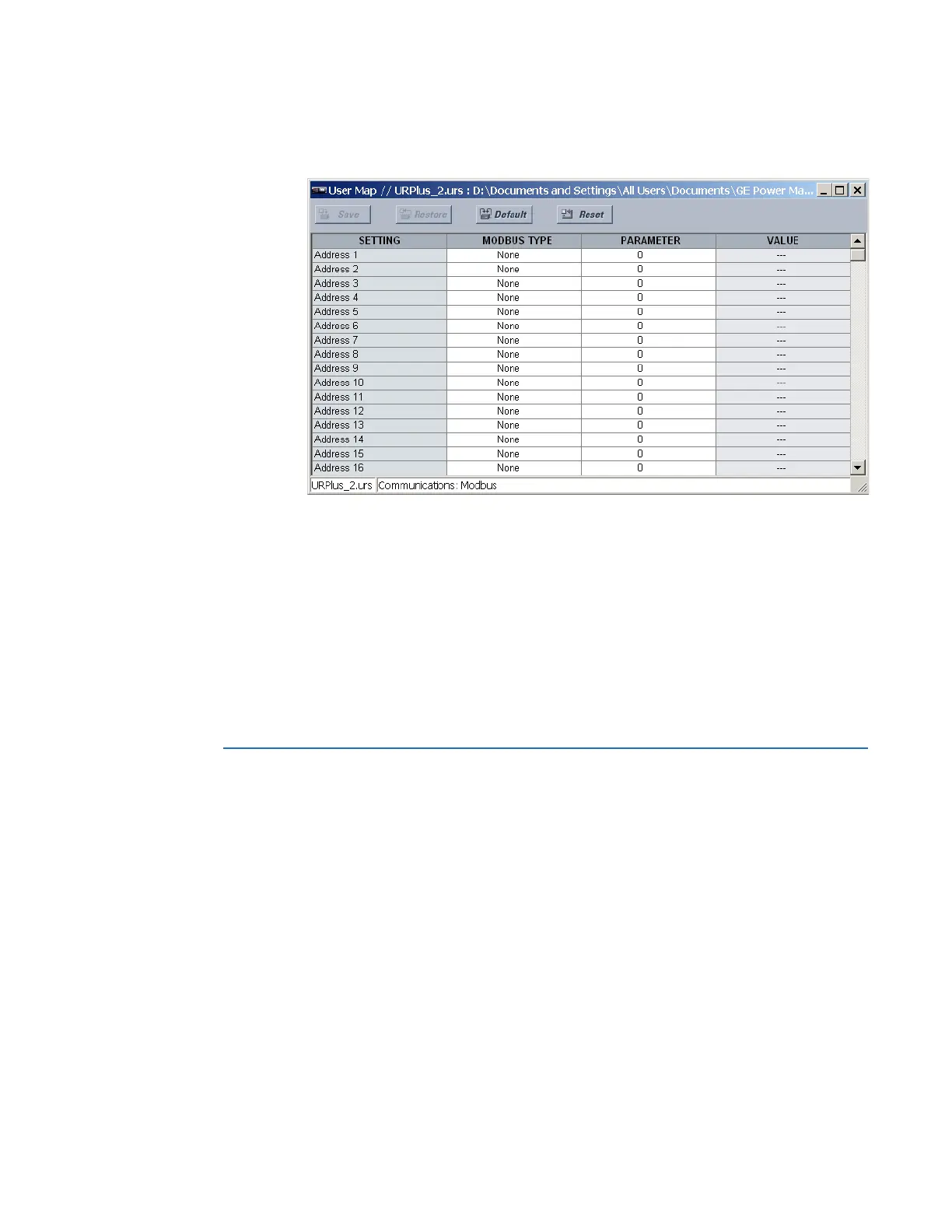
Select the Settings > Communications > Modbus > User Map menu to open the Modbus
user map configuration window.
Figure 87: Modbus user map configuration settings
The following settings are available for each of the 256 registers.
Modbus Type
Range: None, Settings, Actuals
Default: None
This setting indicates if the Modbus user map address represents a setting or an actual
value.
Parameter
Range: Modbus memory map address in decimal representation
Default: 0
This setting represents the value of the programmed Modbus memory map address.
DNP communications
The Distributed Network Protocol (DNP) allows for the optimization of control and data
acquisition between the equipment in the substation and the central control center. The
protocol is scalable; that is, it is designed to be compatible with the latest high speed LAN
technology yet still be implemented over slower speed serial links.
The DNP improves upon many master-slave protocols by improving overall
communication performance requirements and provides time-stamping with millisecond
accuracy.
See the D90
Plus
Communications Guide for details on the DNP.
DNP protocol
The DNP server can simultaneously support one client over serial RS485 and one client
over Ethernet or two clients over Ethernet. Level 3 is supported for parsing requests and
generating responses. It is capable of reporting any indication or measurement and



 To Next Page