108 D90
PLUS
LINE DISTANCE PROTECTION SYSTEM – INSTRUCTION MANUAL
DNP COMMUNICATIONS CHAPTER 6: COMMUNICATIONS
operating any output present in the device. Both direct-operate and select-before-operate
modes of control are supported. Two user-configurable input and output maps are
implemented.
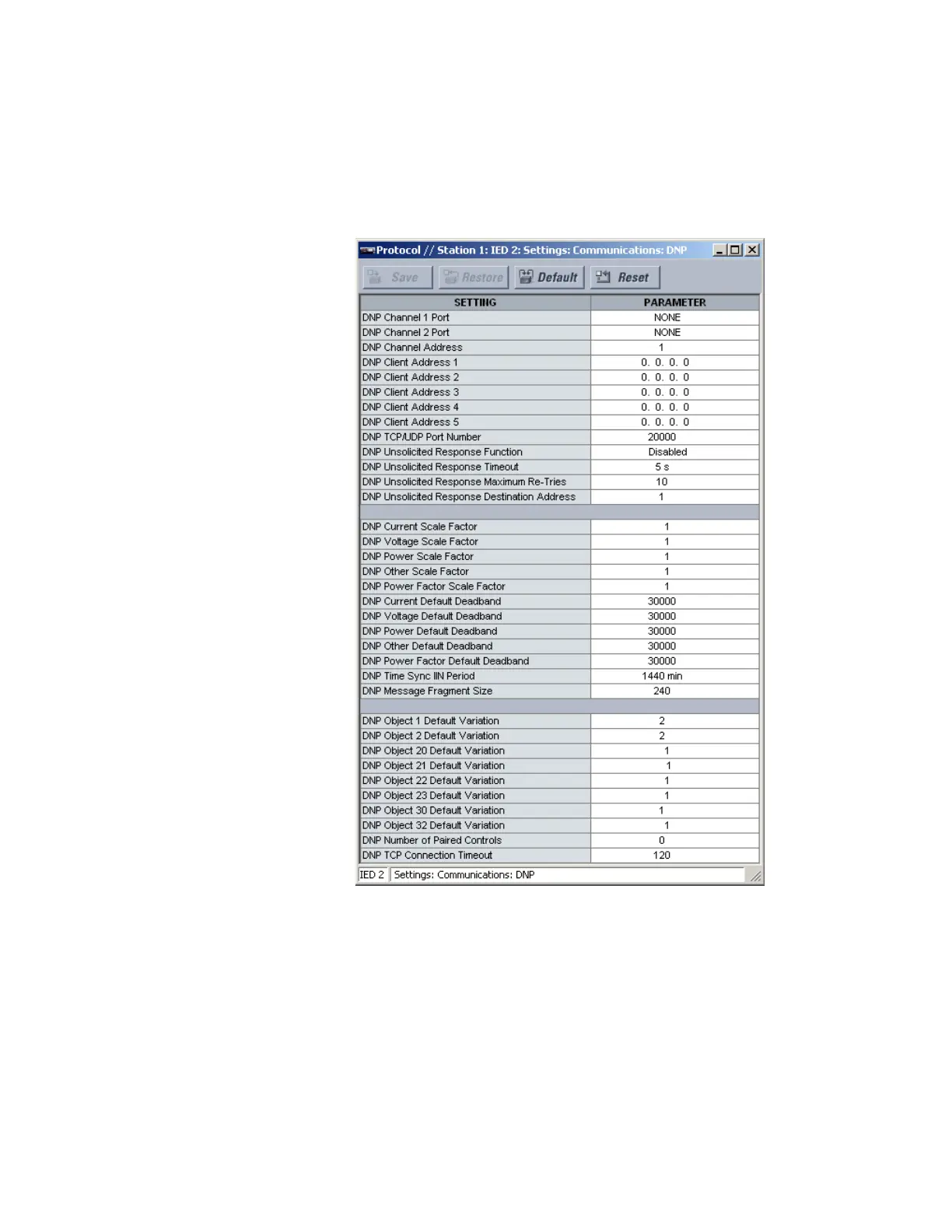
Select the Settings > Communications > DNP > Protocol menu to open the DNP protocol
configuration window.
Figure 88: DNP protocol configuration settings
The following settings are available.
DNP Channel 1 Port, DNP Channel 2 Port
Range: None, COM1-RS485, Network-TCP, Network-UDP
Default: None
These settings specify the communications port assigned to the DNP protocol for each
channel. Once DNP is assigned to a serial port, the Modbus protocol is disabled on that
port. When this setting is set to “Network-TCP,” the DNP protocol can be used over TCP/IP
on channels 1 or 2. When this value is set to “Network-UDP,” the DNP protocol can be
used over UDP/IP on channel 1 only.
Changes to the these settings take effect after power has been cycled to the relay.



 To Next Page