72 D90
PLUS
LINE DISTANCE PROTECTION SYSTEM – INSTRUCTION MANUAL
CONTROL MENU CHAPTER 4: FRONT PANEL INTERFACE
The following three fixed metering screens are also available:
• The energy page displays and allows the user to reset four quadrant energy values
• The phasor screen graphically displays the phasor components of the system voltage
(phase-neutral) and current for the selected metering source
• The sequence screen graphically displays the sequence components of the system
voltage and currents for the selected metering source
Control menu
The control menu provides the option to select a control diagram view or one of the user-
programmable pushbutton views. The menu names are user-configurable. The following
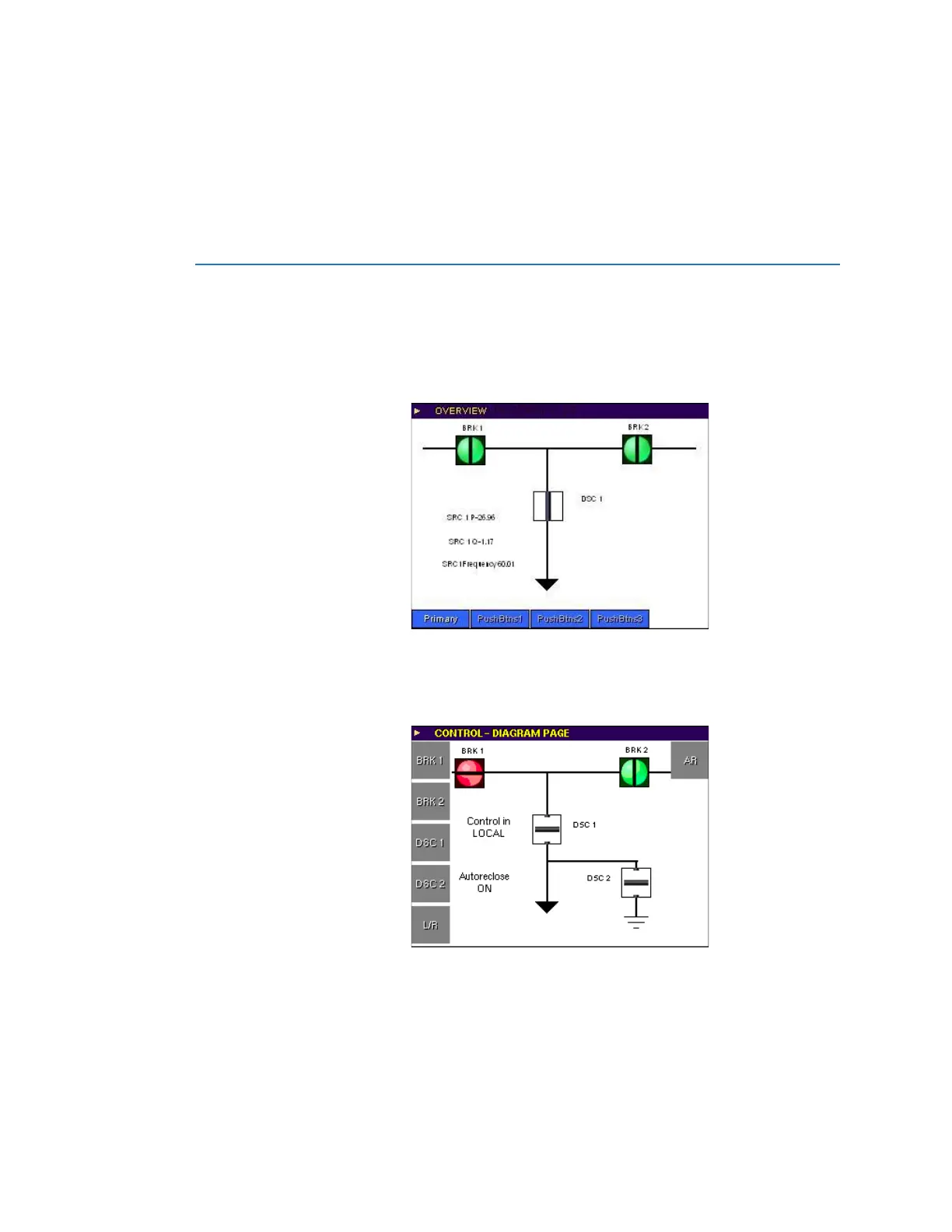
figure shows the overview window.
Figure 46: Control menu overview display
The user accesses the mimic diagram and dedicated control pushbuttons through the
primary control menu. The mimic page provides status of circuit breakers and disconnect
switches. Operation of these devices also is available through the control pushbuttons.
Figure 47: Mimic page - operate example
The configurable selected component display allows the user to position the selected
control element and display other diagram components like metering values, breakers,
disconnect switches, local/remote status, or autoreclose. The following figure shows the
selected component display.
Figure 48: Mimic page - Selected breaker with operate actions menu and dynamic



 To Next Page