CHAPTER 3: INSTALLATION INSTALL SOFTWARE
D90
PLUS
LINE DISTANCE PROTECTION SYSTEM – INSTRUCTION MANUAL 59
The UR
Plus
-series C37.94 communication module can be connected to the electrical
interface (G.703, RS422, or X.21) of a non-compliant digital multiplexer via an optical-to-
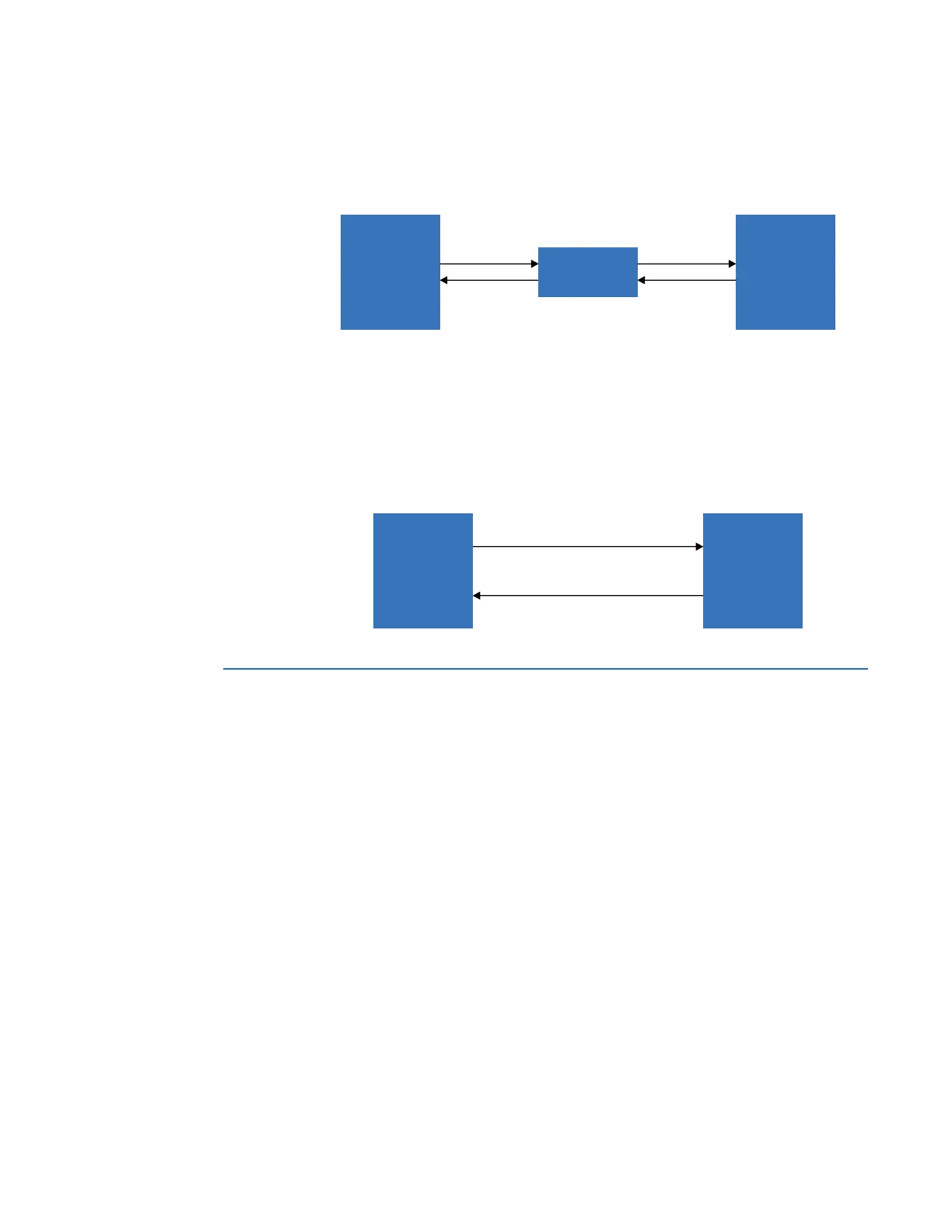
electrical interface converter that supports the IEEE C37.94 standard. The following figure
shows the concept.
Figure 37: IEEE C37.94 connection to non-compliant digital multiplexer
The
Protocol Encoding setting is used to set the protocol and clock option for the IEEE
C37.94 protocol selection. If the setting is programmed as “C37.94 Internal Clock”, then the
system clock is generated internally. For an external or loop timing scheme, the system
clock is derived from the received line signal. For these cases, the program the setting to
“C37.94 External Clock” or “Default” for connection to higher-order systems.
The UR
Plus
-series direct fiber module can be connected directly to another UR
Plus
-series or
UR-series device with an installed direct fiber module.
Figure 38: Direct fiber to direct fiber connection
Install software
The EnerVista UR
Plus
Setup software provides tools to monitor the status of your protected
asset, maintain the device, and integrate information measured by the D90
Plus
into DCS or
SCADA monitoring systems. Convenient COMTRADE and sequence of events viewers are
an integral part of the software included with every D90
Plus
. This allows the user to carry
out post-mortem event analysis to ensure proper protection system operation.
System requirements
The relay front panel EnerVista UR
Plus
Setup software can be used to communicate with
the D90
Plus
. The software is the preferred method to edit settings and view actual values
because the computer monitor can display more information.
The minimum system requirements for the EnerVista software are as follows:
• Pentium class or higher processor (Pentium II 300 MHz or higher recommended)
• Windows XP, Vista, 7 (64-bit), or Server 2008 (64-bit)
• Internet Explorer 4.0 or higher
• 128 MB of RAM (256 MB recommended)
• 200 MB of available space on system drive and 200 MB of available space on
installation drive
• 800 × 600 display or higher in high-color mode (16-bit color)
85 VHULHV
GHYLFH
3OXV
XSWRNP
,(((&
FRQYHUWHU
56
LQWHUIDFH
$&'5
,(((&
ILEHULQWHUIDFH
'LJLWDO
PXOWLSOH[HU
ZLWK(,$
LQWHUIDFH
85 VHULHV
GHYLFH
3OXV
'LUHFWILEHULQWHUIDFH
XSWRNP
$&'5
85VHULHV
RU
85 VHULHV
GHYLFH
3OXV



 To Next Page