CHAPTER 6: COMMUNICATIONS MODBUS COMMUNICATIONS
D90
PLUS
LINE DISTANCE PROTECTION SYSTEM – INSTRUCTION MANUAL 105
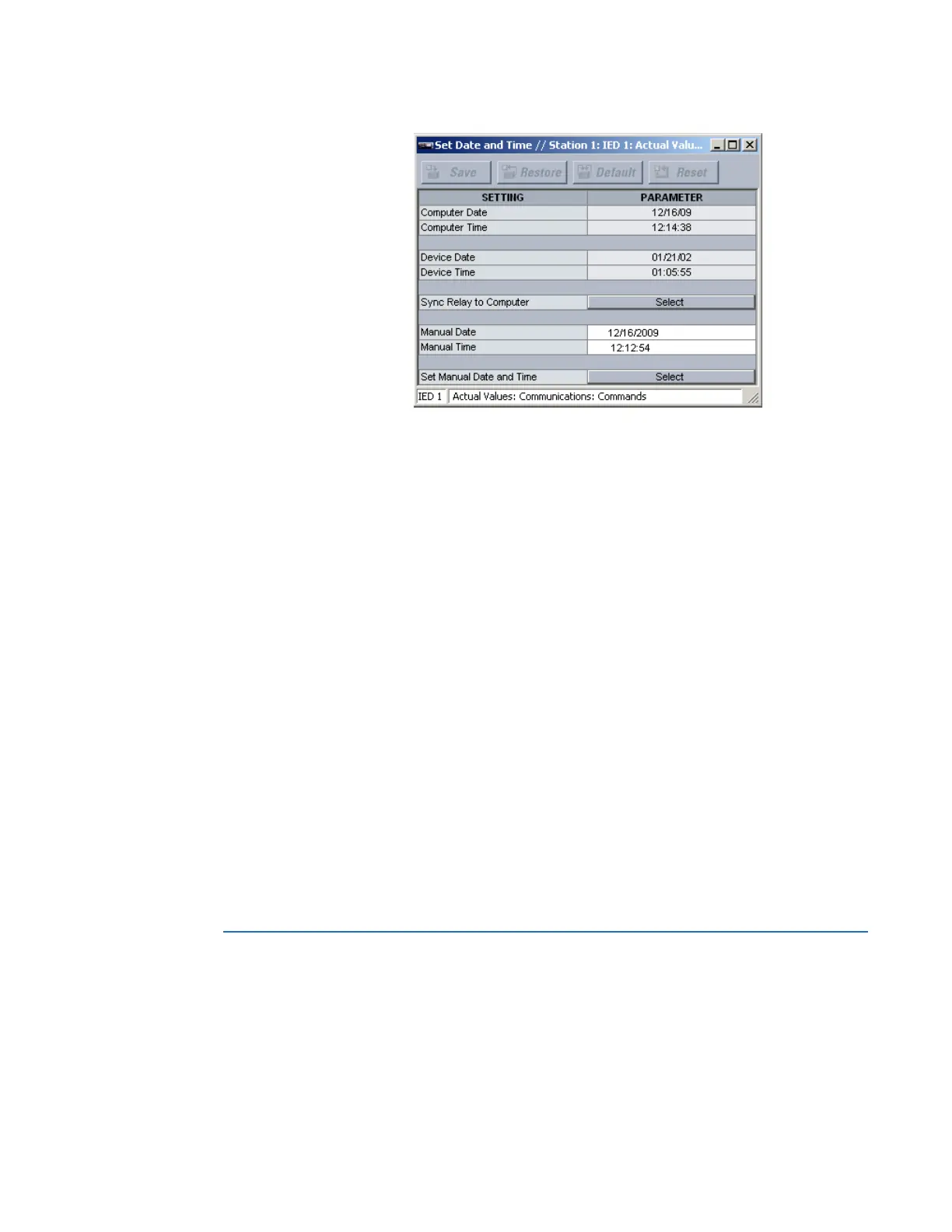
Figure 85: Date and time actual values and commands
The following actual values display.
Computer Date
Range: date in MM/DD/YY format
This actual value displays the date specified by the computer running the EnerVista
UR
Plus
Setup software.
Computer Time
Range: time in HH:MM:SS format
This actual value displays the time specified by the computer running the EnerVista
UR
Plus
Setup software.
Device Date
Range: date in MM/DD/YY format
This actual value displays the date programmed in the D90
Plus
.
Device Time
Range: time in HH:MM:SS format
This actual value displays the time programmed in the D90
Plus
.
The following date and time commands are available.
Sync Relay to Computer
This command sets the D90
Plus
date and time values to the date and time of the
computer running the EnerVista UR
Plus
Setup software.
Set Manual Date and Time
This command sets the D90
Plus
date and time values to the date and time values
specified by the
Manual Date and Manual Time entries.
Modbus communications
The Modbus protocol is supported by the D90
Plus
. Modbus is available via the RS485 serial
link (Modbus RTU) or Ethernet (Modbus/TCP). The D90
Plus
supports Modbus RTU.
The D90
Plus
always acts as a slave device, meaning that it never initiates communications;
it listens and responds to requests issued by a master device.



 To Next Page