CHAPTER 13: SECURITY ENERVISTA SECURITY MANAGEMENT SYSTEM
D90
PLUS
LINE DISTANCE PROTECTION SYSTEM – INSTRUCTION MANUAL 615
2. Enter a username in the User field. The username must be four to 20 characters in
length.
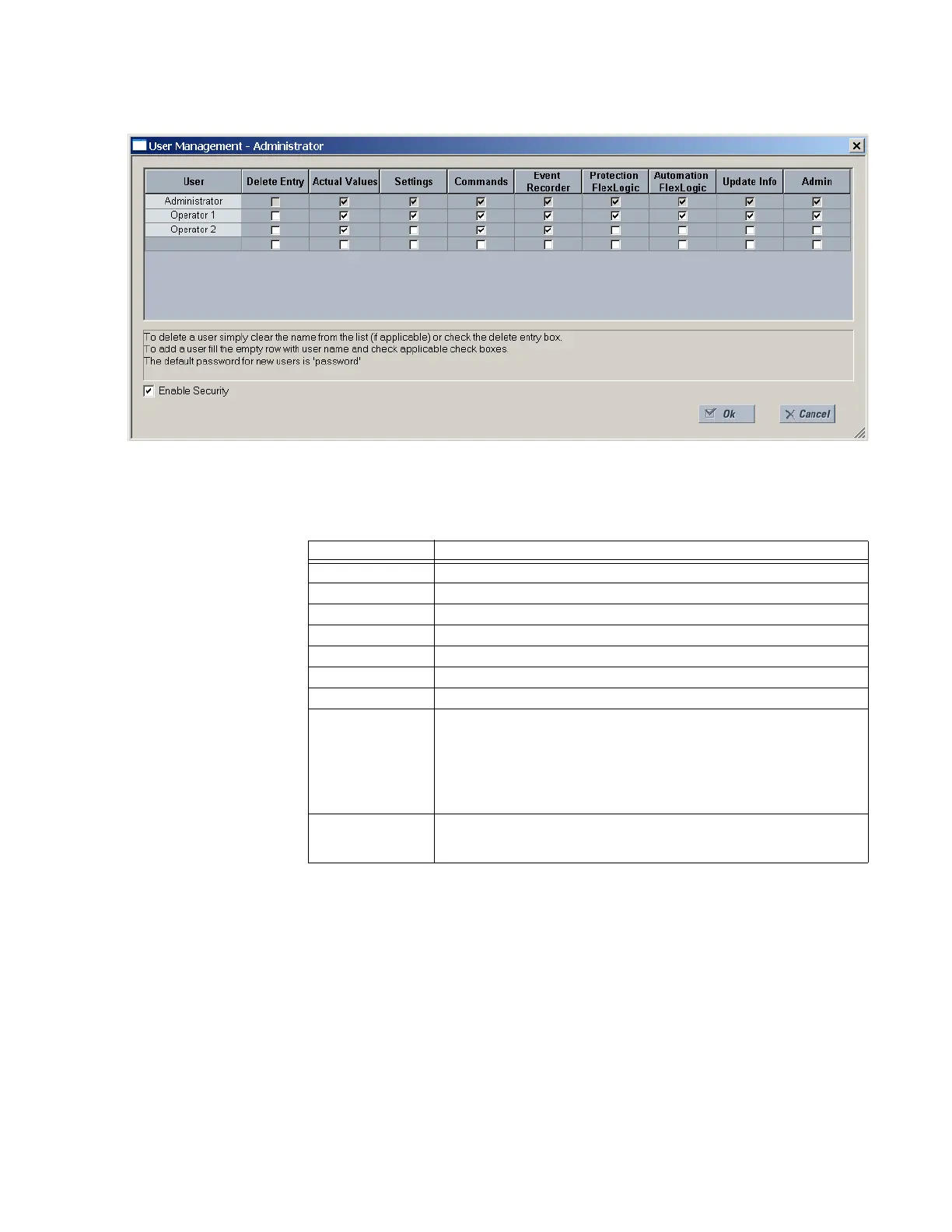
3. Select the user access rights by enabling the check box of one or more fields.
Table 43: Access rights summary
4. Click OK to add the user account to the system.
Modify user privileges
The following pre-requisites are required to modify user privileges in the EnerVista security
management system:
• The user modifying the privileges must have administrator rights
• The EnerVista security management system must be enabled (the Enable Security
check box enabled)
To modify user privileges:
1. Select the Security > User Management menu from the top menu to open the user
management window.
Field Description
Delete Entry Deletes the user account when exiting the user management window
Actual Values Allows the user to read actual values
Settings Allows the user to read setting values
Commands Allows the user to execute commands
Event Recorder Allows the user to use the digital fault recorder
Protection FlexLogic Allows the user to read protection FlexLogic values
Automation Logic Allows the user to read automation logic values
Update Info Allows the user to write to any function to which they have read privileges.
When any of the Settings, Event Recorder, Protection FlexLogic, and
Automation Logic check boxes are enabled by themselves, the user is
granted read access. When any of them are enabled in conjunction with the
Update Info box, they are granted read and write access. The user is not
granted write access to functions that are not enabled, even if the Update
Info field is enabled.
Admin When this check box is enabled, the user becomes an EnerVista UR
Plus
Setup administrator and has all administrative rights. Exercise caution when
granting administrator rights.



 To Next Page