CHAPTER 8: AUTOMATION AUTOMATION INPUTS AND OUTPUTS
D90
PLUS
LINE DISTANCE PROTECTION SYSTEM – INSTRUCTION MANUAL 465
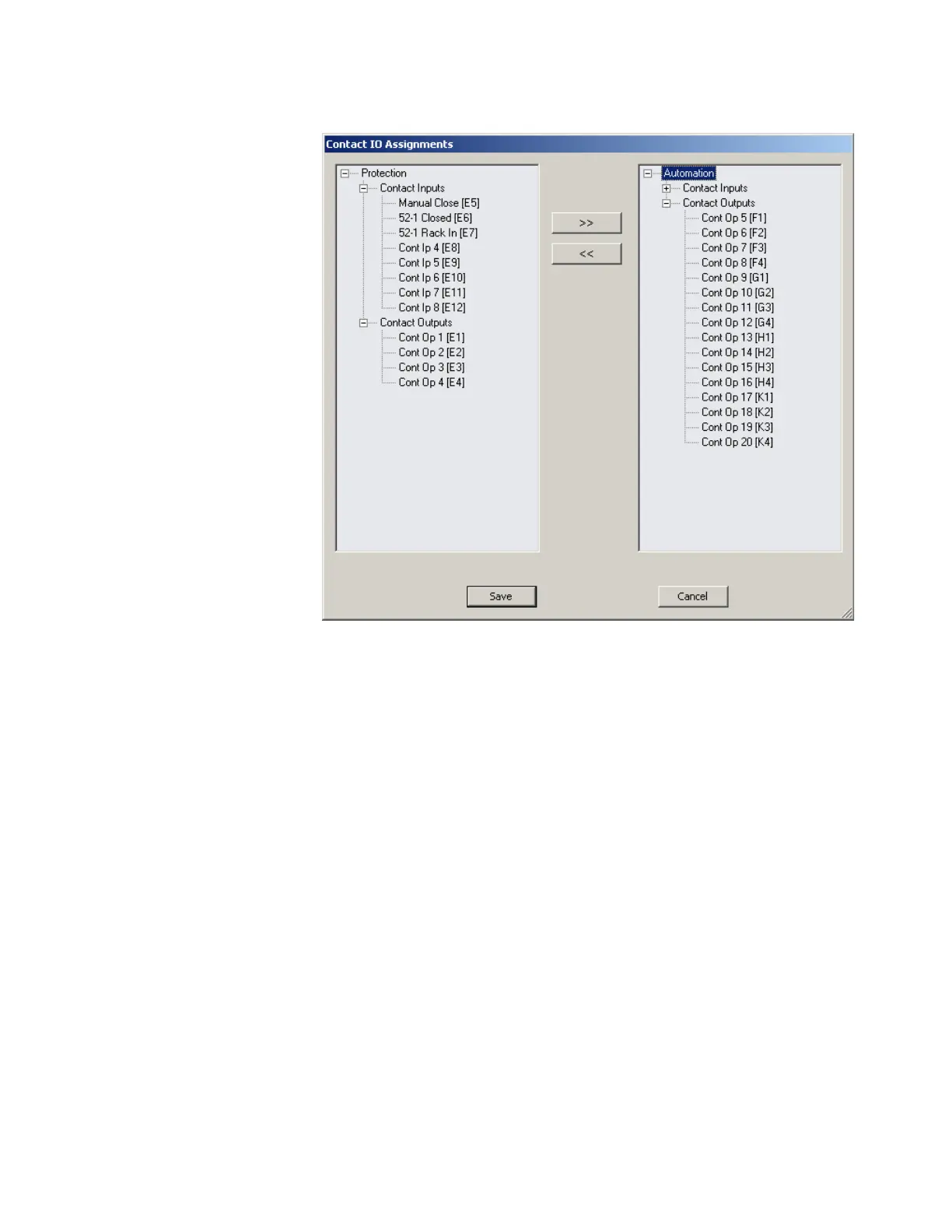
Figure 394: Contact input and output assignments
All available contact inputs and outputs can be reassigned using the >> and << buttons.
Contact input configuration
The D90
Plus
can monitor the status of up to 115 field contacts. Each input can be wetted
from the D90
Plus
48 volt auxiliary supply or from an external power supply. Each digital
input has a dedicated delay timer for filtering of contact bouncing. The D90
Plus
can also
detect an oscillating input via the chatter feature. Each contact input can provide security
against false turn-on of an input due to excessive stray capacitance of field wiring.
A raw status is scanned synchronously for all contact inputs at the rate of 0.25 ms as
shown in the following figure. A new contact input state must be maintained for a user-
programmable debounce time for the D90
Plus
to validate the new contact state. The
debounce time is set at 2.0 ms in the figure. As such, the eighth sample validates the
change of state (mark 1 in the figure). Once validated (debounced), the automation contact
input asserts a corresponding automation operand and logs an event (if event logging is
enabled).
A time stamp of the first sample in the sequence that validates the new state is used when
logging the change of the contact input into the event recorder (mark 2 in the figure).



 To Next Page