104 D90
PLUS
LINE DISTANCE PROTECTION SYSTEM – INSTRUCTION MANUAL
NETWORK SETTINGS CHAPTER 6: COMMUNICATIONS
DNP Available TCP/IP Connections
Range: 0, 1, 2
This actual value indicates the number of connections available for DNP
communications. The number of DNP connections is zero unless the “Network - TCP”
value has been selected for both the
DNP Channel 1 Port and DNP Channel 2 Port
settings.
PMU Available TCP/IP Connections
Range: 0, 1
This actual value indicates the number of connections available for the phasor
measurement unit.
IEC Available TCP/IP Connections
Range: 0, 1, 2
This actual value indicates the number of connections available for IEC 60870-5-104
communications.
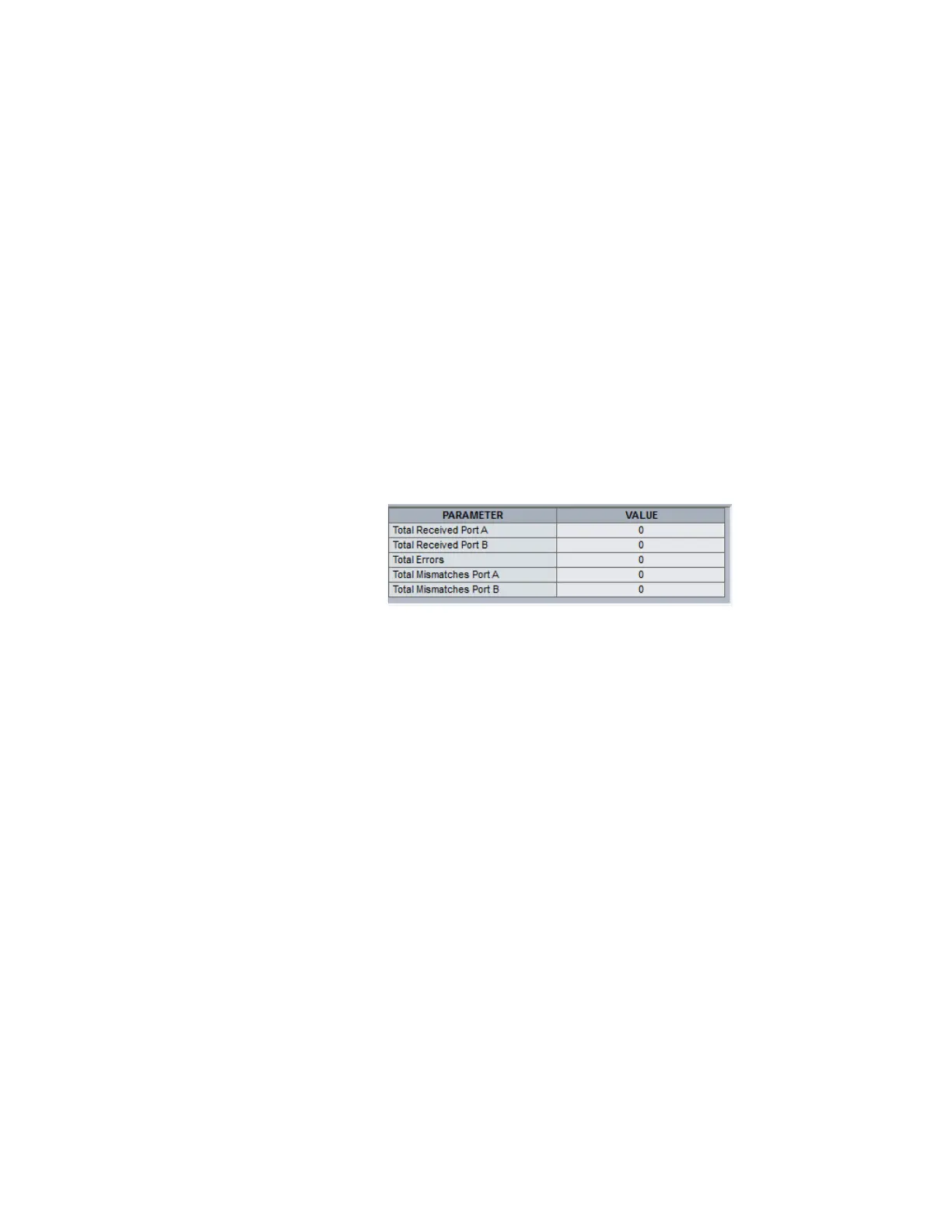
PRP actual values
Select the Actual Values > Communications > PRP menu to open the window.
Figure 84: PRP actual values
The following actual values display.
Total Received Port
Range: 0 to 4G, blank if PRP disabled
This is a counter of total messages received on a port.
Total Errors
Range: 0 to 4G, blank if PRP disabled
This is a counter of total messages received with an error (bad port code, frame length
too short).
Total Mismatches
Range: 0 to 4G, blank if PRP disabled
This is a counter of total messages received with an error on a port (PRP frame, but port
received through and LAN ID in the frame do not match).
Date and time actual values and commands
Select the Actual Values > Communications > Commands > Set Date and Time menu to
open the date and time commands window.



 To Next Page