142 D90
PLUS
LINE DISTANCE PROTECTION SYSTEM – INSTRUCTION MANUAL
IEC 61850 COMMUNICATIONS CHAPTER 6: COMMUNICATIONS
The following actual values are available for the IEC 61850 remote devices. The name and
status are available for each remote device.
All Remote Devices Online
Range: Yes, No
This value indicates whether or not all programmed remote devices are online. If the
corresponding state is “No,” then at least one required remote device is offline.
Name
Range: up to 65 alphanumeric characters
This value displays the name programmed for the corresponding remote device.
Status
Range: Online, Offline
This value indicates the present state of the corresponding remote device.
Remote input actual values
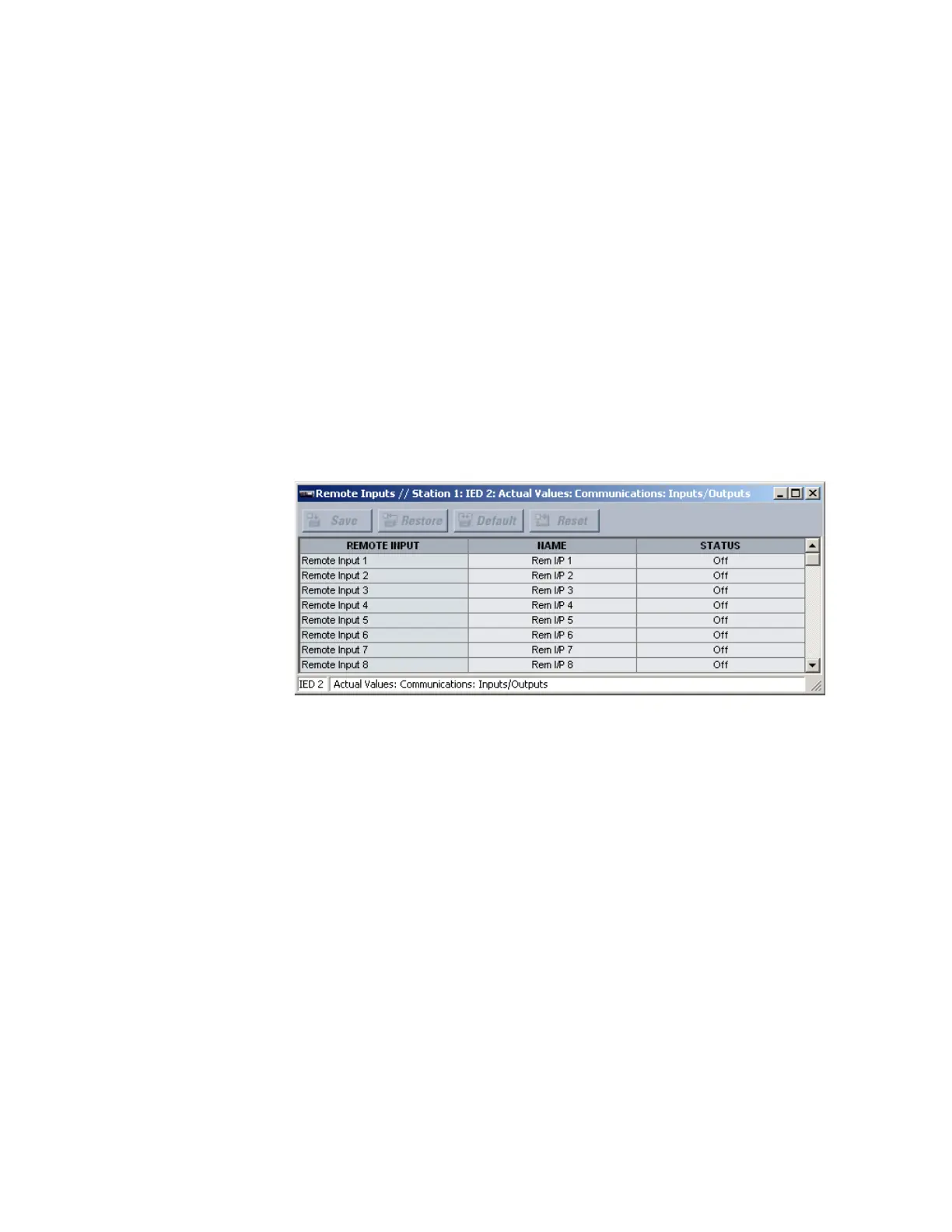
Select the Actual Values > Communications > Inputs/Outputs > Remote Inputs menu to
open the remote input actual values window.
Figure 114: Remote input actual values
The following actual values are available for each remote input.
Name
Range: up to 12 alphanumeric characters
This value displays the name programmed for the corresponding remote input.
Status
Range: On, Off
This value indicates the present state of the corresponding remote input. The state
displayed is that of the remote point unless the remote device has been established to
be “Offline,” in which case the value shown is the programmed default state for the
remote input.
Remote double-point status input actual values
Select the Actual Values > Communications > Inputs/Outputs > Remote DPS Inputs
menu to open the remote double-point status input actual values window.



 To Next Page