CHAPTER 6: COMMUNICATIONS IEC 61850 COMMUNICATIONS
D90
PLUS
LINE DISTANCE PROTECTION SYSTEM – INSTRUCTION MANUAL 143
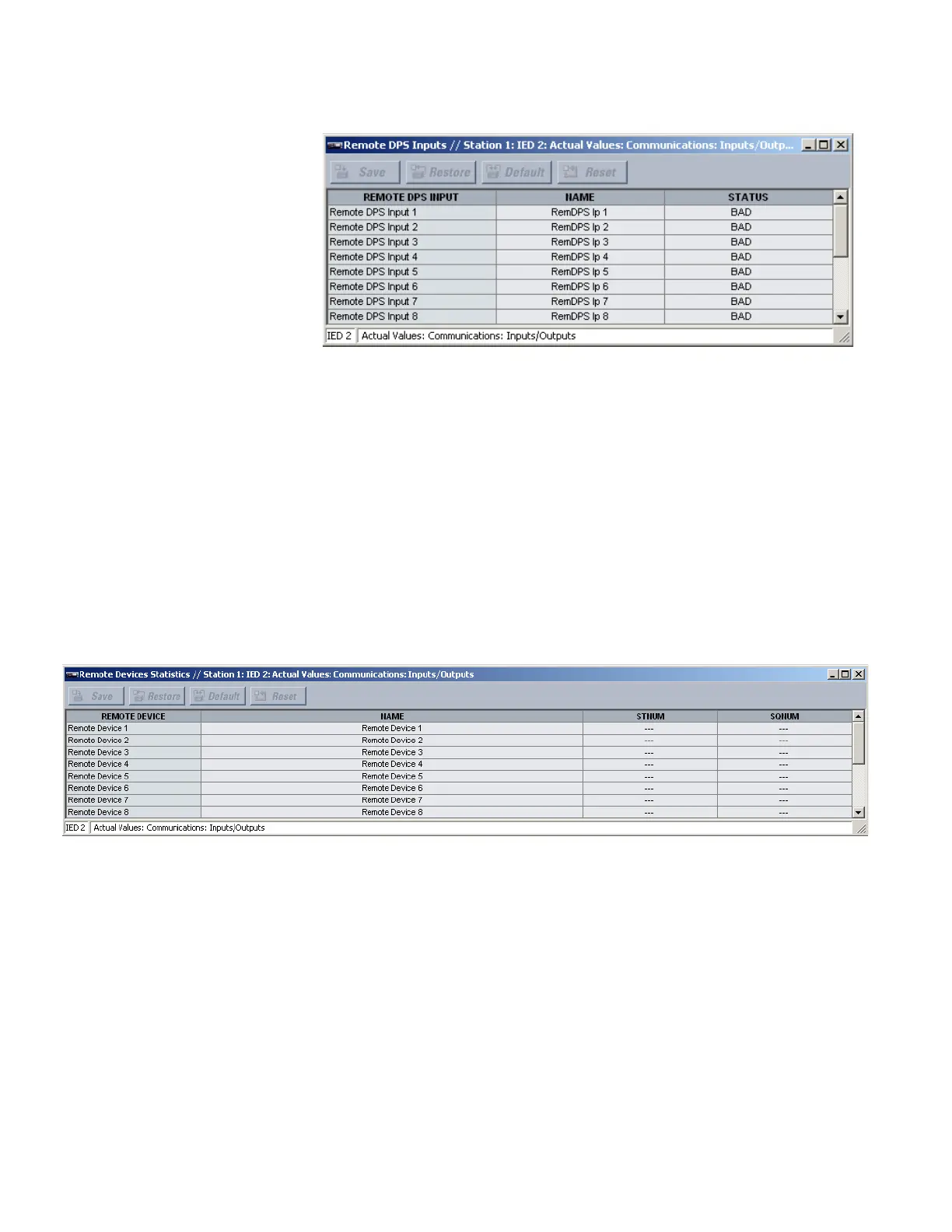
Figure 115: Remote double-point status input actual values
The following actual values are available for each remote double-point status input.
Name
Range: up to 12 alphanumeric characters
This value displays the name programmed for the corresponding remote double-point
status input.
Status
Range: On, Off, Intermediate, Bad
This value indicates if the corresponding remote double-point status input is in the on
(close), off (open), intermediate, or bad state.
Remote device statistics
Select the Actual Values > Communications > Inputs/Outputs > Remote Devices
Statistics menu to open the remote devices statistics window.
Figure 116: Remote device statistics
The following statistics are available for each remote device.
Name
Range: up to 65 alphanumeric characters
This value displays the name programmed for the corresponding remote device.
StNum
Range: 0 to 4294967295 in steps of 1
This value is obtained from the indicated remote device and is incremented whenever a
change of state of at least one DNA or UserSt bit occurs.
SqNum
Range: 0 to 4294967295 in steps of 1
This value is obtained from the indicated remote device and increments whenever a
GSSE message is sent. This number rolls over to zero when a count of 4294967295 is
incremented.



 To Next Page