Operation – Monitoring and Diagnosis
User Manual corpuls
3
134 ENG - Version 2.1 – P/N 04130.2
6.8.3 Performing Invasive Blood Pressure Monitoring
1. Invasive blood pressure monitoring starts automatically after application of
the transducer(s).
2. Select the curve field for display of the pressure curves and open the curve
context menu
3. Assign the corresponding pressure curve (P1-P4) to the selected curve
field.
4. If necessary, select a parameter field for display of the invasive pressure
measurements and open the parameter context menu.
5. Assign the corresponding P value (P1-P4) to the selected parameter field.
6. If required, assign a designation of the measuring site to the parameter- or
curve field:
IBP: Invasive (Blood-) Pressure
AP: Arterial blood pressure
VP: Venous blood pressure
ICP: Intracranial pressure
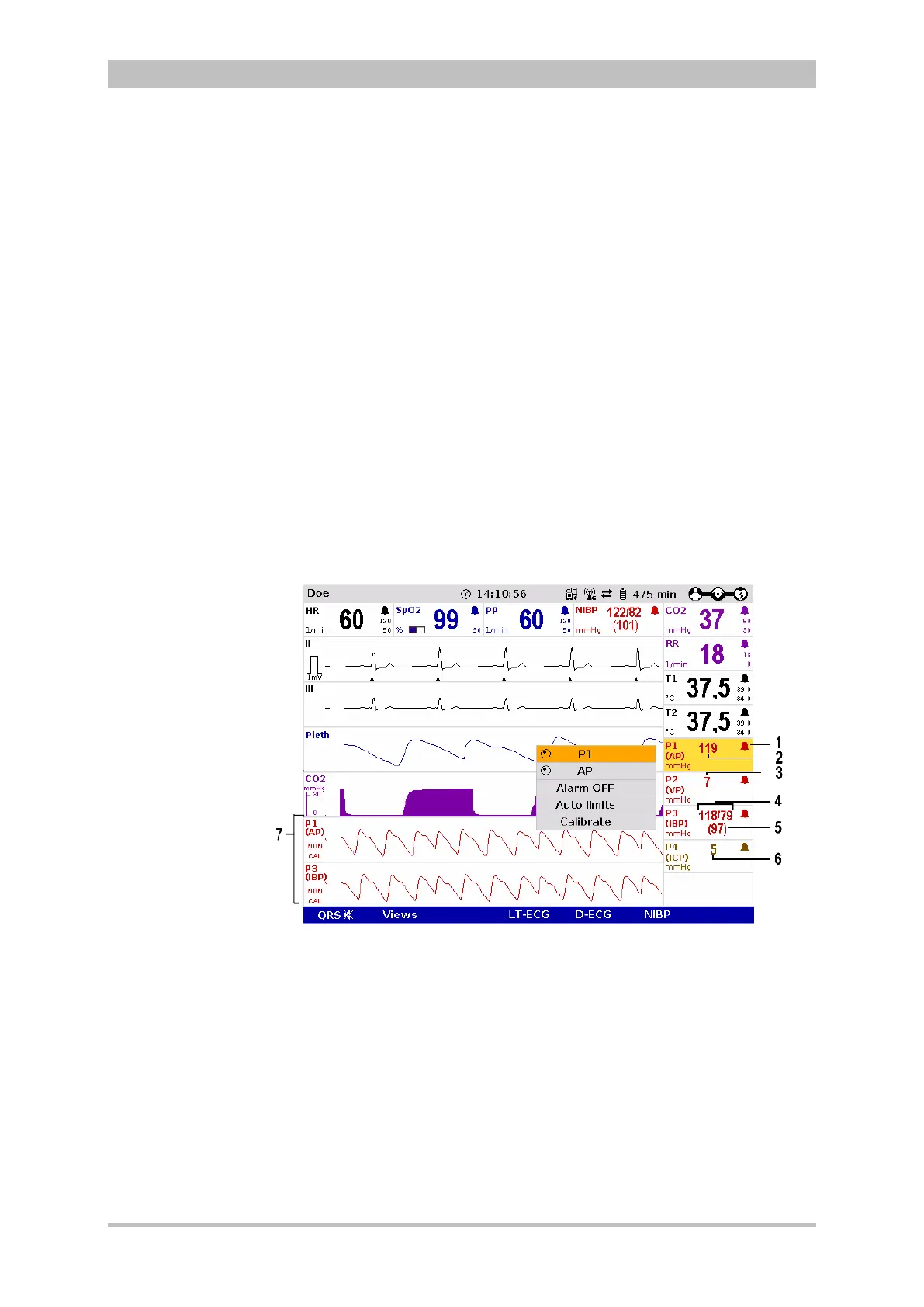
Fig. 6-33 IBP monitoring, configured screen
1 Symbol for switched-on alarms
2 Current arterial value in mmHg
3 Current venous value in mmHg
4 Current systolic and diastolic value in mmHg
5 Current mean arterial pressure in mmHg
6 Current intracranial pressure in mmHg
7 Pressure curves (P1 and P3) in mmHg
The pressure curves can be printed out with the integrated printer. See chapter
7.1.3 Printer settings, p. 143 for further information on configuration of the
printout.



 To Next Page