Operation – Monitoring and Diagnosis
User Manual corpuls
3
106 ENG - Version 2.1 – P/N 04130.2
To check the ECG cables for functional readiness, the use ot the optionally
available ECG cable tester is recommended (see chapter 9.8 Approved
Accessories, Spare Parts and Consumables, p. 224).
Warning
The ECG function is compromised if adhesion of the electrodes is impaired
due to contaminated skin or excessive hair.
6.3.3 Recording and Measuring a Diagnostic ECG
1. If possible, ask the patients to hold their breaths while ECG is obtained.
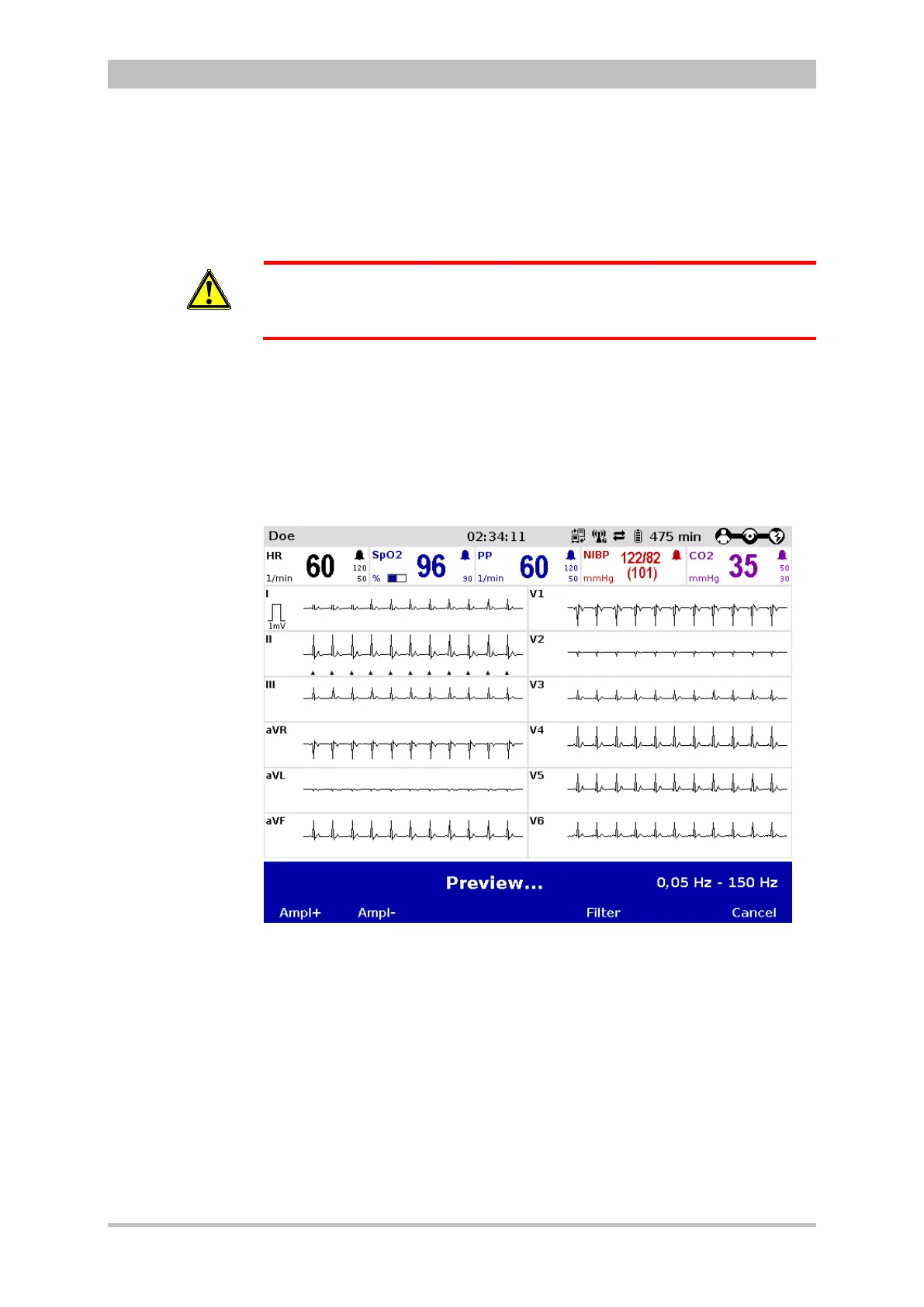
2. Press the softkey [D-ECG]. A preview of all 12 ECG leads is displayed on
the screen.
Fig. 6-9 Diagnostic ECG, preview screen
3. Check in the preview if all ECG leads are written.
4. Check in the preview if the signal quality of the leads is acceptable.
5. If the signal quality of one or several leads is poor, check electrode contact
and electrode positioning and take appropriate measures (see chapter 10
Procedure in Case of Malfunctions, page 233).
If individual ECG curves are failing, check the ECG electrodes and the ECG
cable.
After calling up the preview, the diagnostic ECG is automatically started with the
diagnostic filter setting, e. g. 0.05 -150 Hz. The filter bandwidth is displayed in



 To Next Page