General Operating Instructions
User Manual corpuls
3
40 ENG - Version 2.1 – P/N 04130.2
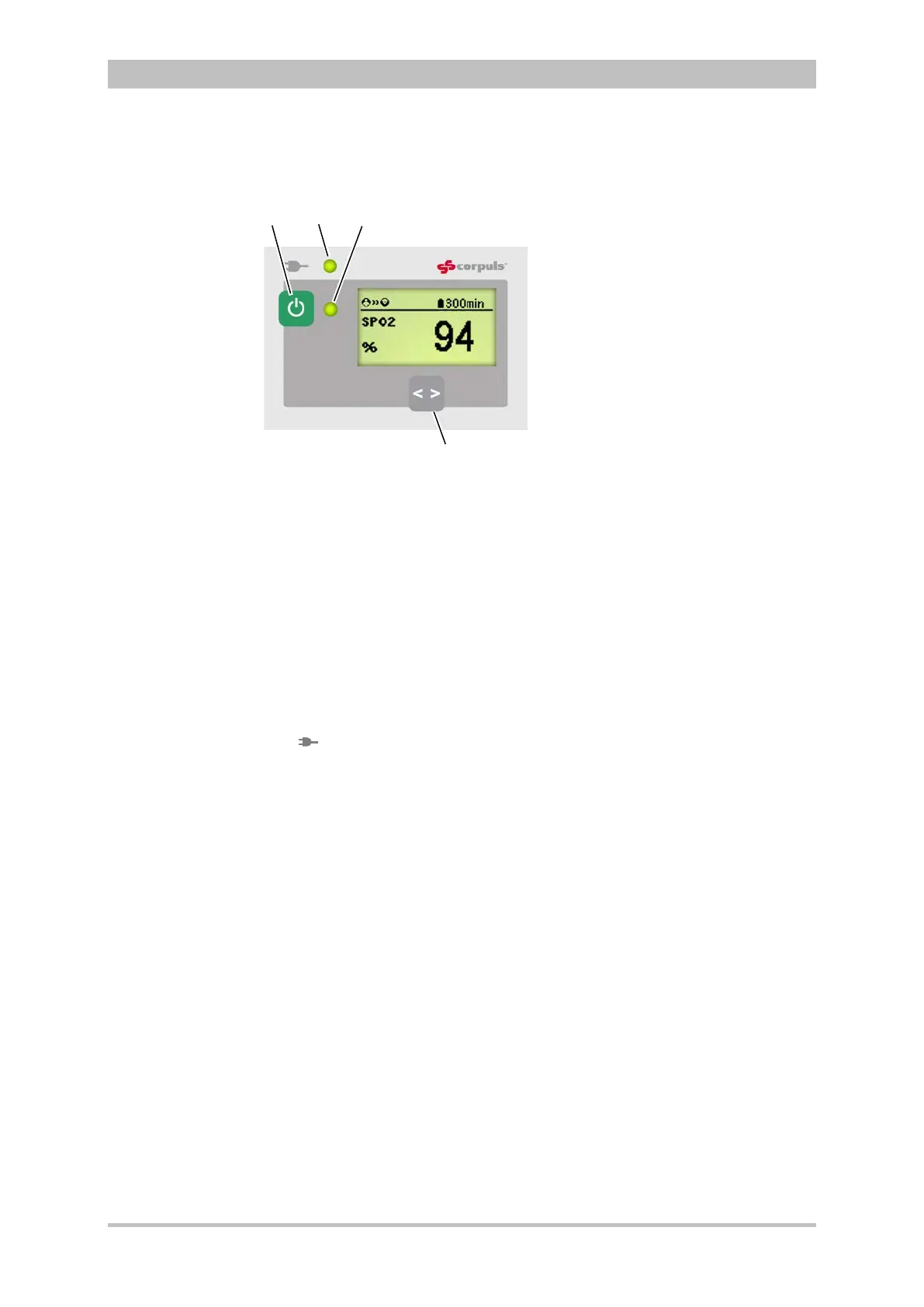
4.1.4 Control Keys and LEDs on the Patient Box
Fig. 4-6 Patient box, control keys and LEDs
(illustration may differ)
1 On/Off key
2 LED power supply/charging status
3 Multifunction LED operating status/HR/alarm
4 Multifunction key
The patient box is switched on or off during modular use by pressing the On/Off
key (item 1).
The state of charge LED (item 2) indicates the power supply or the state of
charge of the battery:
power supply/
charging status
battery is fully charged
device is connected to the mains
power supply
battery is being charged
The multifunction LED (item 3) flashes in step with the heart rate when ECG
electrodes or the SpO
2
sensor are connected. If no electrodes or no SpO
2
sensor are connected, it indicates the operating status of the patient box.
Furthermore, physiological and technical alarms are indicated by flashing up.
By pressing the multifunction key (item 4), the next parameter being currently
measured is displayed.
If alarms are displayed on the screen of the patient box, they can be confirmed
by pressing the multifunction key.
When the device is equipped with night vision goggle (NVG/NVIS)-compatibility,
the LED power supply/charging status and the multifunction LED glow yellow
instead of orange.
ch



 To Next Page