User Manual corpuls
3
Maintenance and tests
ENG - Version 2.1 – P/N 04130.2 217
9.5 Loading the Printer Paper
The printer paper has a marking in form of a red stripe at its edge indicating the
end of the paper roll. It is recommended to load a new roll of paper as soon as
this marking is visible.
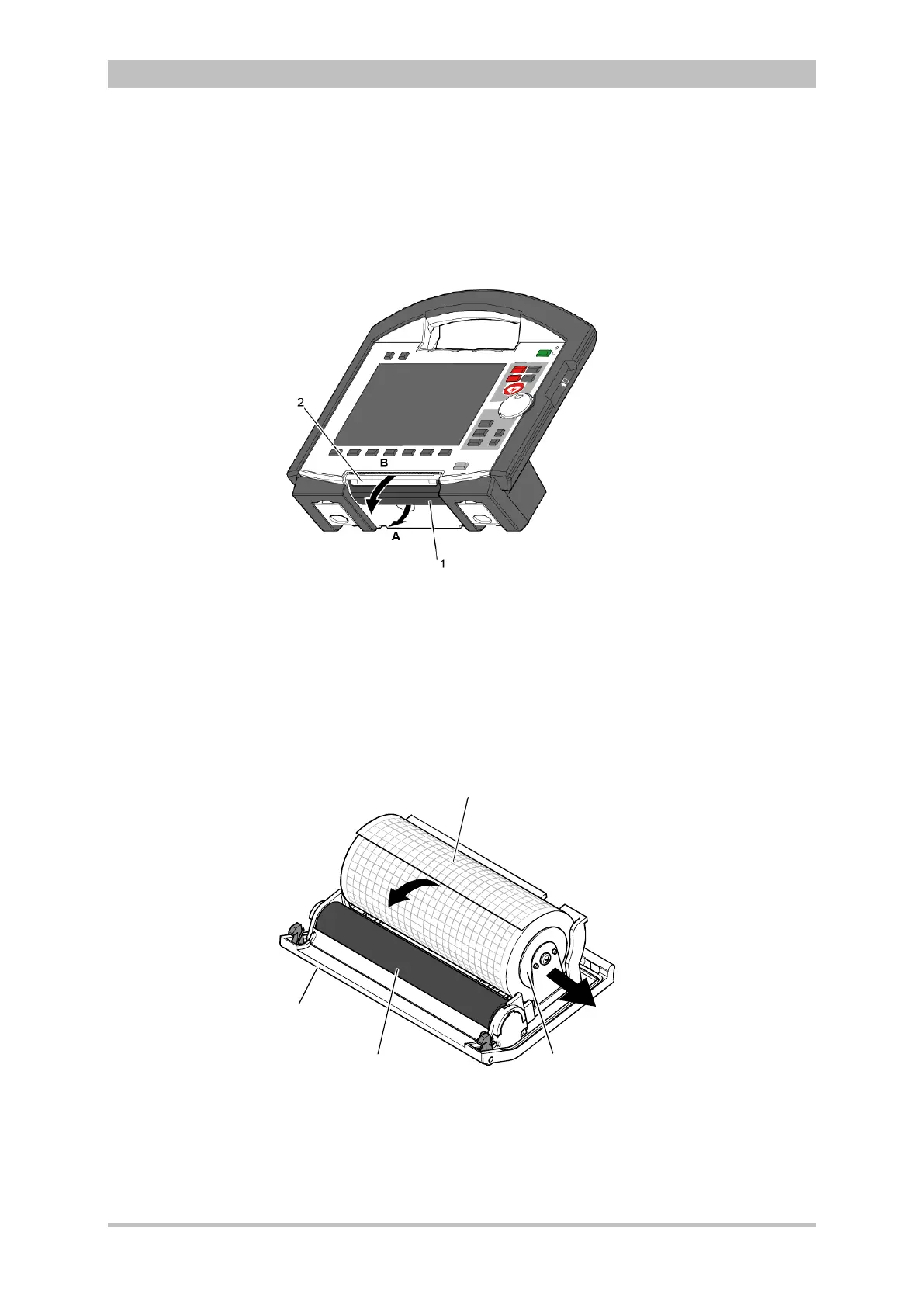
Fig. 9-1 Open the printer flap
1 Locking lever
2 Printer flap
To avoid damage to the printer flap, the monitoring unit, when disconnected
from the defibrillator/pacer, should be placed on a flat surface to load the printer
paper.
1. Pull the locking lever (item 1) of the printer flap slightly downwards to
unlock (item A) the printer flap (item 2) and open it downwards (item B).
Fig. 9-2 Printer
1 Roll of paper
2 paper roll holder (2x)
3 Transport reel
4 Printer flap



 To Next Page