Configuration
User Manual corpuls
3
156 ENG - Version 2.1 – P/N 04130.2
7.3.2 Configuring Alarm Settings
If the value of a vital parameter falls below or exceeds the limit values, an alarm
is triggered if the following conditions are met:
• Device is not in defibrillation mode.
• Alarm mode is set to "Alarm ON":
Select the parameter field of the vital parameter and open the parameter
context menu;
Select “Alarm ON” in the parameter context menu.
The alarm limits for vital parameters can be adjusted manually by the user or
automatically by the device:
1. Automatically in the parameter context menu with the menu item "Auto
limits";
2. Manually or automatically in the main menu.
7.3.3 Setting Alarm Limits for Monitoring Functions
Manually
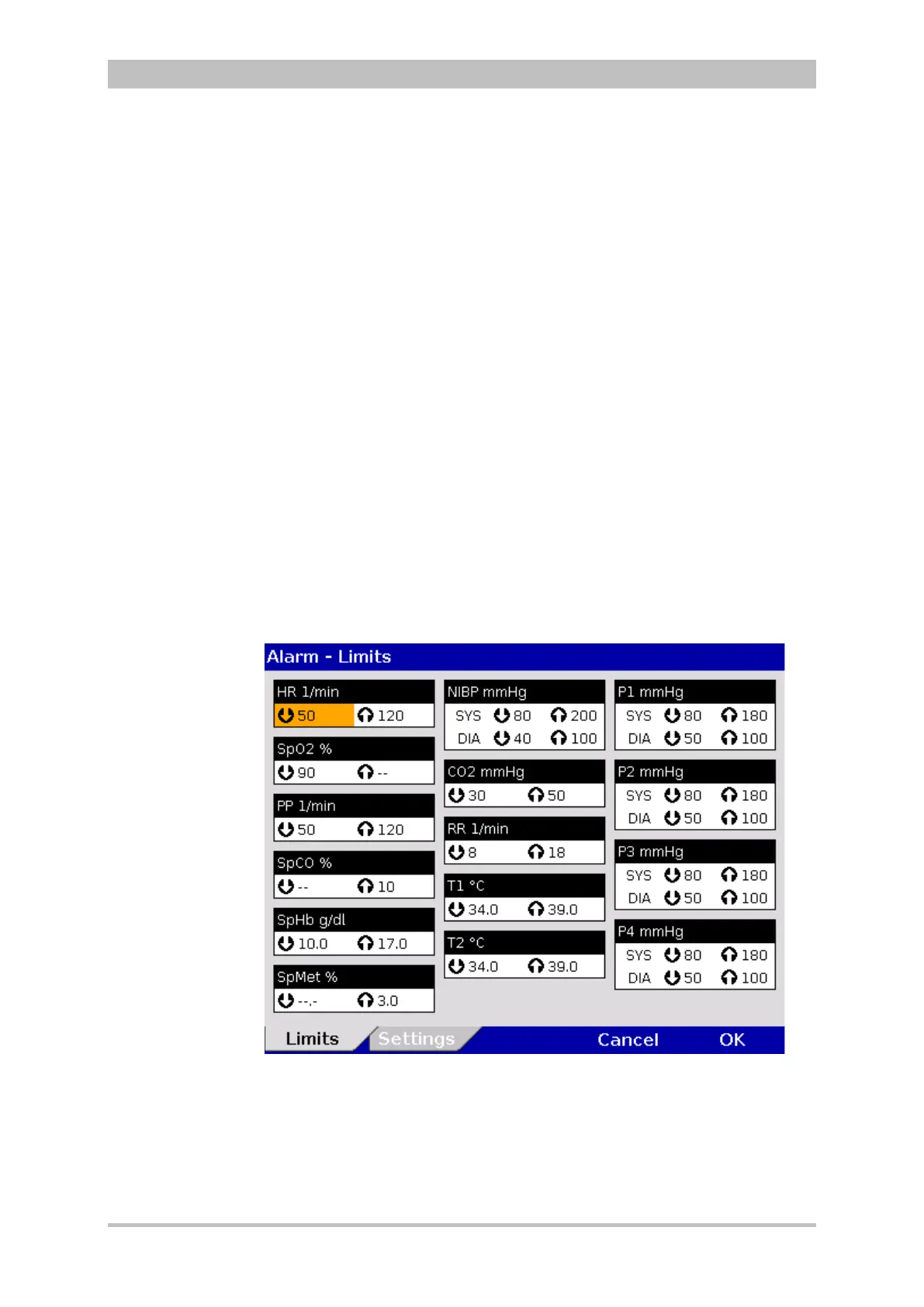
1. In the main menu, select the menu items "Alarm" ► “Limits”.
The configuration dialogue opens.
Fig. 7-15 Alarm limits
2. Select the alarm limits of the corresponding parameter
3. Select and confirm the alarm limits.



 To Next Page