User Manual corpuls
3
Configuration
ENG - Version 2.1 – P/N 04130.2 155
7.3 Alarm Configuration
7.3.1 Configuring Alarm Settings
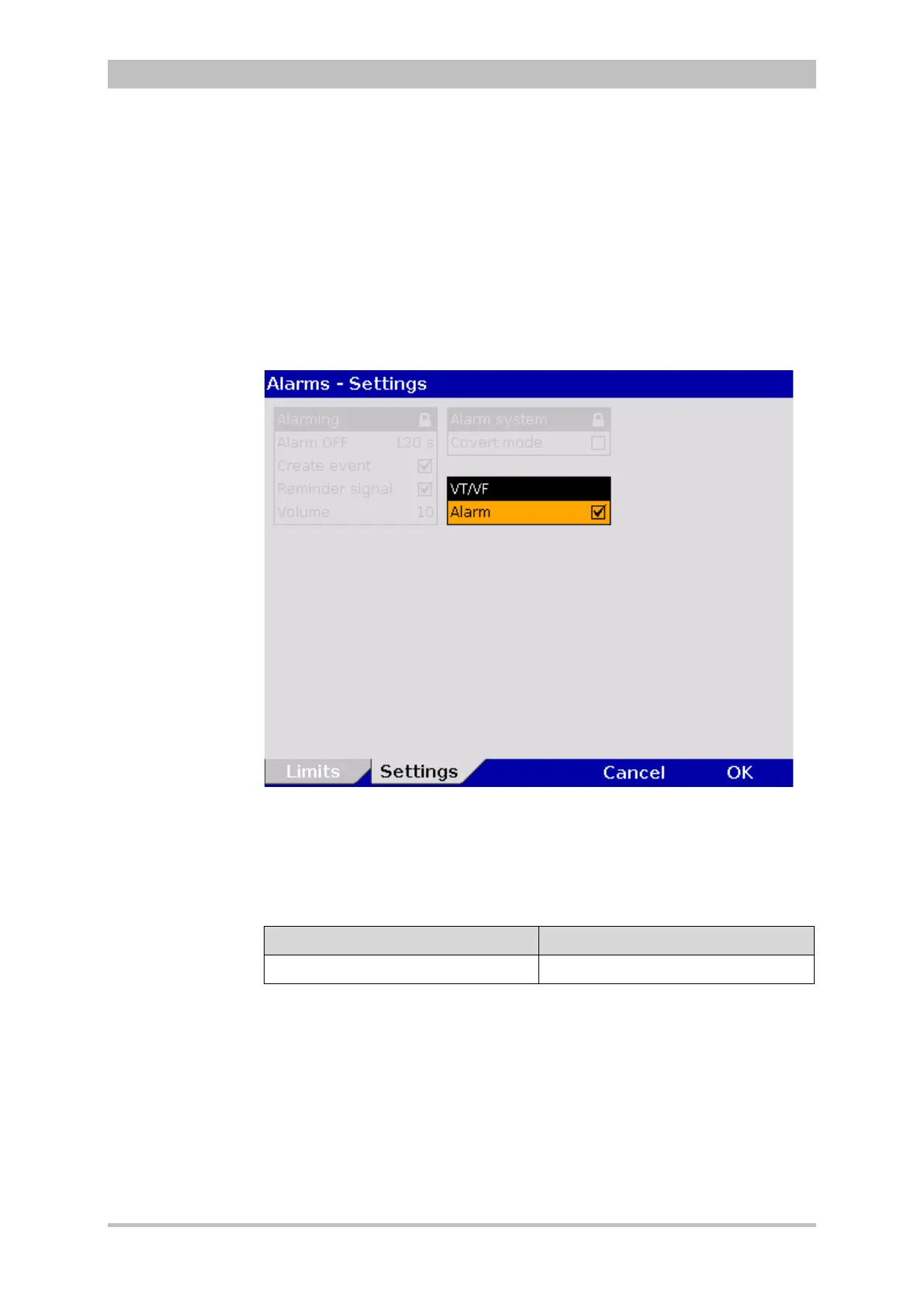
1. In the main menu, select the menu items "Alarm" ► "Settings".
The configuration dialogue opens.
Fig. 7-14 Alarm settings
2. Select the required setting with the jog dial.
The alarm for the occurrence of a ventricular tachykardia (VT) or a ventricular
fibrillation (VF) can be disabled.
VT/VF Valur
Alarm enabled, disabled
7-10 Settings for the VT/VF alarm
3. To confirm the settings and close the configuration dialogue, press the
softkey [OK].
To retain the previous settings and close the configuration dialogue, press
the softkey [Cancel].



 To Next Page