User Manual corpuls
3
General Operating Instructions
ENG - Version 2.1 – P/N 04130.2 61
4.6.2 Monitoring Unit Bracket
This procedure applies regardless of whether the patient box is connected to
the monitoring unit or not.
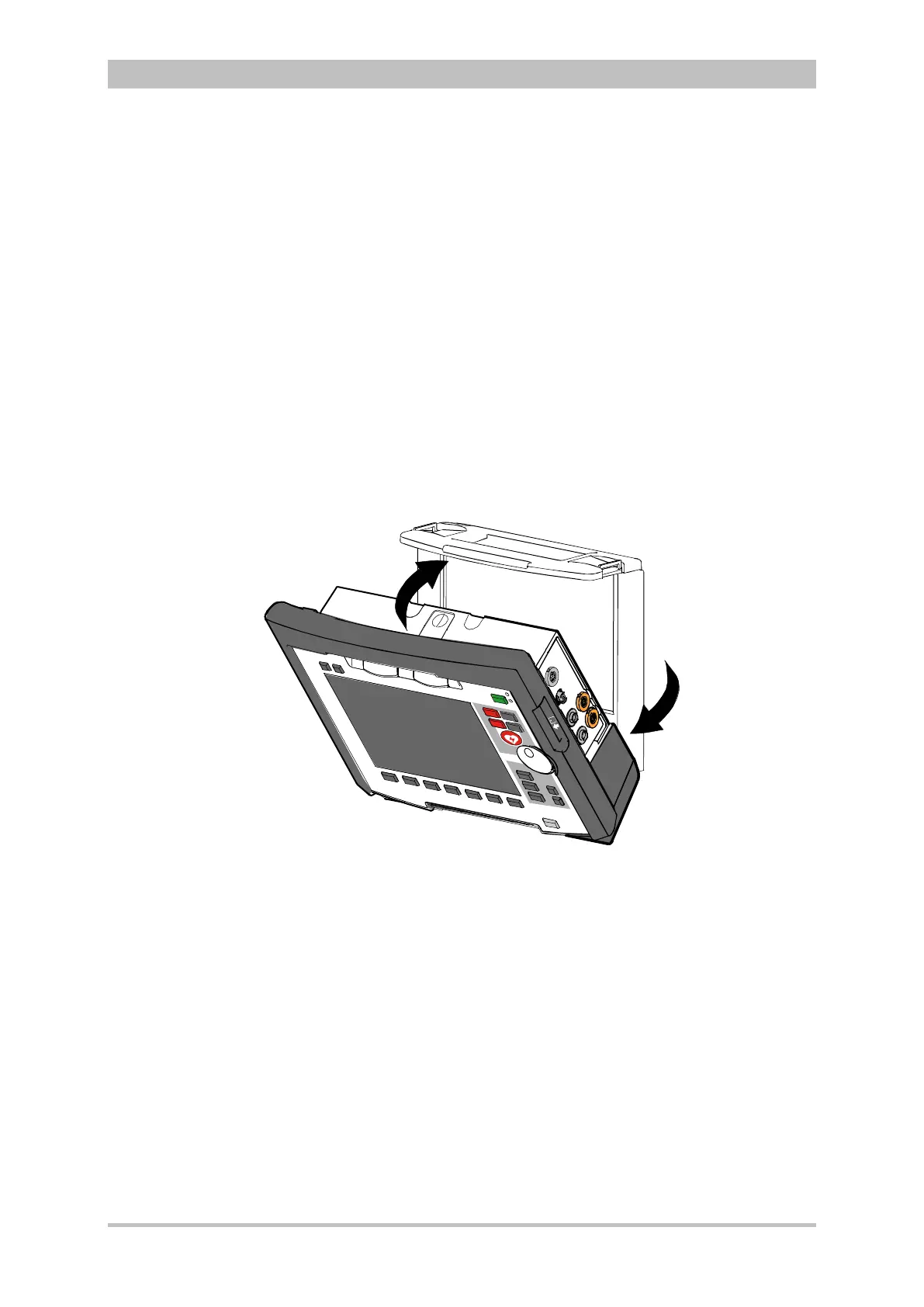
The monitoring unit is inserted into the bracket in the same manner as it is
connected to the defibrillator/pacer (see chapter 4.4.4 Connecting the
Monitoring Unit to the Defibrillator/Pacer, p. 54):
1. Raise and tilt the monitoring unit forwards.
2. Fit the monitoring unit onto the bracket at the bottom:
Both pins of the monitoring unit engage in the two recesses of the bracket
(item A).
3. Tilt the monitoring unit towards the bracket at the top until the closures at
the top of the monitoring unit audibly engage in the recesses on the bracket
(item B).
Fig. 4-32 Inserting the monitoring unit into the bracket (Illustration may differ)
The monitoring unit is removed from the bracket in the same manner as it is
disconnected to from the defibrillator/pacer (see chapter 4.4.1 Disconnecting
the Monitoring Unit from the Defibrillator/Pacer, p. 51):
1. Grasp the monitoring unit by the carrying handle and pull both snap locks
simultaneously forwards and upwards with your thumbs or push them
rearwards and downwards.
2. Tilt the monitoring unit forwards and remove upwards.



 To Next Page