General Operating Instructions
User Manual corpuls
3
56 ENG - Version 2.1 – P/N 04130.2
4.5 Accessory Bag
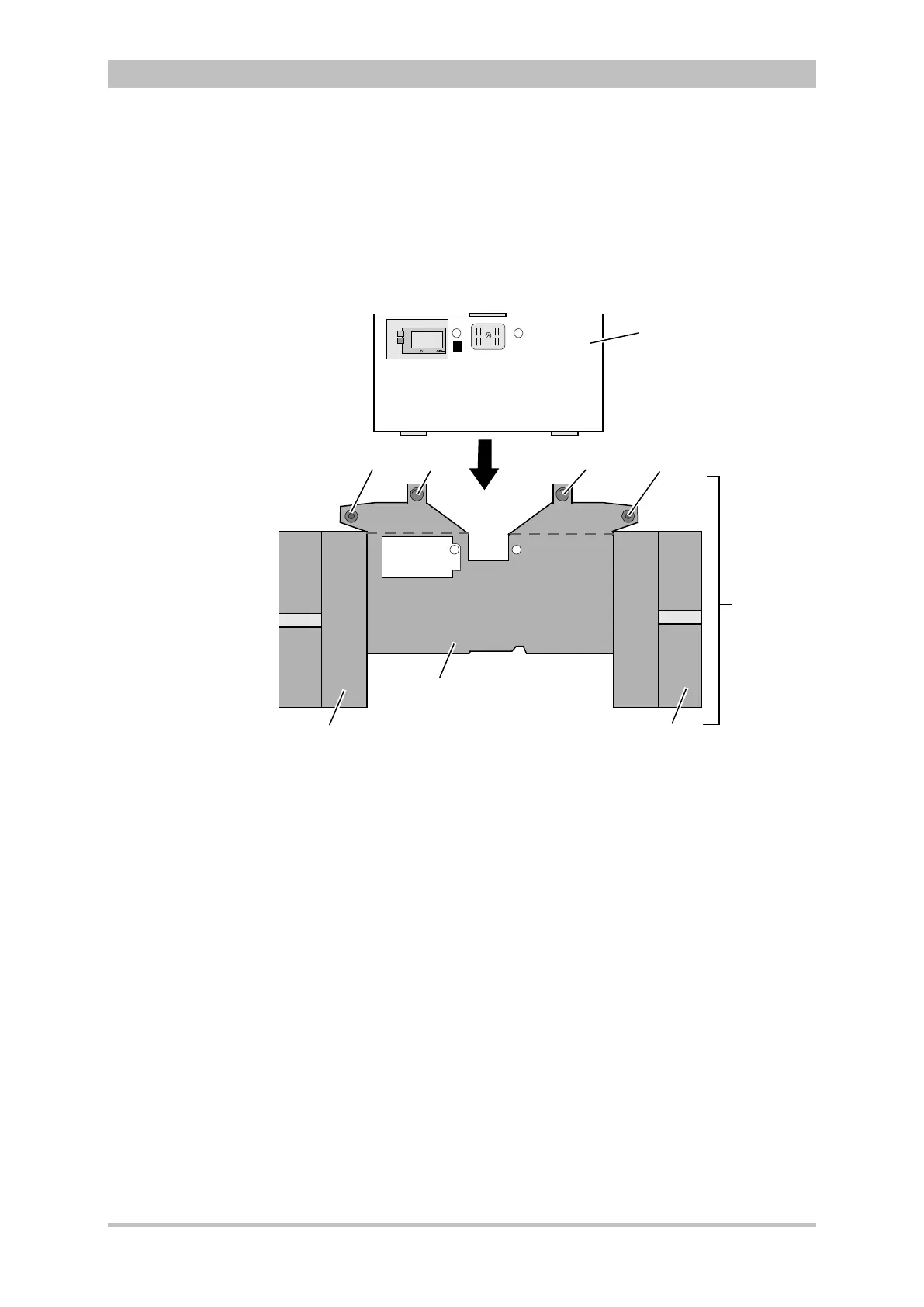
4.5.1 Fitting the Accessory Bag
1. Insert the patient box (item 1) into the protective cover (item 6).
Fig. 4-25 Accessory bag and patient box, front view (illustration may differ)
1 Patient box
2 Accessory bag
3 Lateral press stud
4 Rear press stud
5 Right-hand bag
6 Protective cover
7 Left-hand bag
2. Insert the two flaps with the lateral press studs (item 3) laterally from the
patient box.
3. Open the zip fasteners of the left-hand and right-hand bags (items 5 and 7)
and press the lateral press studs firmly in place inside on the upper sides of
the bags.
4. Close the rear press studs (item 4) on the protective cover.



 To Next Page