Operation – Monitoring and Diagnosis
User Manual corpuls
3
120 ENG - Version 2.1 – P/N 04130.2
6.5.4 Adjusting the Representation of the Oximetry
Parameters
The sweep speed of the display on the screen can be selected for the pleth
curve.
The following sweep speeds can be configured:
• 12.5 mm/s
• 25 mm/s
• 50 mm/s
1. Select the pleth curve and open the curve context menu.
2. Select the required sweep speed in the curve context menu and confirm.
The program automatically quits the curve context menu after the selection
has been made.
6.5.5 Monitoring Pulse Rate and Perfusion Index
During oximetry monitoring, the pulse rate (PP) and the perfusion index (PI) are
also evaluated and displayed on the screen. The perfusion index is calculated
as the relation of arterial pulsatile signal to the non-pulsatile signal component.
It serves to check the plausibility of the SpO2 value and is indicated in 0.02% to
20%. The alarm limits of the pulse rate are configurable (see chapter 7.3.3
Setting Alarm Limits for Monitoring Functions Manually, page 156).
1. Select the parameter field for display of the pulse rate or the perfusion
index and open the parameter context menu.
2. Assign the pulse rate or the perfusion index to the selected parameter field.
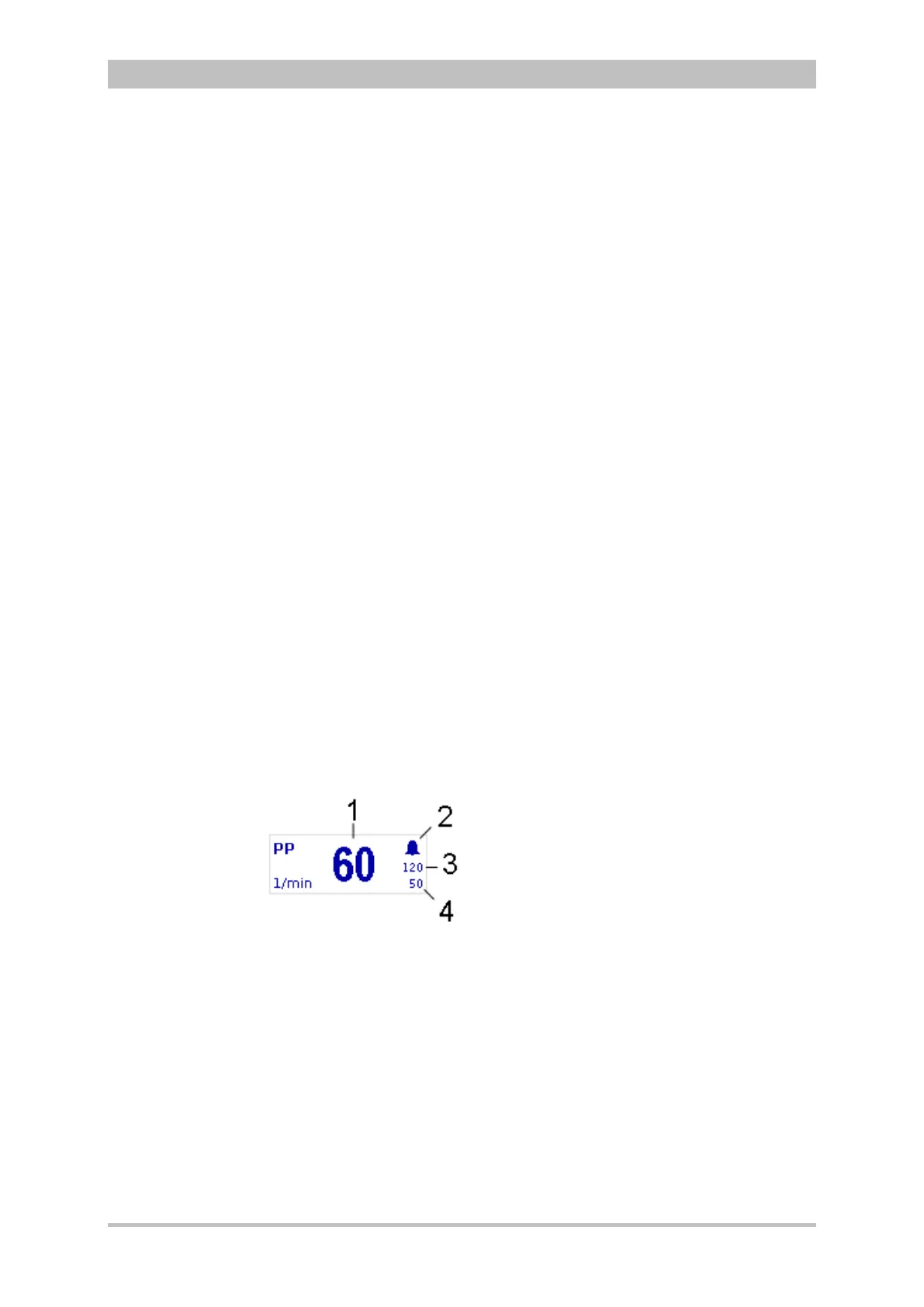
Fig. 6-21 Pulse rate parameter field
1 Current pulse rate in 1/min
2 Symbol for switched-on alarms
3 Upper alarm limit
4 Lower alarm limit
Modifying the
sweep speed



 To Next Page