General Operating Instructions
User Manual corpuls
3
42 ENG - Version 2.1 – P/N 04130.2
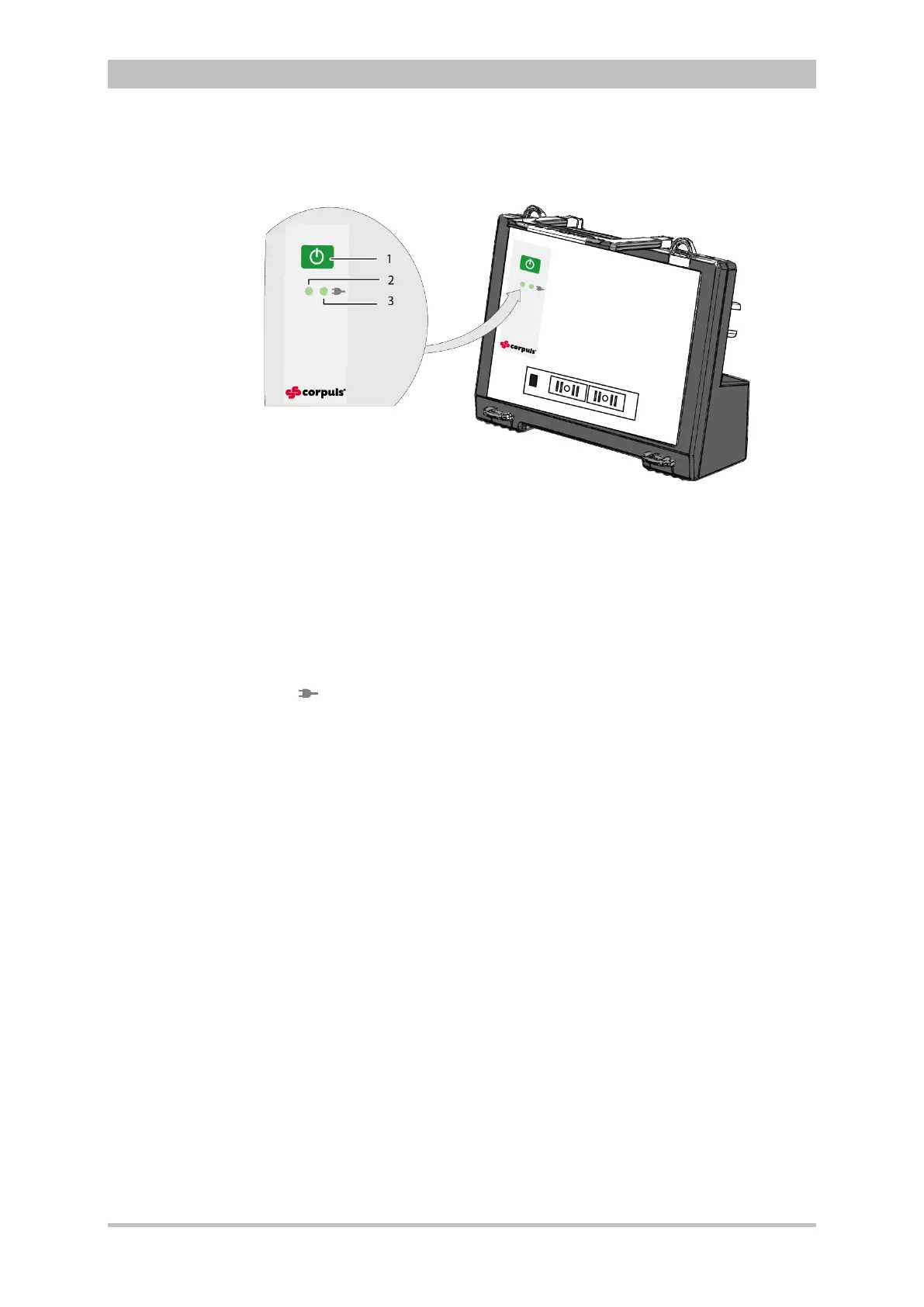
4.1.6 Control Key and LEDs
on the Defibrillator/Pacer SLIM
Fig. 4-8 Defibrillator SLIM, control key and status LEDs
1 On/Off key
2 Operating status LED
3 Power supply/charging status LED
By pressing the On/Off key (item 1), the defibrillator is switched on or off during
modular use.
The status LEDs of the defibrillator/pacer module indicate the power supply or
state of charge of the battery as well as the operating status of the device:
power supply/
state of charge (item 3)
battery is fully charged
device is connected to the mains
power supply
battery is being charged
LED operating status (item 2)
device is switched on
When the device is equipped with night vision goggle (NVG/NVIS)-compatibility,
the LED power supply/charging status and the multifunction LED glow yellow
instead of orange.
Status LEDs on
defibrillator



 To Next Page