Configuration
User Manual corpuls
3
140 ENG - Version 2.1 – P/N 04130.2
7.1.2 Display Configuration
The following settings can be configured:
• number and type of the curves displayed
• number and type of the parameters displayed
• pre-set views
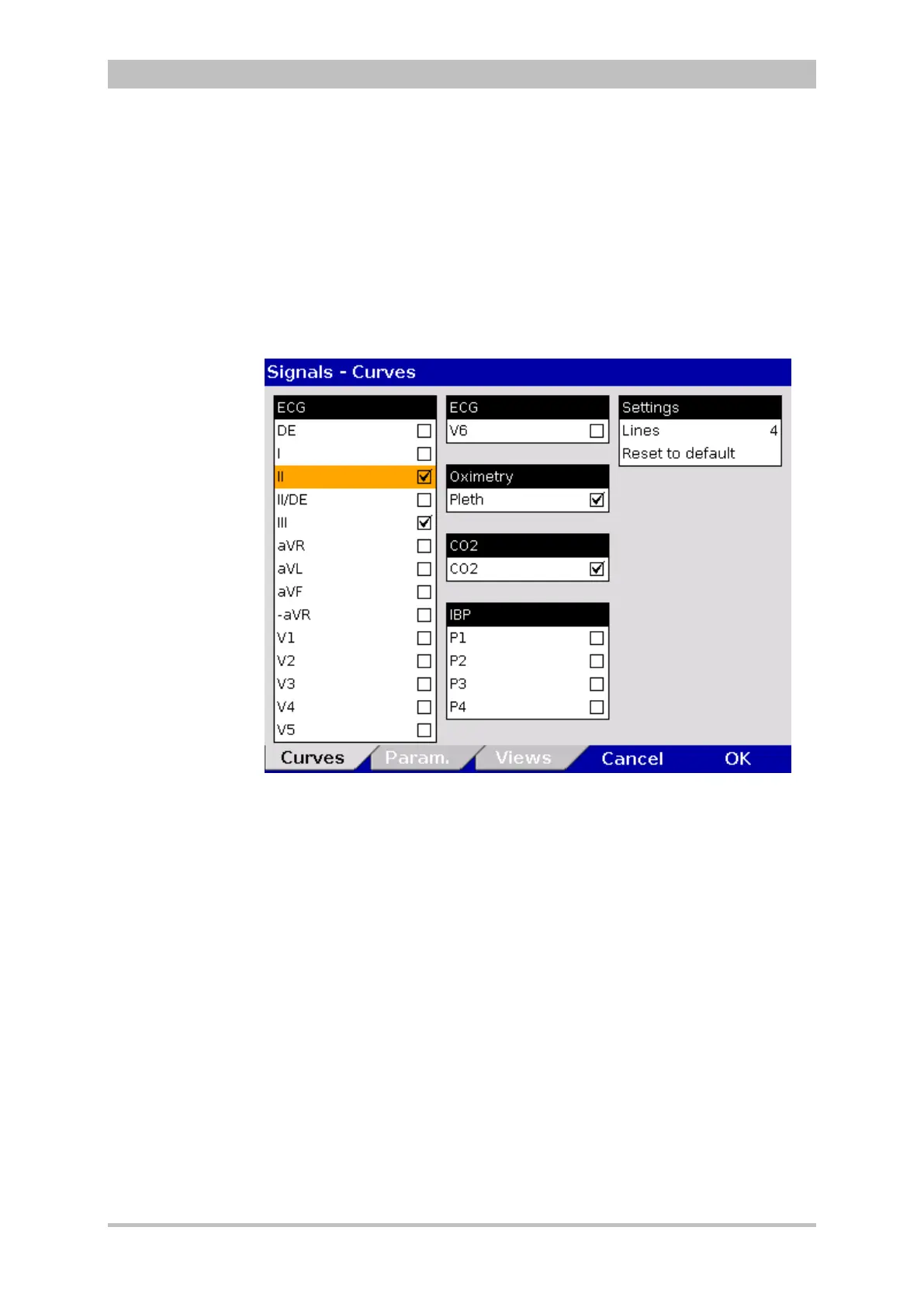
1. In the main menu, select "Signals" ► "Curves".
The configuration dialogue opens.
Fig. 7-2 Displaying curves
2. In the field “Lines” in the group "Settings" the required number of lines (3 to
6 lines) can be selected. The selected number of curves is displayed on the
monitor.
3. Select the field “Reset to default” to set the configuration back to the last
settings before opening this configuration dialogue. Changes can so be
undone without having to close the configuration dialogue.
4. Select the required ECG leads and curves of the monitoring functions Pleth,
CO
2,
IBP and CPR for display on the monitor.
5. To confirm the settings and close the configuration dialogue, press the
softkey [OK].
To retain the previous settings and close the configuration dialogue, press
the softkey [Cancel].



 To Next Page